IP TELEPHONE SET
15
3) Use the Switch hot key to choose a preferred date format, the IP phone can support
7 kind of date display format.
4) Press the Save hot key to save the changes and return to the previous screen.
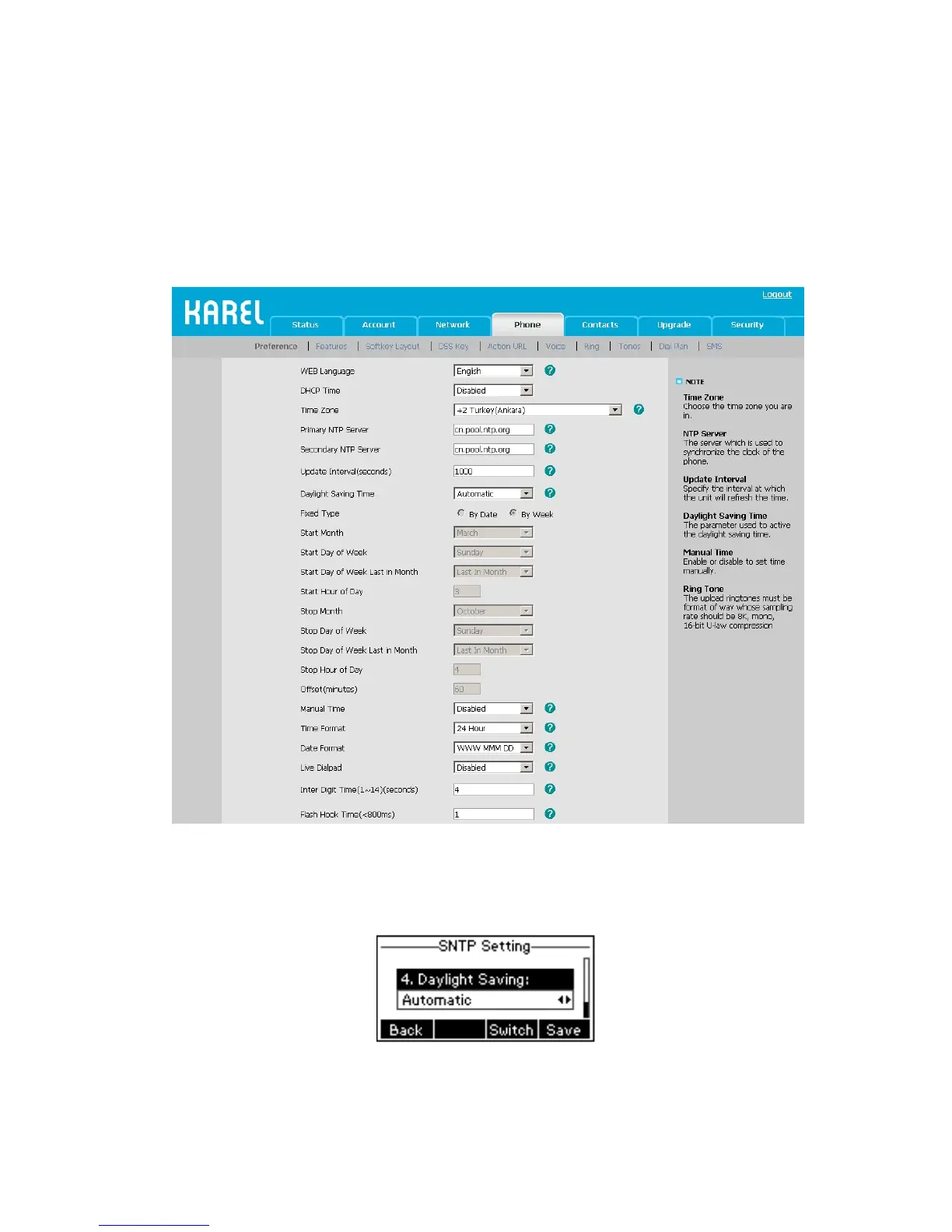
To change the Time and Date via the Web interface:
Choose Phone->Preference to do the relating changes. You can also change the Update
Interval which specifies the time frequency that the phone refreshes the time
automatically. Please refer to the instruction above for the parameters’ detail.
To change the Daylight Saving Time settings via the Phone interface:
1) Press Menu->Settings->Basic Settings->Time & Date->SNTP Settings->Daylight
Saving.
2) Press the Switch hot key to choose Off/On/Automatic options.
3) Press the Save hot key to save the changes.
To change the Daylight Saving Time Settings via the Web interface:



 To Next Page