8
Use the [
A
] or [
B
] key to set the
"hour".
Use the [
A
] or [
B
] key to set the
"minute".
Press the [ENTER] key.
Press the [ENTER] key.
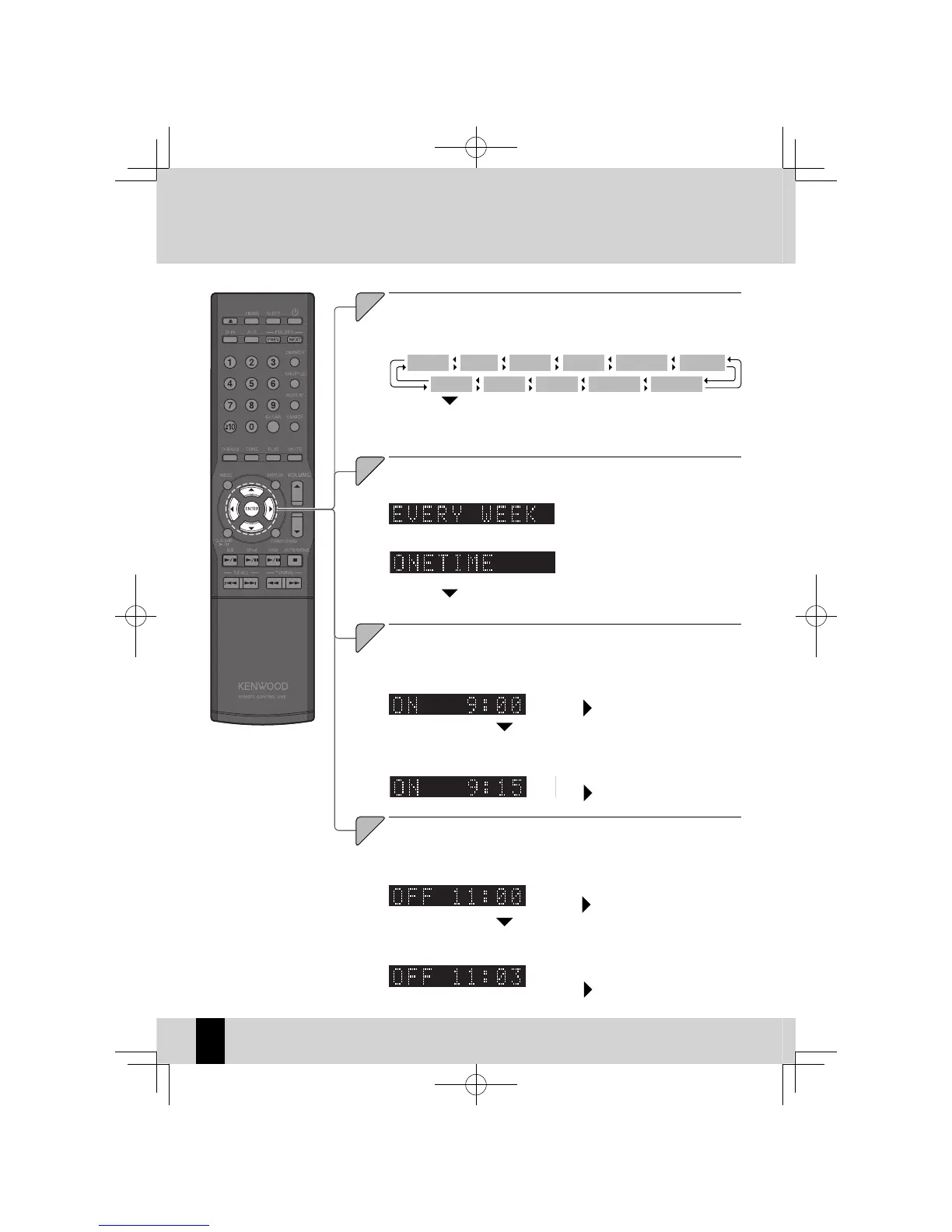
Select the day (or days) on which the Program Timer will run.
Press the [
A
] or [
B
] key.
The mode changes as shown below each time you press the key.
6
Press the [ENTER] key.
Press the [ENTER] key.
The specifi ed timer runs once only.
z
The "hour" fl ashes.
z
The "minute" fl ashes.
z
Press the [ENTER] key.
Press the [ENTER] key.
The "hour" fl ashes.
z
The "minute" fl ashes.
z
If you selected "EVERYDAY", "MON-FRI", "TUE-SAT" or "SAT-SUN", proceed to step 7.
z
Use the [
A
] or [
B
] key to set the
"hour".
Use the [
A
] or [
B
] key to set the
"minute".
EVERYDAY SUNDAY MONDAY TUESDAY WEDNESDAY THURSDAY
SAT-SUN TUE-SAT MON-FRI SATURDAY FRIDAY
K-521EB60-5813-0801GVT0294-002A.indb60K-521EB60-5813-0801GVT0294-002A.indb60 09.10.264:32:00PM09.10.264:32:00PM



 To Next Page