TUNER CD iPod
AUX D-IN USB
Continued to next page
Setting the Timer
z
R
P. X X
z
R
P. X X
English
Related
Information
Setting the Timer
61
English
Playback begins at the speci-
z
fi ed time and the volume grad-
ually increases to the level set
in step 10.
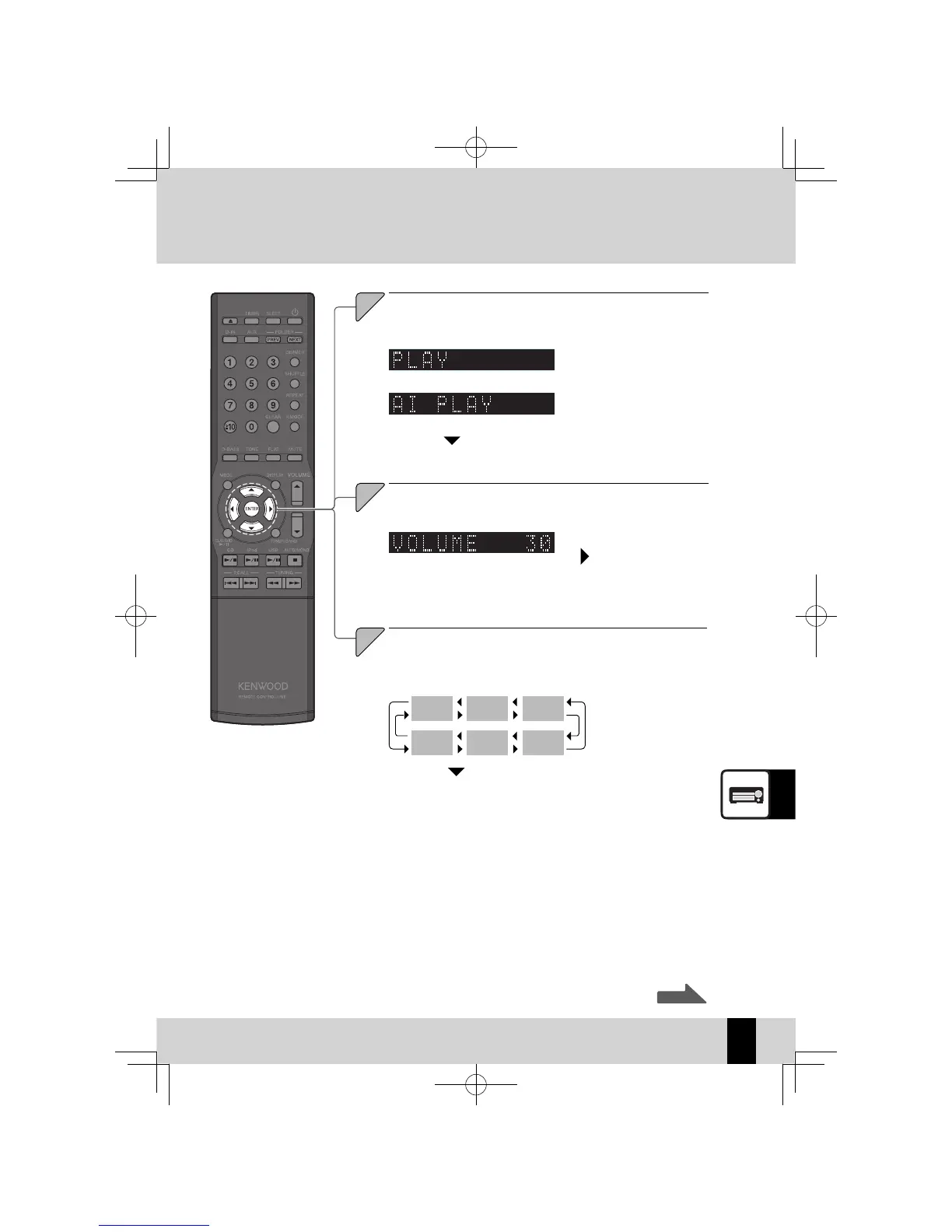
Select "PLAY" or "AI PLAY".
Press the [
A
] or [
B
] key.
11
Press the [ENTER] key.
If you select an input source other than "TUNER", this completes the
z
settings and "COMPLETE" is displayed briefl y, after which the original
display reappears.
If you select "TUNER", use the
z
[
A
] or [
B
] to select a preset number and
then press the [ENTER] key. This completes the settings and "COM-
PLETE" is displayed briefl y, after which the original display reappears.
Press the [ENTER] key.
Playback is at the volume set in
z
step 10.
You cannot use the
z
[VOLUME] key to set the volume.
K-521EB60-5813-0801GVT0294-002A.indb61K-521EB60-5813-0801GVT0294-002A.indb61 09.10.264:32:00PM09.10.264:32:00PM



 To Next Page