Keyline S.p.A. NINJA Man. cod. B409286FG Copyright by Keyline - Italy 23
START UP START UP
ITALIANO / ENGLISH
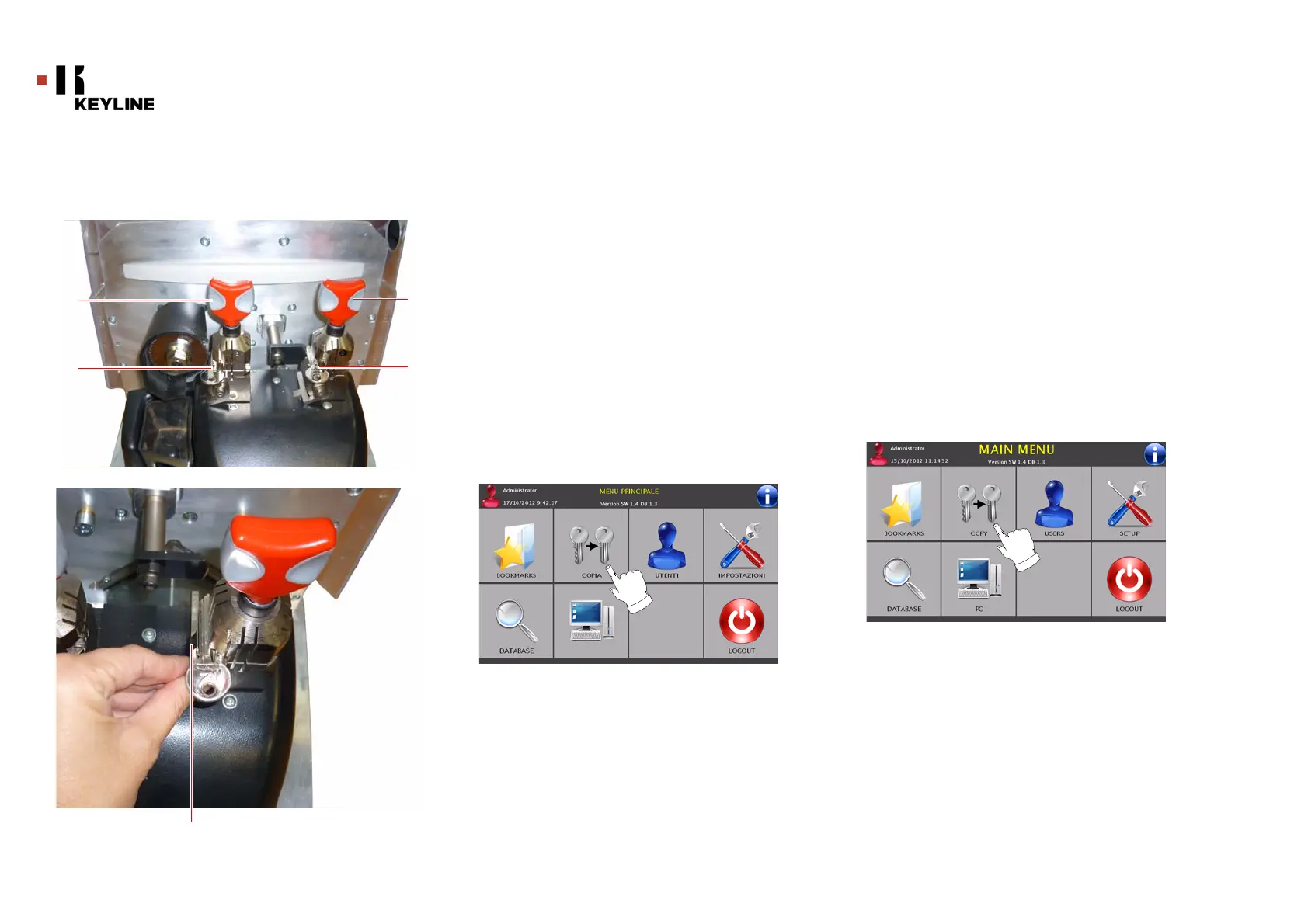
6.3.0 Posizionamento delle chiavi
• Inserire la chiave originale nel morsetto di lettura (1).
• Inserire la chiave grezza nel morsetto per la copia (2).
Nota: Allineare le chiavi sollevando il calibro (3) portandolo in
battuta il fermo della chiave.
• Bloccare la posizione delle chiavi agendo sulle manopole
(4).
• Abbassare lo schermo di protezione.
• Se si è optato per la duplicazione in modalità meccanica è
possibile a questo punto procedere alla copia della chiave
premendo il pulsante bianco “START” posto sopra la
macchina oppure premendo il pulsante “COPY” dalla
schermata principale.
• Nel caso in cui invece sia necessaria la duplicazione a
codice, ad esempio perché non si è in possesso della
chiave originale, si dovrà prima procedere con la selezione
e l’elaborazione dei dati necessari alla copia della chiave. A
tale scopo seguire le indicazioni riportate nei paragrafi
successivi.
6.3.0 Key positioning
• Introduce the original key in the reading jaw (1).
• Introduce the blank key to be copied in the jaw (2).
Note: Align the keys by lifting and placing the gauge (3) against
the key shoulder.
• Use the konobs (4) to lock the key's position.
• Lower the protective eye guard.
• If you choose the mechanical mode it is possible to copy
the key by pressing the “START” white button placed on the
machine or by pressing “COPY” from the main screen.
• If the duplication with code has been chosen (if user does
not have the original key, etc.) it is necessary to select and
set data to copy the key. For this reason, follow indication
given in the following paragraphs.



 To Next Page