Keyline S.p.A. NINJA Man. cod. B409286FG Copyright by Keyline - Italy 29
SET UP SET UP
ITALIANO / ENGLISH
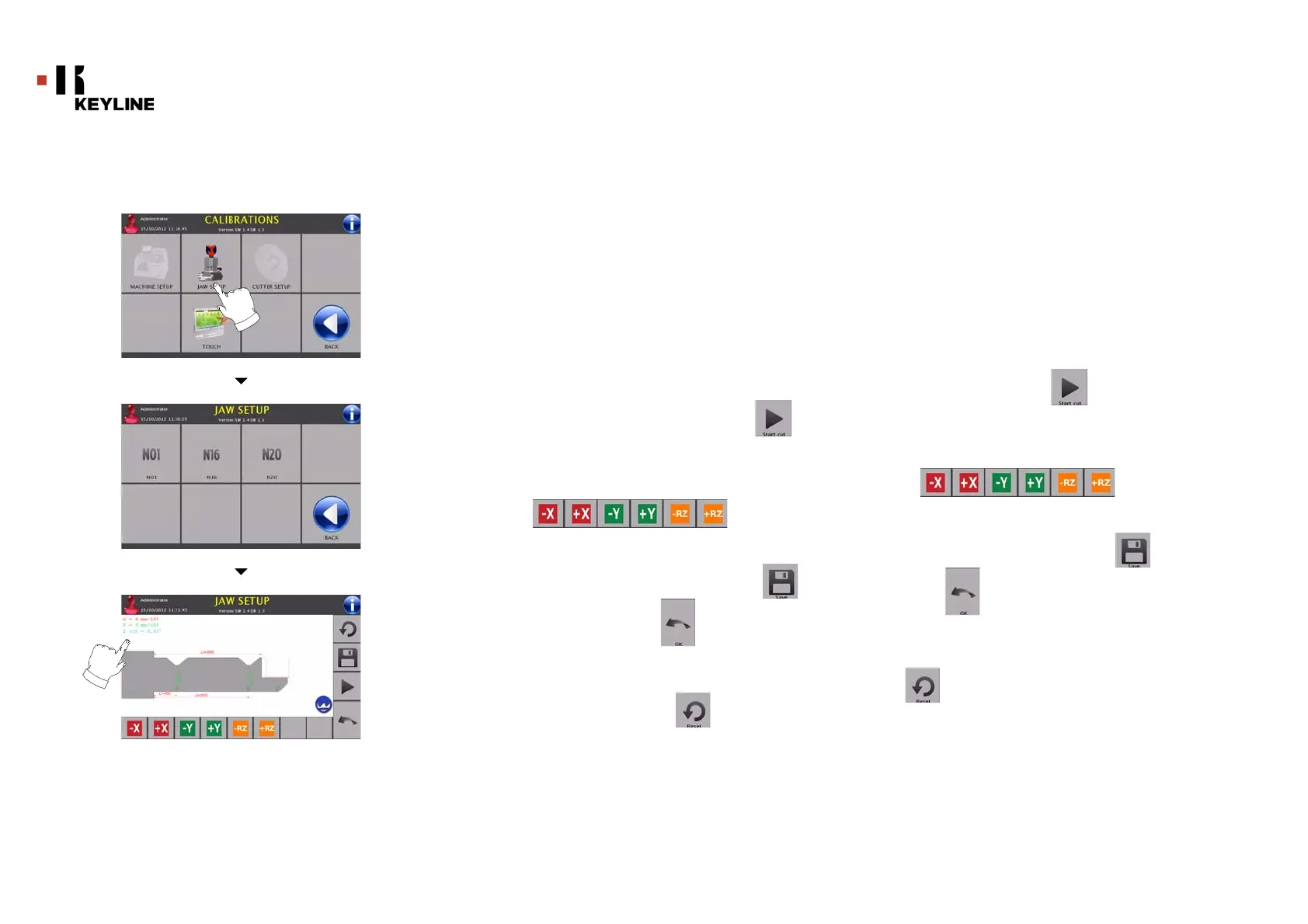
7.2.1 Setup Morsetti
Come procedere:
• Installare il morsetto desiderato e selezionare dal MENU
SETUP MORSETTI il codice corrispondente.
• Inserire la chiave campione nel morsetto di lettura e
bloccarla.
Nota: Utilizzare le chiavi campione in dotazione con il
morsetto.
• Inserire la chiave grezza nel morsetto di taglio e bloccarla.
• Quindi premere START CUT per eseguire il taglio ed al
termine misurare le quote effettive della chiave
• Se le quote misurate sono diverse rispetto a quelle
visualizzate a video, è possibile apportare piccoli ritocchi
modificando la posizione degli assi X-Y tramite i tasti:
• Nel video in alto a sinistra è possibile vedere la quota che si
sta modificando.
• Salvare le modifiche prima di uscire dalla pagina
Nota: Se viene premuto il tasto senza aver prima
salvato le modifiche, queste verranno perse
• Se si desidera resettare le modifiche e ripristinare le
impostazioni precedenti premere
7.2.1 Jaws Setup
How to proceed:
• Install the required jaw and select the corresponding code
from the JAWS SETUP MENU.
• Insert the sample key in the reading jaw and lock it in place.
Note: Sample keys provided with the jaw must be used.
• Insert the blank in the reading jaw and lock it in place.
• Then press START CUT to cut the key and, at the end, to
measure the actual key heights
• If the measured heights are different from those shown on
the display, it is possible to correct them by changing the
position of the X-Y axes with the buttons:
• On the top left of the display it is possible to view the height
to be modified.
• Save your changes before leaving the page
Note: If the button is pressed prior to saving, any chang-
es made shall be lost.
• To reset the changes and go back to the previous setting,
press



 To Next Page