ITALIANO / ENGLISH
Keyline S.p.A. NINJA Man. cod. B409286FG Copyright by Keyline - Italy 27
SET UP SET UP
7Set Up
7Set Up
7.1. 0 Men ù S et U p
Dal menù principale è possibile accedere al menù di set-up per la re-
golazione dei dispositivi di taglio e lettura, aggiornamento e diagnosti-
ca della macchina.
Come accedere alla pagina:
•Dal MENU’ PRINCIPALE selezionare:
Opzioni visualizzate:
• Selezionare “ ” dal display per maggiori informazioni
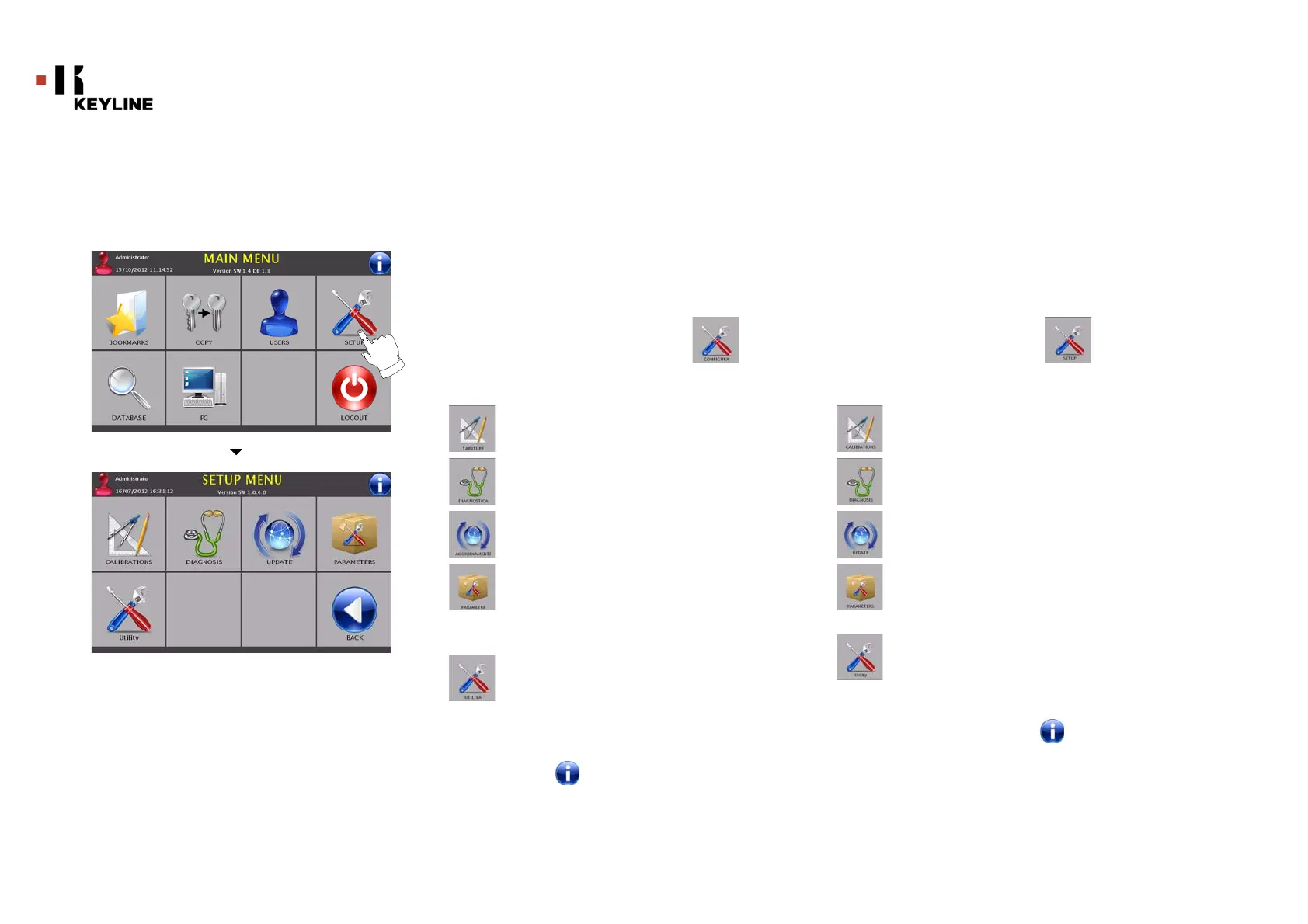
7.1.0 S et U p M en u
The main menu allows access to the set-up menu to regulate the
cutting and reading devices, to update the machine and use the
diagnostic function.
How to access the page:
• From the MAIN MENU, select:
Options displayed:
• For further information select " " from the display
Per la taratura automatica/manuale delle varie apparec-
chiature della macchina.
Per accedere ai menu di verifica e controllo dello stato dei
principali dispositivi della macchina.
Per accedere alle procedure di aggiornamento del softwa-
re e del database della macchina.
Per la consultazione e l'impostazione dei parametri di uti-
lizzo della macchina.
Per accedere alle seguenti funzioni:
• Data e Ora: per impostazione data ed ora
corrente
• Restart: Premendo questo pulsante il
programma viene chiuso e riavviato
successivamente in automatico
• Reboot: Premendo questo tasto l’intero sistema
verrà arrestato e riavviato successivamente in
modo automatico
For the automatic / manual calibration of the various ap-
pliances on the machine.
To access the status check menus of the main devices of
the machine.
To access the software and database updating procedure
of the machine.
To consult and set the operating parameters of the machi-
ne.
To access the following functions:
• Date and Time: to set current date and time
• Restart: this button closes the programme and
restarts it automatically.
• Reboot: this button stops the system and
restarts it automatically.



 To Next Page