ITALIANO / ENGLISH
Keyline S.p.A. NINJA Man. cod. B409286FG Copyright by Keyline - Italy 47
MENÙ TAGLIO
CHIAVE
KEY CUT MENU
11Menù taglio chiave
11Key cut menu
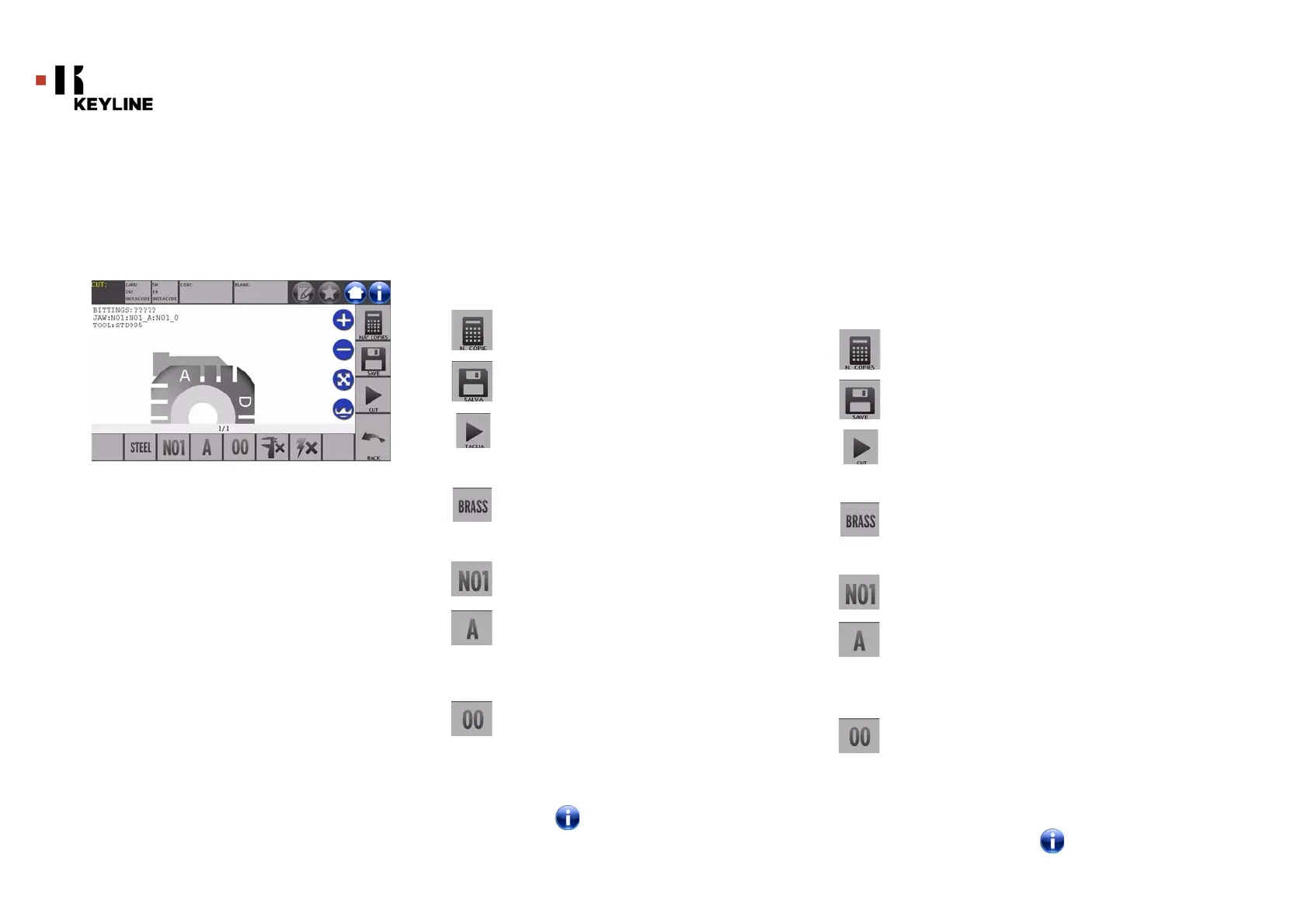
Terminata la ricerca della chiave da duplicare per mezzo delle funzioni
previste nel menù Database, alla fine si giungerà alla schermata di TA-
GLIO, che permette di riprodurre la chiave desiderata.
Opzioni visualizzate:
• Selezionare “ ” dal display per maggiori informazioni
Once the key to be copied has been searched using the relevant
functions in the Database menu, the programme will direct the
user to the CUT screen, that makes it possible to duplicate the
desired key.
Options displayed:
• For further information select " " from the display
Consente di impostare il numero di copie che si vogliono
riprodurre per la chiave attualmente visualizzata
Consente di memorizzare la chiave.
Per avviare la procedura di taglio della chiave
Consente di cambiare il materiale di default. I materiali di-
sponibili sono: OTTONE, ALLUMINIO, ACCIAIO, NIKEL SIL-
VER, CUSTOM. Per ogni materiale è previsto un set di
parametri dedicati per la velocità di movimento e la veloci-
tà della fresa, che ottimizza la qualità di taglio ed assicura
la durata di vita della fresa. Per impostare tali parametri
accedere al Menù Parametri dal Menù Setup.
Permette di selezionare il morsetto da impiegare nella
fase di taglio. Sono selezionabili solo morsetti compatibili
Permette di selezionare il lato del morsetto su cui tagliare
la chiave (vedi anche paragrafo 6.2.0 a pagina 21).
Permette di selezionare la posizione del fermo tra le varie
posizioni in cui è possibile bloccare la chiave nel morsetto:
• 00 per le chiavi con fermo posteriore,
• 01-02-03-04 per le chiavi con fermo in punta
Nota: Da usare solo se la posizione proposta dal
pannello, in seguito alla lettura o alla ricerca
da database, non rispecchia il caso reale.
With this button is possible to set the amount of copies
that need to be cut.
With this button is possible to save the key.
Starts the key cutting process
With this button is possible to change the default material.
The selectable material are: BRASS, AlUMINUM, STEEL,
NIKEL SILVER, CUSTOM. Each material has a dedicated set
of parameters for the movement speed and cutter speed
for optimizing the quality of the cut and ensure the life of
the cutter. The custom material can be customized on the
Parameters Panel of the Setup Menu
With this button is possible to select the Jaw that has to be
used to cut the key, only compatible Jaws will be selectable
This makes it possible to select the side of the jaw on whi-
ch the key shall be cut (see paragraph6.2.0 on page21).
This makes it possible to select the stop position among
all the various positions in which it is possible to secure
the key in the jaw:
•00 for keys with rear stop,
• 01-02-03-04 for keys with front stop.
Note: To be used only if the position proposed by the pan-
el, after reading or searching the database, does
not correspond to the actual key.



 To Next Page