ITALIANO / ENGLISH
Keyline S.p.A. NINJA Man. cod. B409286FG Copyright by Keyline - Italy 49
MENÙ UTENTE USER MENU
12Menù Utente
12User Menu
12.1.0 Menù Utente
Il Menù UTENTE consente la gestione dei dati utente e dell’archivio
dei dati memorizzati dall’utente durante le fasi di lettura, decodifica e
modifica della chiave. E’ possibile inoltre accedere alle funzioni di im-
porta ed esporta dati da supporto esterno (chiavetta USB).
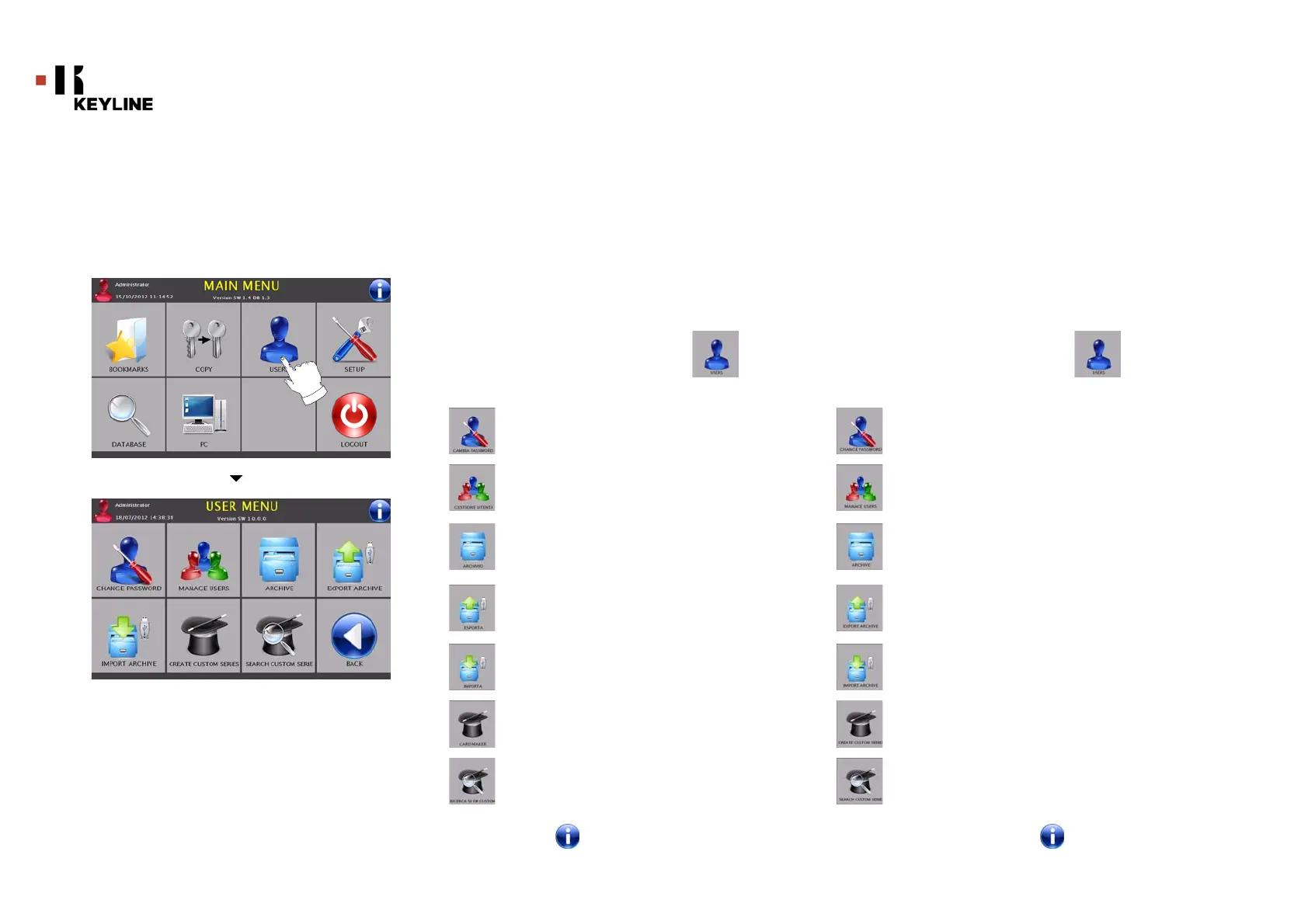
Come accedere alla pagina:
•Dal MENU’ PRINCIPALE selezionare:
Opzioni visualizzate:
• Selezionare “ ” dal display per maggiori informazioni
12.1.0 User Menu
The USER menu makes it possible to manage the user data and the
database saved by the user during the key reading, decoding and
modification phases. It is also possible to access the import and ex-
port functions from and to external supports (USB flash drive).
How to access the page:
• From the SETUP MENU, select the “ ” button.
Options displayed:
• For further information select " " from the display
Consente di modificare la password degli utenti esistenti
Consente la gestione degli utenti, aggiungere un nuovo
utente, rimuovere utenti esistenti, modificare informazio-
ni relative agli utilizzatori, cambiare la lingua visualizzata
Consente di accedere all’archivio nel quale sono state me-
morizzate le chiave ricavate nei processi di ricerca e deco-
difica, in modo da poterle richiamare velocemente ogni
qualvolta l’utente ne abbia bisogno
Consente di esportare dal database della macchina un file
in una chiavetta USB. La funzione di importa/esporta con-
sente di scambiare dati personalizzati tra macchine o
creare copie di backup dell’archivio esportato
Consente di importare nel database della macchina un file
da una chiavetta USB. I dati importati dalla chiavetta USB
possono essere salvati nell’archivio
Consente di creare nuove schede articoli o di importare
serie di codici.
Consente di cercare le schede articoli precedentemente
create.
Thisallows you to change password to existing users.
This allows you to manage users, add a new user, remove
exixting users, change information, change displayed lan-
guage.
This function makes it possible to access the archive con-
taining the keys identified during the search and decoding
processes, so that they can be retrieved quickly every time
the user needs them.
This function makes it possible to export a file from the machi-
ne's database to a USB flash drive. The export and import func-
tions allow the customer to exchange customised data between
machines or create backup copies of the exported archive
This function makes it possible to import a file from a USB
flash drive to the machine's database. Data imported from
the USB flash drive shall be saved in the archive.
This function make it possible to create custom cards or
import code series
This function make it possible to search custom cards
previously created



 To Next Page