36
Keyline S.p.A. NINJA Man. cod. B409286FG Copyright by Keyline - Italy
ITALIANO / ENGLISH
SET UP SET UP
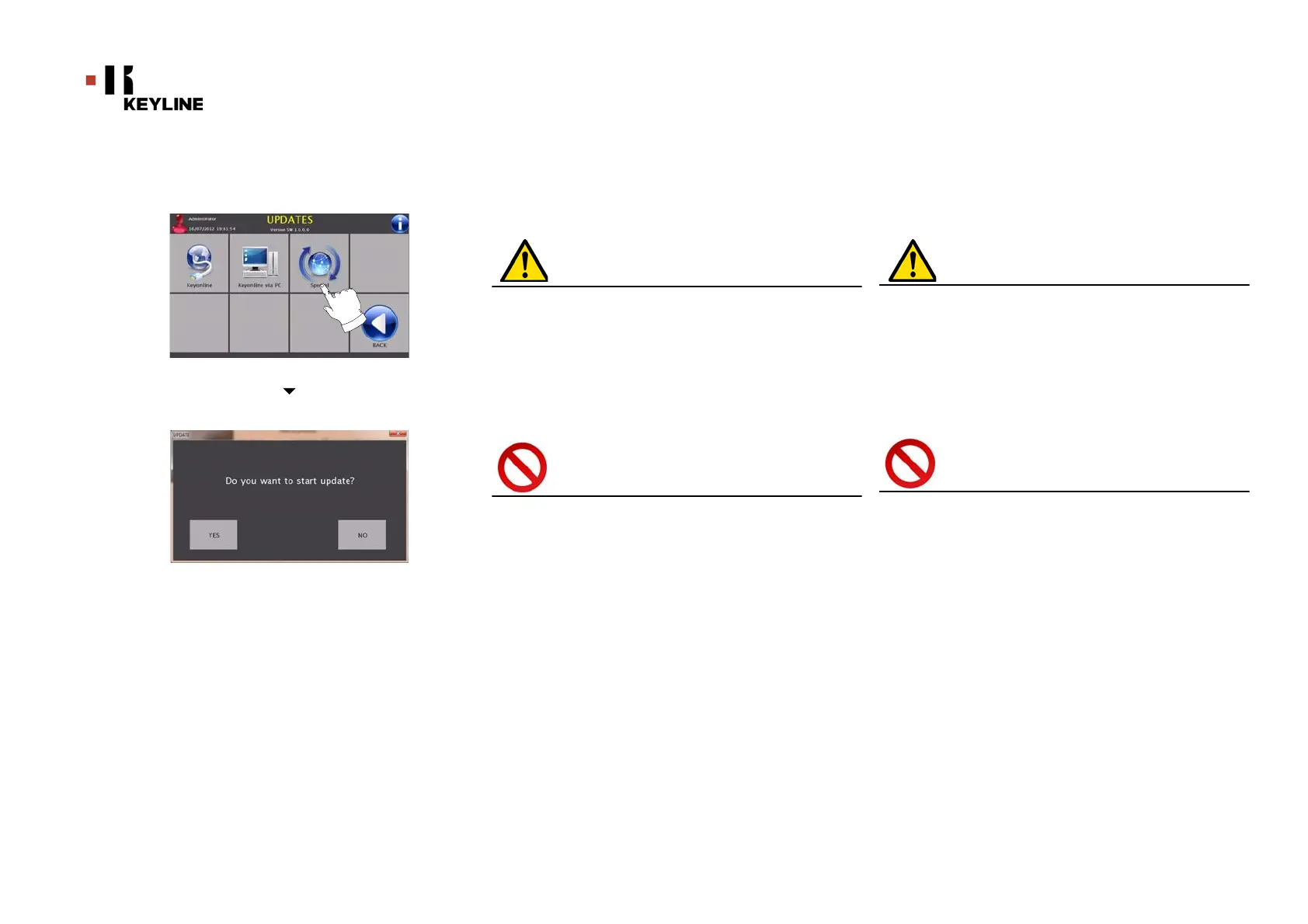
7.3. 3 S pe ci a l
Attenzione:
Questa procedura di aggiornamento può essere ese-
guita solo su richiesta di KeyLine.
Come procedere:
• Premendo il pulsante “SPECIAL” il programma chiederà di
inserire una chiavetta USB contenente i dati per
l'aggiornamento.
Nota: I dati per questa modalità di aggiornamento possono
essere forniti SOLO da KeyLine.
Non è possibile effettuare l'aggiornamento con i pac-
chetti provenienti da “Keyonline” o scaricati dal
server KeyLine.
• Dopo aver inserito la chiavetta premere YES per procedere
con l’aggiornamento.
• Per annullare l'operazione premere ANNULLA.
• Seguire le istruzioni fino al completamento della
procedura.
7. 3.3 Spe c i al
Warning:
This update procedure may be carried out only upon
request by KeyLine.
How to proceed:
• Pressing the USB button, the programme will ask you to
insert a USB flash drive containing the data for the update.
Note: The data for this kind of update can be provided EXCLU-
SIVELY by KeyLine.
It is not possible to update the machine with packa-
ges downloaded from "Keyonline" of from the
KeyLine server.
• After inserting the flash drive, press NEXT to update the
machine.
• To annul the operation, press CANCEL.
• Follow the instructions to the end of the procedure.



 To Next Page