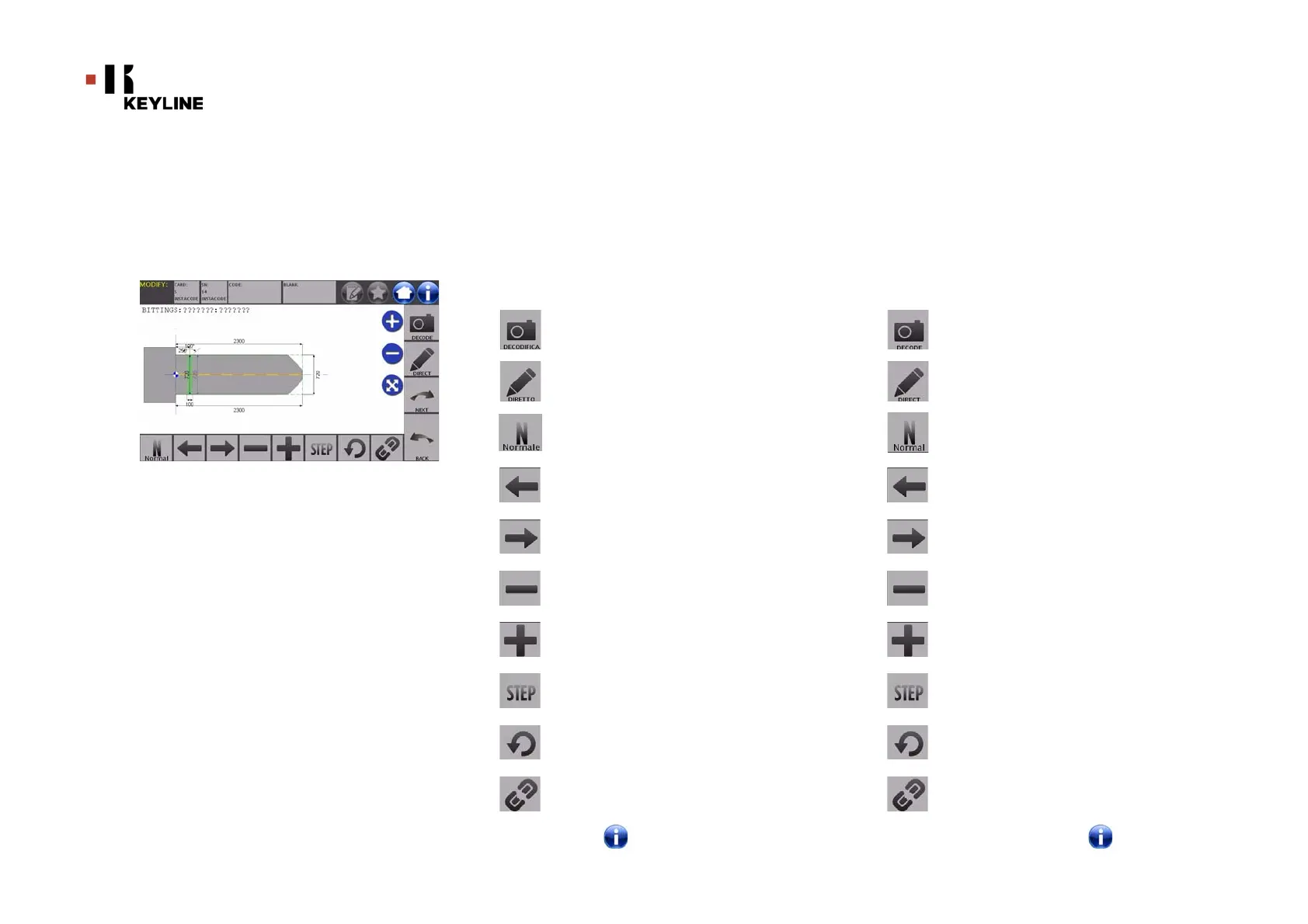
MENÙ MODIFICA
CHIAVE
46
Keyline S.p.A. NINJA Man. cod. B409286FG Copyright by Keyline - Italy
KEY MODIFY MENU
ITALIANO / ENGLISH
10Menù modifica chiave
10Key modify menu
Il MENU’ MODIFICA oltre a modificare le impostazioni di taglio della
chiave consente di personalizzare, secondo le specifiche esigenze, al-
cune caratteristiche della chiave.
Opzioni visualizzate:
• Selezionare “ ” dal display per maggiori informazioni
The MODIFY MENU is used to modify the cut parameters for a key
and it also makes it possible to personalise some characteristics
of the key, according to the client's specific requirements.
Options displayed:
• For further information select " " from the display
Consente di decodificare la chiave letta tramite il key sy-
stem selezionato
Consente di inserire direttamente il codice di cifratura
della chiave
Con il pulsante Tipo di Taglio è possibile scegliere tra i vari
tipi il taglio per la chiave selezionata. Per le chiavi Piatte i
tipi di taglio sono: Normale, Laser e Piano
Permette di selezionare gli spazi della cifratura muoven-
dosi verso sinistra
Permette di selezionare gli spazi della cifratura muoven-
dosi verso destra
Consente di decrementare la profondità del dente selezio-
nato
Consente di incrementare la profondità del dente selezio-
nato
Consente di selezionare il passo di incremento o decre-
mento della profondità quando si premono i tasti + o -. Le
opzioni disponibili sono: uno STEP o 0,1 mm o 0,01 mm
Consente di resettare le modifiche apportate al dente se-
lezionato e ripristinare la condizione iniziale
Consente di selezionare più denti contemporaneamente
ed apportarvi simultaneamente le stesse modifiche
With this button is possible to decode the key using the
selected key system
With this button is possible to insert the cuts directly
With the Cut Type button is possible to select between the
possible cut types for the selected key. For Flat keys cut
types are: Normal, Laser and Plane.
With the left arrow button is possible to scroll the spaces
moving to left direction
With the right arrow button is possible to scroll the spaces
moving to right direction
With the minus button is possible to decrement the depth
of the highlithed tooth
With the plus button is possible to increment the depth of
the highlithed tooth
This makes it possible to select the depth increase or de-
crease rate when the + or - buttons are pressed. The availa-
ble options are: one STEP is either 0.1 mm or 0.01 mm.
With this button is possible to reset the modifications
made on the selected tooth
With this button is possible to modify simultaneously all
the teeth



 To Next Page