38
Keyline S.p.A. NINJA Man. cod. B409286FG Copyright by Keyline - Italy
ITALIANO / ENGLISH
RICERCA CHIAVI KEY SEARCH
8.1.1 Ricerca per record number
La pagina “RECORD NUMBER” consente di ricercare il tipo di chiave
da duplicare inserendo il numero di sistema della chiave stessa.
Come procedere:
• Dalla pagina “RICERCA” premere il tasto “ ”.
• Dal menù a tendina selezionare il programma di
elaborazione di chiavi (KEYLINE - INSTACODE - GENERIC -
BD LASER);
• Scorrere il menù degli articoli disponibili e selezionare
quello desiderato oppure digitare il codice articolo tramite
la tastiera sottostante;
• Premere il tasto “AVANTI” per confermare la scelta e passare
alla pagina successiva;
• A questo punto apparirà la schermata di MODIFICA dove
viene rappresenta la scheda relativa all’articolo
selezionato e dove sarà possibile modificare alcune
caratteristiche della chiave.
Nota: La procedura di modifica della chiave viene descritta al
capitolo 10 a pagina 46.
• Per ritornare alla pagina precedente premere il tasto
“INDIETRO”.
Nota: Da questa schermata l’utente ha anche la possibilità di
memorizzare un bookmark. La funzione bookmark viene
descritta al paragrafo 8.2.0 a pagina 44.
8.1.1 Search by record number
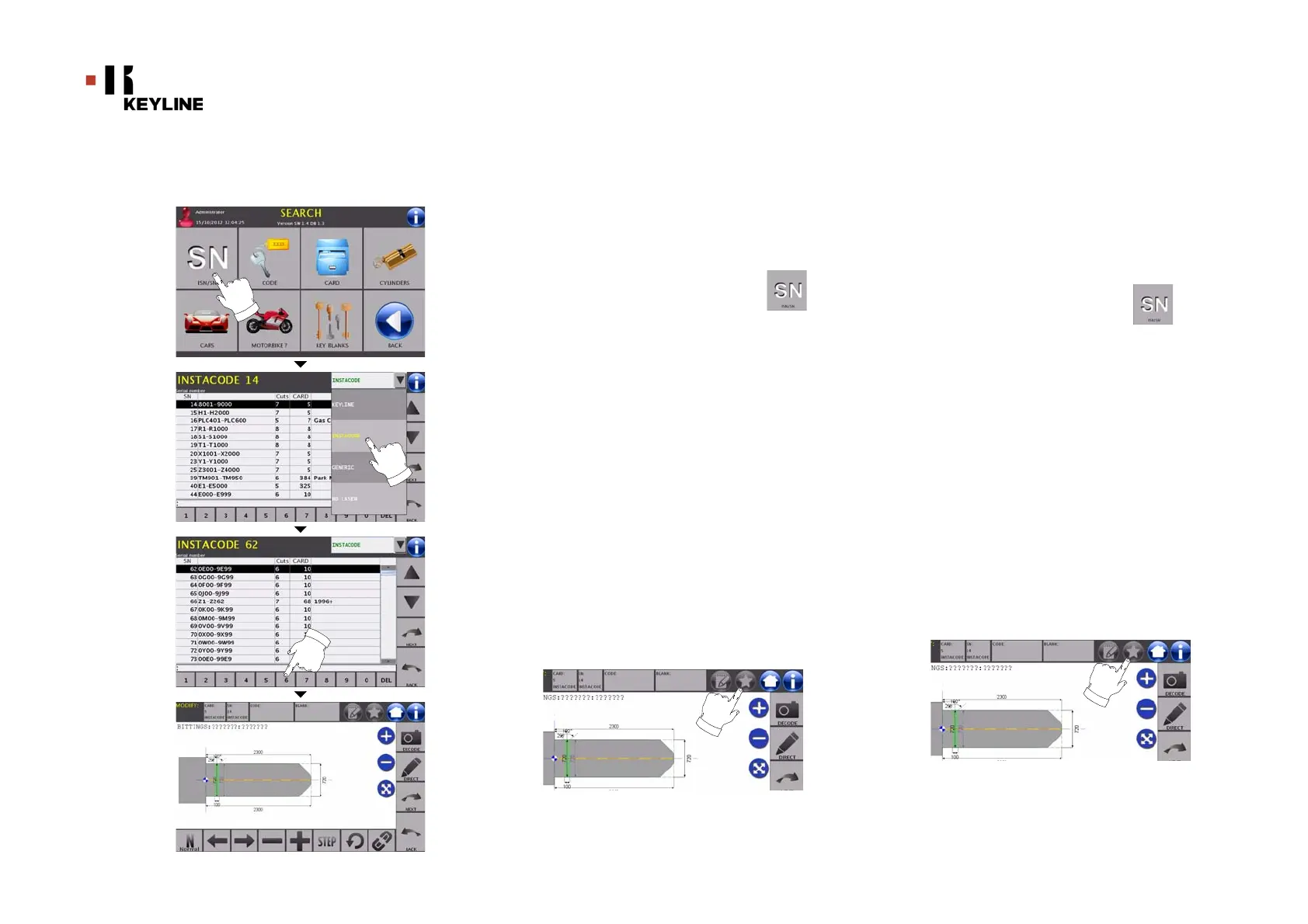
The “RECORD NUMBER” page makes it possible to search for the
type of key to be duplicated by inputting the key's system
number.
How to proceed:
• From the "SEARCH" page, select the “ ” button.
• Select the key processing software with the drop-down
menu (KEYLINE - INSTACODE - GENERIC - BD LASER);
• Scroll the menu of available articles and choose the
required one or use the keyboard to enter the article code;
• Press the “NEXT” key to confirm your choice and go to the next
page;
• The MODIFY screen shall appear, showing the card
pertaining to the selected article and where it shall be
possible to modify some of the key's characteristics.
Note: The procedure to modify the key is described in chapter 10
on page46.
• To go back to the previous page, press the "BACK" key.
Note: From this screen the user can also save a bookmark.
The bookmark function is described in paragraph8.2.0
on page44.



 To Next Page