Keyline S.p.A. NINJA Man. cod. B409286FG Copyright by Keyline - Italy 31
SET UP SET UP
ITALIANO / ENGLISH
7.3.1 Aggiornamento Keyonline
Premendo il tasto "KEYONLINE" il programma procede con l'invio del-
le informazioni necessarie al servizio Keyonline ed al successivo
download del pacchetto di aggiornamento.
A seconda della quantità di dati da scaricare il pro-
cesso potrebbe richiedere un periodo di attesa più o
meno lungo.
Nota: Durante questa fase potrebbero comparire dei messaggi
di errore che segnalano la mancata registrazione della
macchina, o che non è possibile scaricare
l'aggiornamento. In questi casi controllare che tutte le
operazioni preliminari siano state effettuate e che tutti i
parametri di rete siano correttamente impostati. In caso
di necessità contattare il Servizio Assistenza KeyLine.
Come procedere:
• Disinserire eventuali chiavette USB collegate alla
macchina e premere il pulsante "YES".
• Seguirà il riavvio del programma e l'esecuzione del
software di aggiornamento, durante il quale potrebbe
essere richiesto lo spegnimento e la riaccensione della
macchina.
• Seguire le eventuali istruzioni ed attendere fino al
completamento del processo, al termine del quale saranno
disponibili le versioni più recenti di software e database.
• Per annullare l'operazione premere ANNULLA.
7.3.1 Keyonline Update
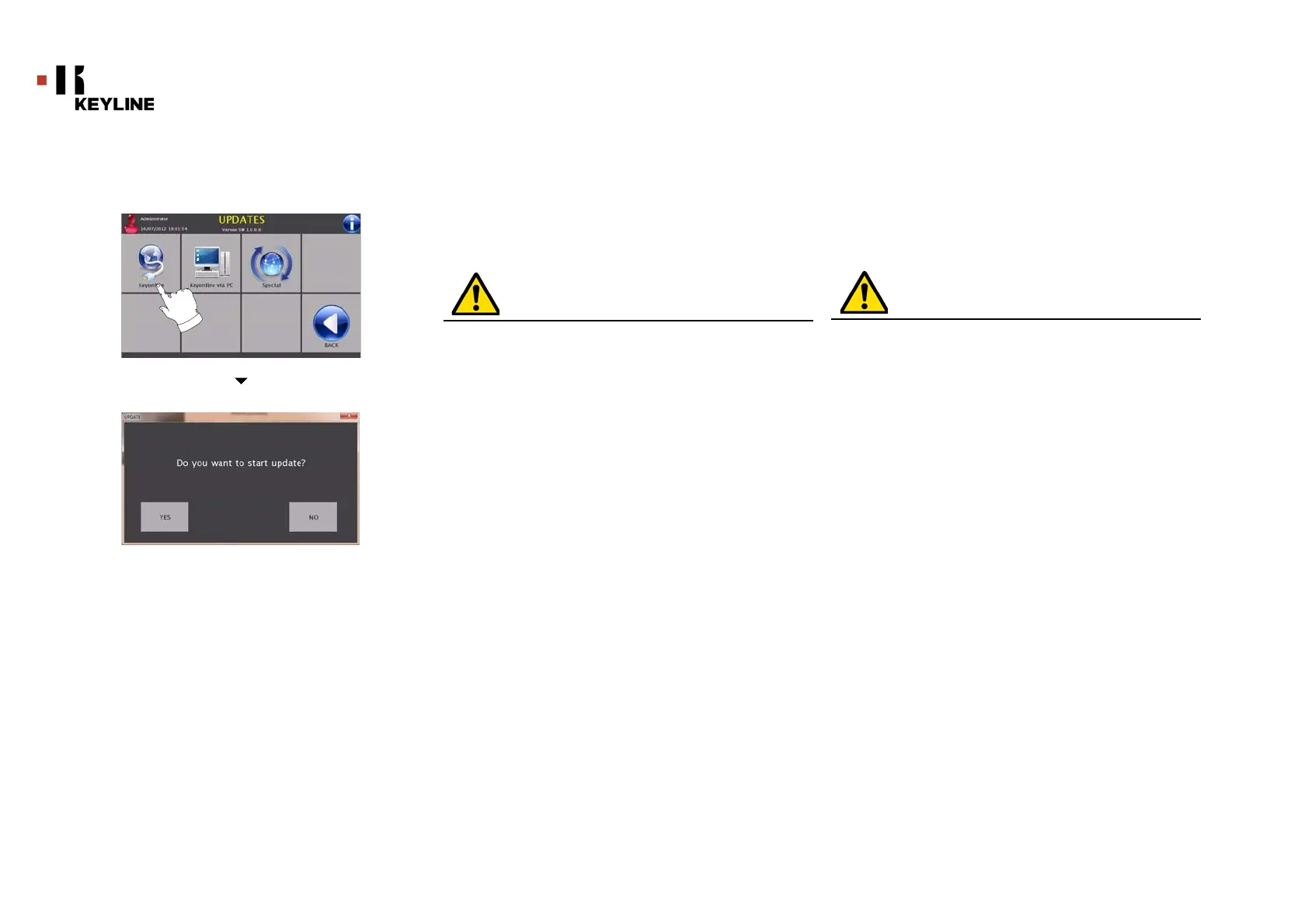
Pressing the "KEYONLINE" key, the programme proceeds to send
the necessary information to the Keyonline service and later to
download the update package.
According to the quantity of the data to be downloa-
ded, the process might require a waiting time.
Note: During this phase, some error messages might appear,
stating that the machine is not registered or that it is im-
possible to download the updates. In such cases, please
check that all the preliminary operations have been con-
cluded and that all the network parameters are configured
correctly. For further help, please contact the KeyLine Ser-
vice Centre.
How to proceed:
• Disconnect any USB flash drives connected to the machine
and press the "YES" key.
• The programme shall reboot and the update software
executed; the user might be required to turn off and reboot
the machine.
• Follow the instructions and wait until the end of the
procedure, whereupon the most recent versions of the
software and database shall be available.
• To annul the operation, press CANCEL..



 To Next Page