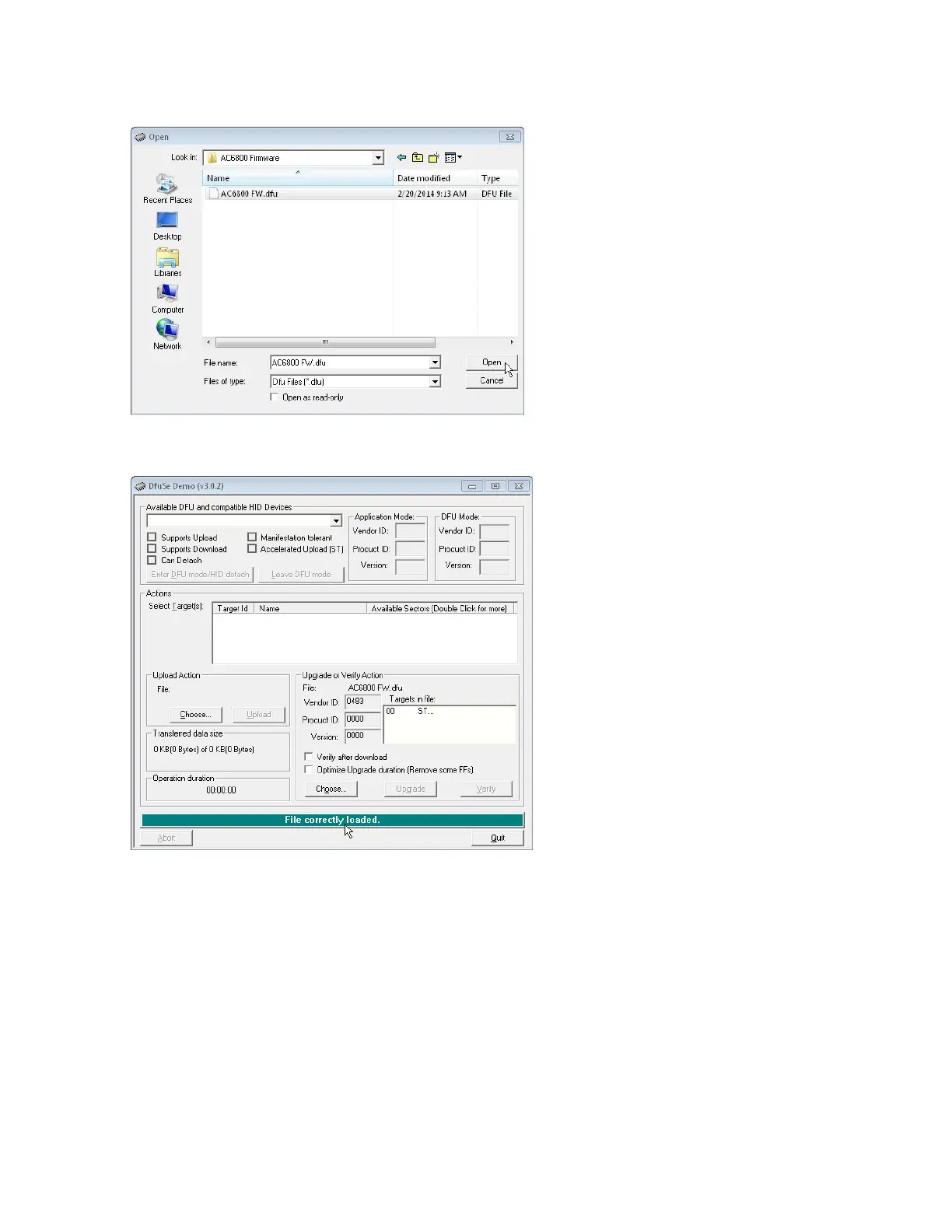
8. Browse to the appropriate directory, select the DFU file, and click Open.
9.
Verify that the message at the bottom of the screen indicates that the file loaded correctly.
10.
Connect a USBcable from the square "USBdevice" port on the instrument's rear panel to a USBport
on your PC. This update must be done via USB, not over LAN or the optional GPIB.
11.
Turn on the instrument and wait for the Available DFU and compatible HID Devices field at the top of
the screen to indicate that the instrument has been recognized.
12. Click Upgrade and wait for the upgrade to complete.
13.
Exit the DfuSe Demonstration software, turn off the instrument, disconnect the USBcable, return the
option slot switch to the up position, and replace the optional card or slot cover, screwing it securely
in place. The firmware update is complete.
4Calibration, Verification, and Service
192 Keysight AC6800B Series Operating and Service Guide



 To Next Page