Keysight M8194A 120 GSa/s Arbitrary Waveform Generator User Guide 17
Introduction 1
In case of an upgrade from one channel (-001) to four channels (-004), the
following steps must be observed:
1 Close the firmware of the M8194A.
2 Install license -U02 using KLM.
3 Start the firmware of the M8194A. The firmware finds the new license
–U02 in KLM and installs it in the M8194A.
4 Close the firmware of the M8194A.
5 Install license -U04 using KLM.
6 Start the firmware of the M8194A. The firmware finds the new license
–U04 in KLM and installs it in the M8194A.
Front Panel
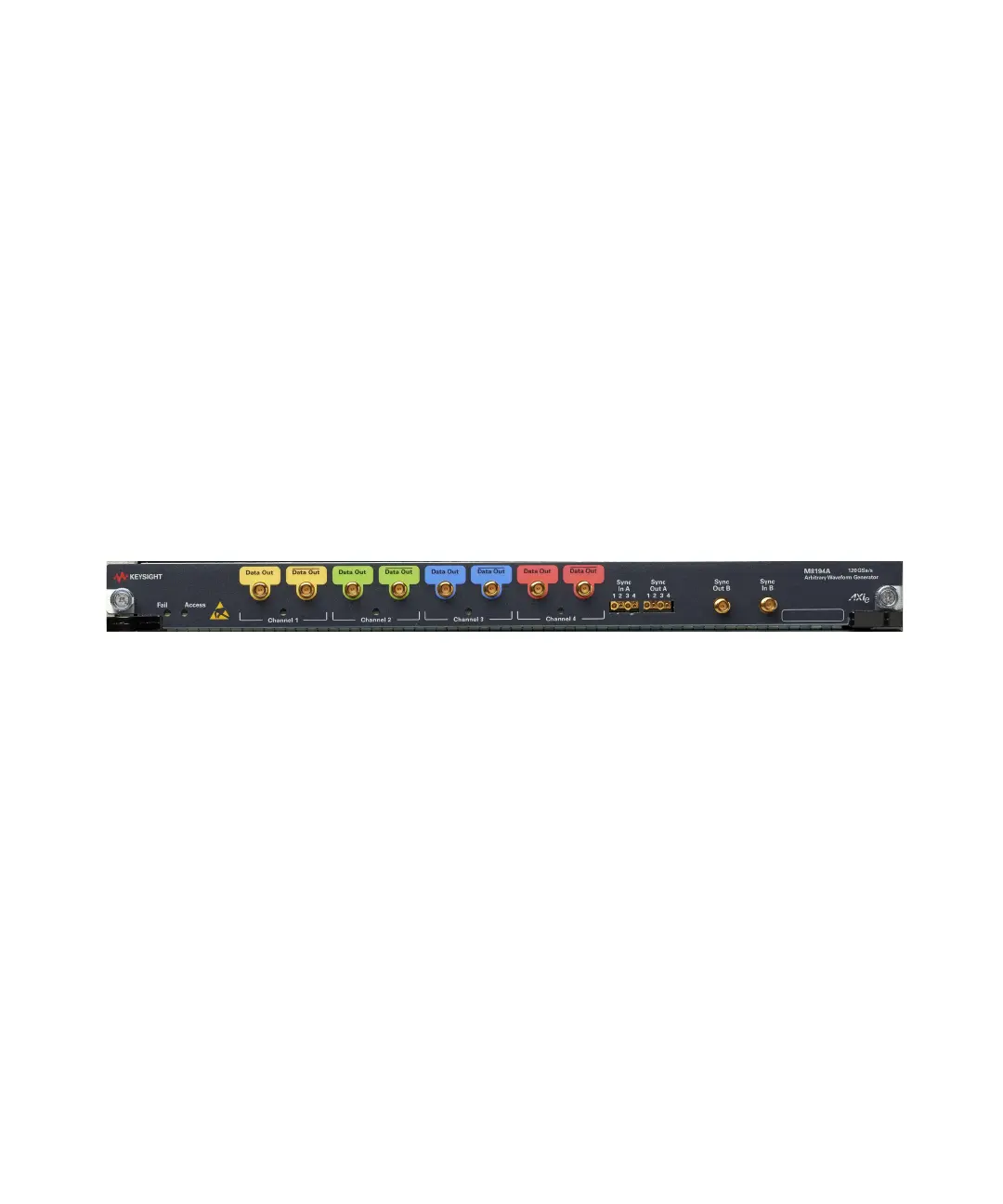
Figure 1 on page 17 illustrates the front panel of the M8194A instrument.
Figure 1 M8194A front panel
The M8194A front panel include the following input/output ports:
Data Outputs
• The M8194A is always delivered with four physically available
differential Data Outputs of the Digital to Analog Converter (DAC). The
analog DAC outputs are labeled with Data Out Channel 1, Data Out
Channel 2; Data Out Channel 3, Data Out Channel 4. Depending on the
channel option (-001 or -002 or -004) that has been installed, the
M8194A one, two, or four differential analog outputs of the Digital to
Analog Converters (DAC) are enabled for data generation.
Option -001: The differential output Data Out Channel 1 is enabled for
analog data generation. Also, one or two digital markers can be
generated at Data Out Channel 3 and Data Out Channel 4.
Option -002: The selected Instrument Mode (see Instrument Modes on
page 19) determines, which channels are enabled for analog data and
marker generation.



 To Next Page