40 Keysight M8194A 120 GSa/s Arbitrary Waveform Generator User Guide
3 M8194A Soft Front Panel
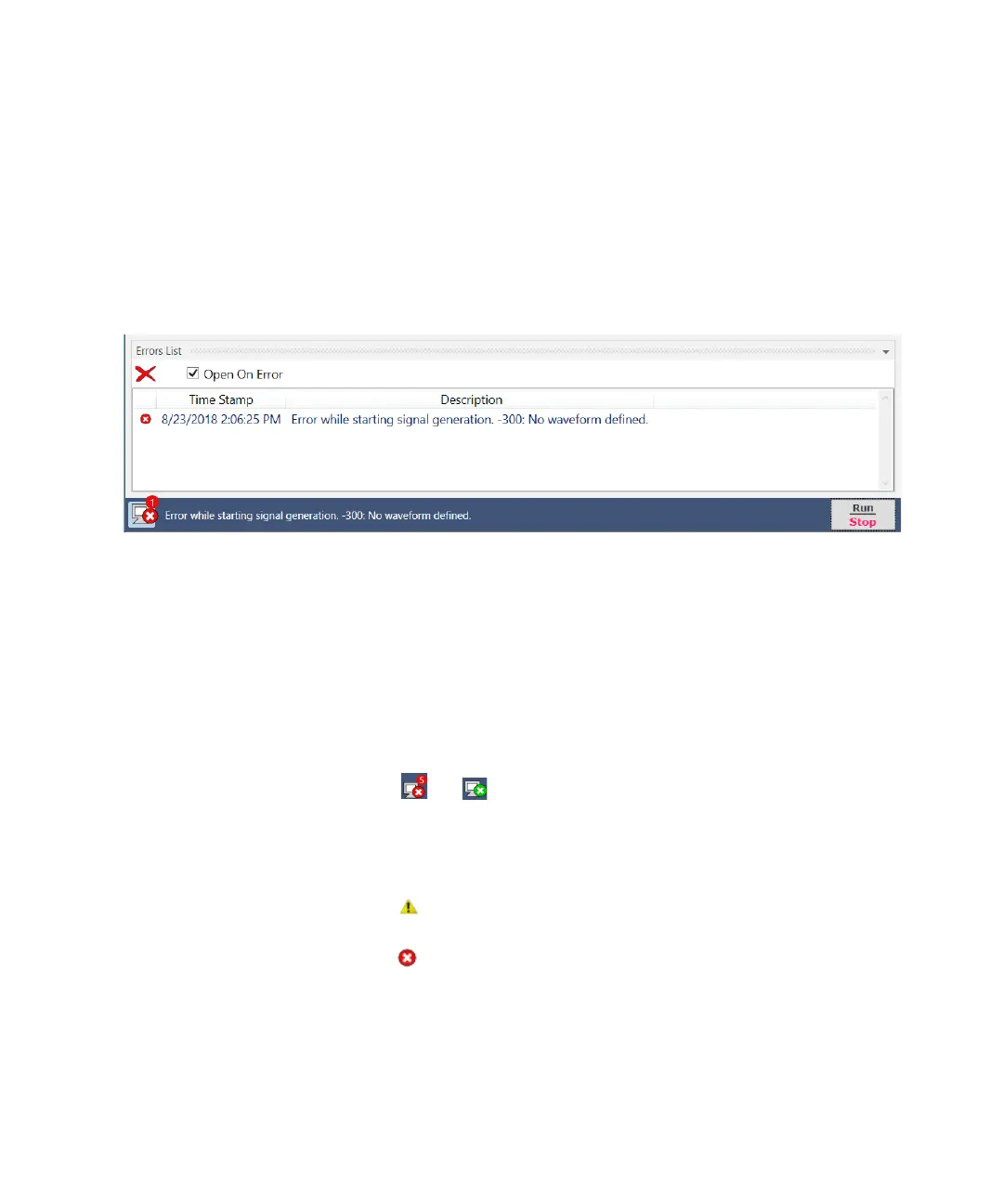
Errors List Window
Use this window to view error and warning messages, generated by the
M8194A software.
Figure 7 Errors list window
It has the following controls, signs, and options:
• Open On Error
Select this check box to automatically open the errors list window
whenever an error occurs. This window will show error details i.e. time
stamp and description.
• (Clear All)
Use this option to clear all the errors/waring messages from the errors
list window.
• or (Hide Errors List Window or Show Errors List Window)
Use this toggle option to respectively show or hide the errors list
window. It also shows total number of errors in the list. When the
window has no errors, the green tick icon will appear.
• (Warning)
- This icon represents a warning message.
• (Error)
- This icon represents an error message.
• Time Stamp
This column lists the time stamp of individual error/warning message in
the format: DD/MM/YYYY HH:MM:SS



 To Next Page