58 Keysight M8194A 120 GSa/s Arbitrary Waveform Generator User Guide
3 M8194A Soft Front Panel
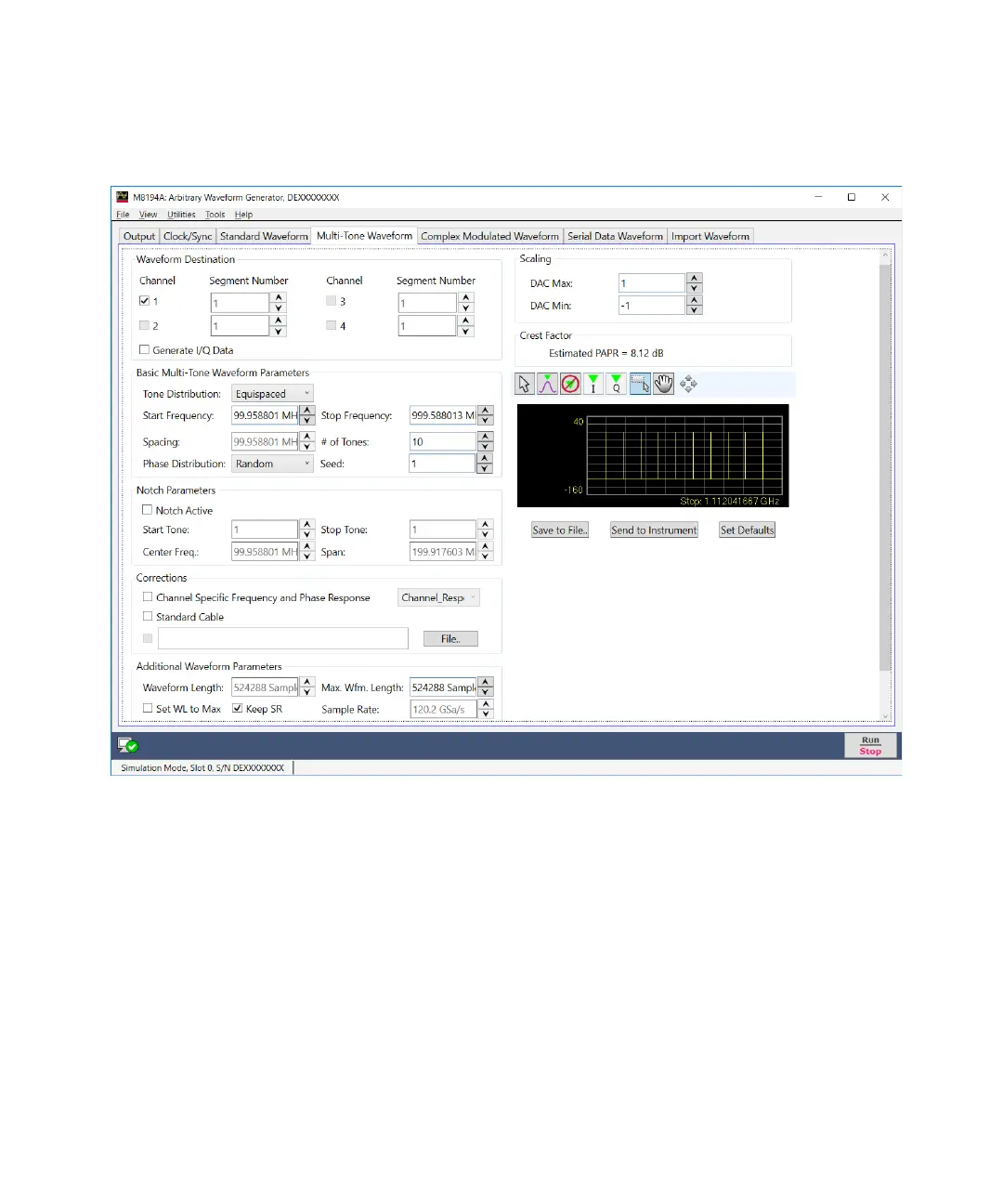
Figure 15 Multi-Tone Waveform tab
There are two basic operation modes for the definition of equally spaced or
arbitrarily distributed tones respectively. The selection between the two
modes is made through the “Tone Distribution” drop-down list. This
control affects the contents of the “Basic Multi-Tone Waveform
Parameters” section of the user interface and the presence of the “Notch
Parameter” section, which only makes sense in case of equally spaced
tones. However, controls in the other control groups are valid and
operative for both operating modes. Equally spaced tones are defined on
the basis of their common parameters such as start and stop frequencies,
and tone spacing or number of tones or both. Arbitrarily distributed tones
are defined through a table. In order to simplify the creation of complex
scenarios, the tones defined in the equally spaced mode are loaded into



 To Next Page