4129
Features of your vehicle
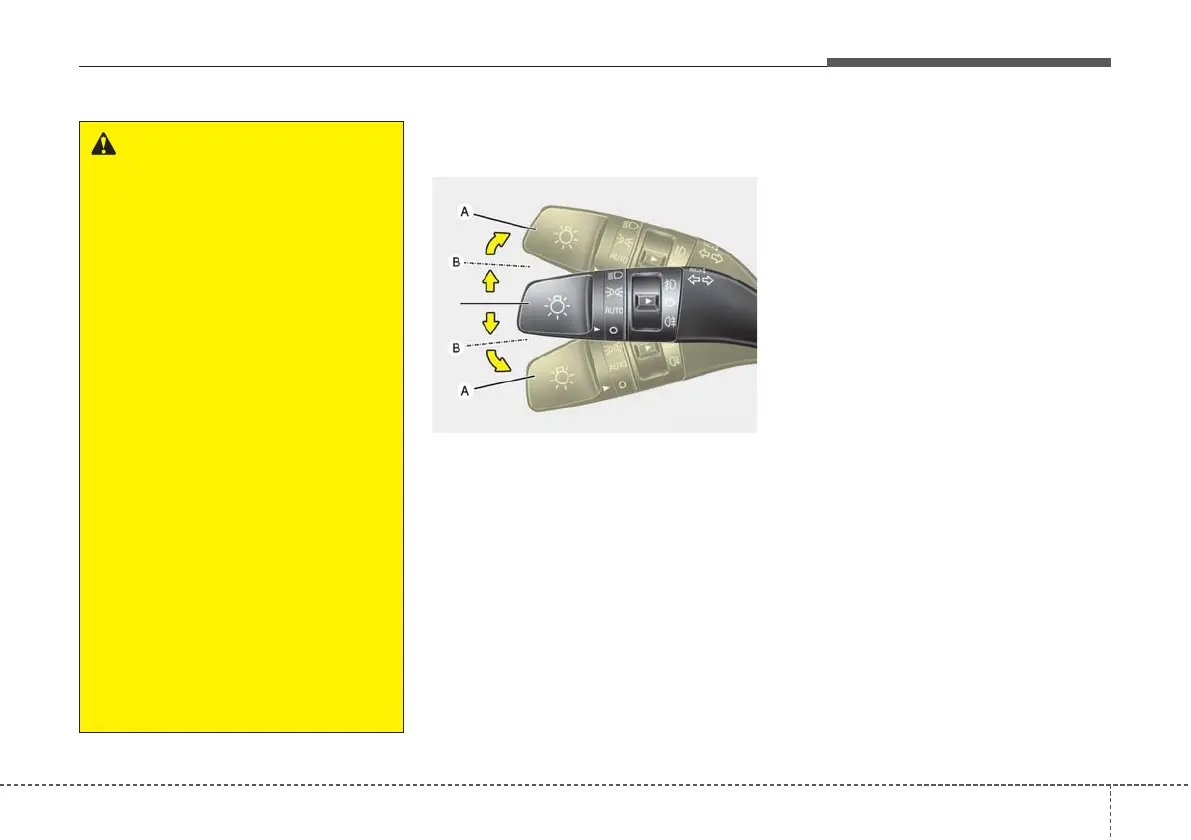
Turn signals and lane change
signals
The ignition switch must be on for the
turn signals to function. To turn on
the turn signals, move the lever up or
down (A).
The green arrow indicators on the
instrument panel indicate which turn
signal is operating. They will self-
cancel after a turn is completed.
If the indicator continues to flash
after a turn, manually return the lever
to the off position.
To signal a lane change, move the
turn signal lever slightly and hold it in
position (B). The lever will return to
the off position when released.
If an indicator stays on and does not
flash or if it flashes abnormally, one
of the turn signal bulbs may be
burned out and will require replace-
ment.
OYB046420
WARNING
• Do not place any accessories,
stickers or tint the wind-
screen.
• Have the windscreen glass
replaced from an authorised
dealer.
• Do not remove or impact relat-
ed parts of the High Beam
Assist system.
• Be careful that water doesn’t
get into the High Beam Assist
unit.
• Do not place objects on the
dashboard that reflects light
such as mirrors, white paper,
etc. The system may malfunc-
tion if sunlight is reflected.
• At times, the High Beam
Assist system may not work
properly, always check the
road conditions for your safe-
ty. When the system does not
operate normally, manually
change between the high
beam and low beam.



 To Next Page