Driving your vehicle
1566
BCW (Blind-Spot Collision
Warning) (If equipped)
Operating conditions
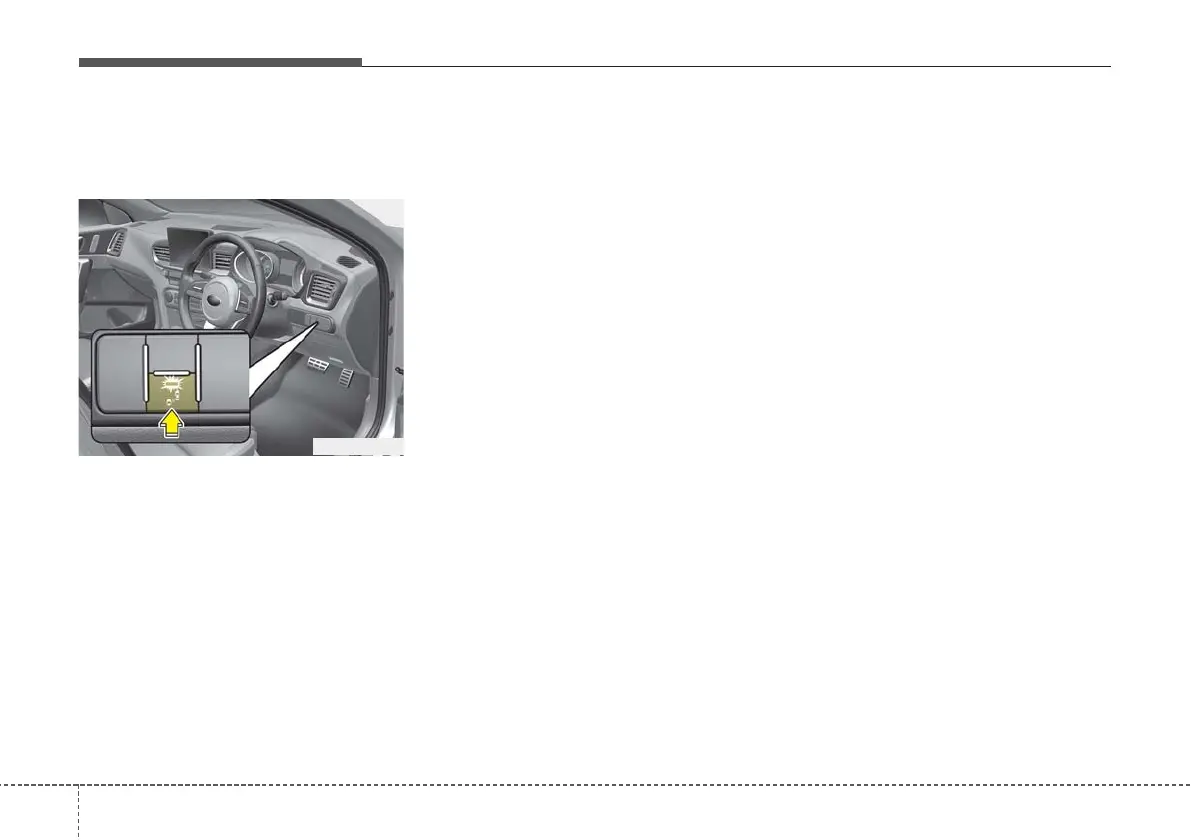
The indicator on the switch will illumi-
nate when the BCW (Blind-Spot
Collision Warning) system switch is
pressed with the ignition switch ON.
If the vehicle speed exceeds 30 km/h
(18.6 mph), the system will activate.
If you press the switch again, the
switch indicator and system will be
turned off.
If the ignition switch is turned OFF
and ON the system returns to the
previous state.
When the system is not used turn the
system off by pressing the switch.
When the system is turned on the
warning light will illuminate for 3 sec-
onds on the outside rearview mirror.
• The driver can activate the system
by placing the ignition switch to the
ON position and by selecting "User
Settings → Driver assistance →
Blind-spot safety"
- The BCW turns on and gets
ready to be activated when
'Warning only' is selected. Then,
if a vehicle approaches the dri-
ver's blind spot area a warning
sounds.
- The system is deactivated and
the indicator on the BCW button
is extinguished when 'Off‘ is
selected.
• If you press BCW button whilst
'Warning only' is selected the indi-
cator on the button extinguishes
and the system deactivates.
• If you press BCW button whilst the
system is cancelled the indicator
on the button illuminates and the
system activates. In this case, the
system returns to the state before
the engine turned off.
OCD058023R



 To Next Page