PAS SERIES Basic Operation 3-17
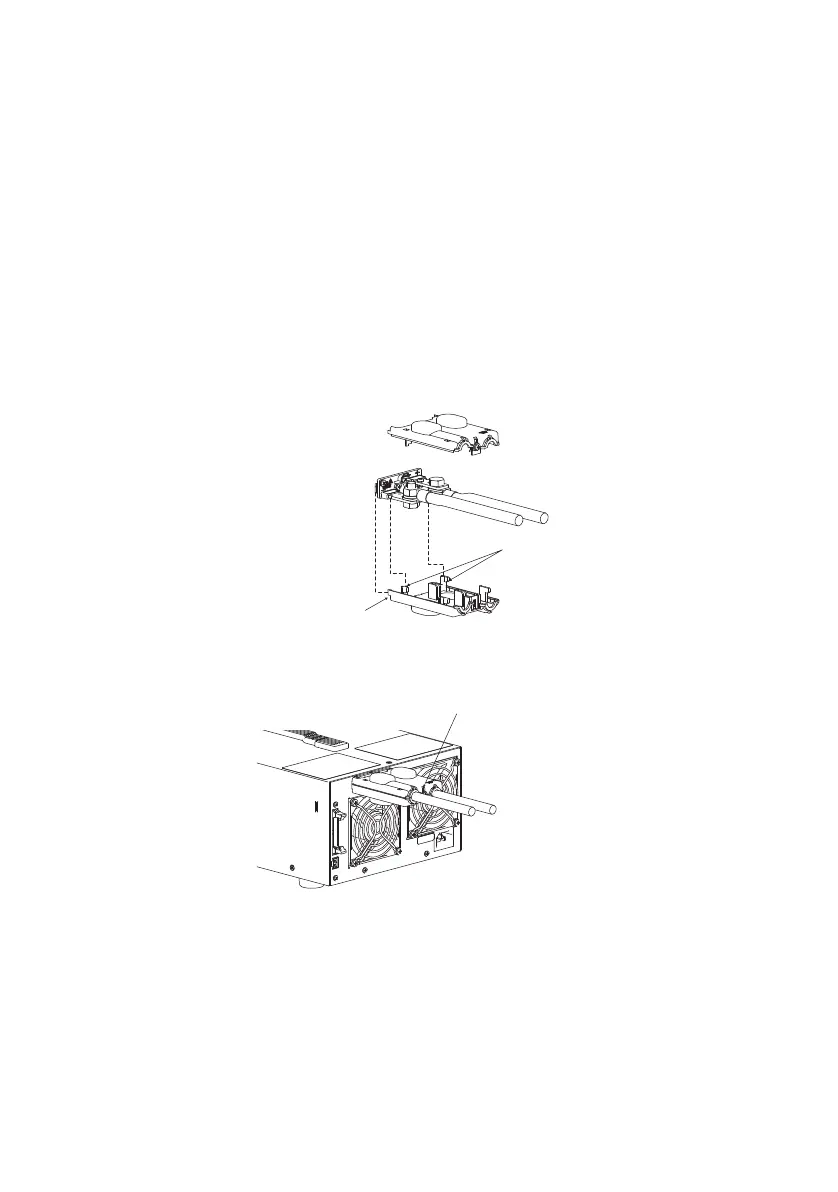
Attaching the OUTPUT terminal cover
There are two types of OUTPUT terminal covers: bottom cover and
top cover.
1. Insert the hook of the bottom cover into the hole located
above and to the left of the output terminal.
The bottom cover is the one without screws.
2. Align the hook of the bottom cover to the groove located to
the side of the output terminal.
3. Align the bottom cover with the top cover, and fix them in
place using the screws attached to the top cover.
Check that the screws are securely fastened.
Fig.3-5 Attachment of the OUTPUT terminal cover
Align the top and bottom parts
of the terminal cover and screw
them in place.
Top cover
Align the protrusion on
the inside to the concavity
of the output terminal
Insert into the hole
in the rear panel
Bottom cover









 To Next Page