39
EN
4. Control unit setting
If the dip-switch is put to ON, the automatic re-closing function is ac-
tivated. The control unit automatically closes the leaves after the time
set through the "PAUSE” potentiometer (see Paragraph 4.2). If the
“AUTO” dip-switch is put to OFF, the automatic re-closing function
is deactivated. To close the leaves, therefore, a command must be
given (either wired or via transmitter).
DIP3 “CHECK”:
If the dip-switch is put to ON, the safety devices connected to termi-
nal “Phototest” [4] are subject to a preventive check before starting
any movement.
If the “CHECK” dip-switch is put to OFF, the safety devices connect-
ed to terminal “Phototest” [4] are constantly supplied.
DIP4 “FUNCTION”:
If the dip-switch is put to ON, the safety devices connected to “S2
Photo” terminal [3] intervene by stopping the movement during both
the opening and closing phases. If the dip-switch is put to OFF, the
safety devices connected to “S2 Photo” terminal [3] intervene just
during the closing phase with immediate inversion.
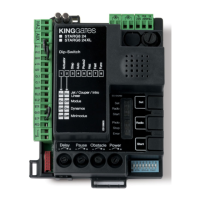
4.2 - Potentiometer adjustment
SET
3
HAZ
4
5
6
7
8
FORCE OBST PAUSE
RADIO
Set
Radio
Start
Photo
Stop
START
E
AZ
ADI
e
i
t
rt
t
top
TAR
KNOB
Description of operation
FORCE Power: adjustment of motor power. Turning the
knob clockwise increases the motor’s power
and speed. To validate the modification, it is
necessary to programme the gate path.
OBSTACLE
Obstacle, sensitivity to obstacles: adjustment of the
obstacle detection function. Turning the knob clockwise
increases the drive time before obstacle detection
(less sensitivity). Therefore, in systems with particularly
unfavorable mechanical conditions, it is advisable to keep
the drive time high. OBSTACLE is set at half position (50%)
as factory setup.
PAUSE
Pause time before automatic gate closing. Turning
the knob clockwise increases the pause time
from 0 to 180 seconds. Please note: this knob is
functional only when AUTO dip-switch is put to
ON.
The variation of the "FORCE" potentiometer requires re-
peating the programming of the door path (par. 6).
32
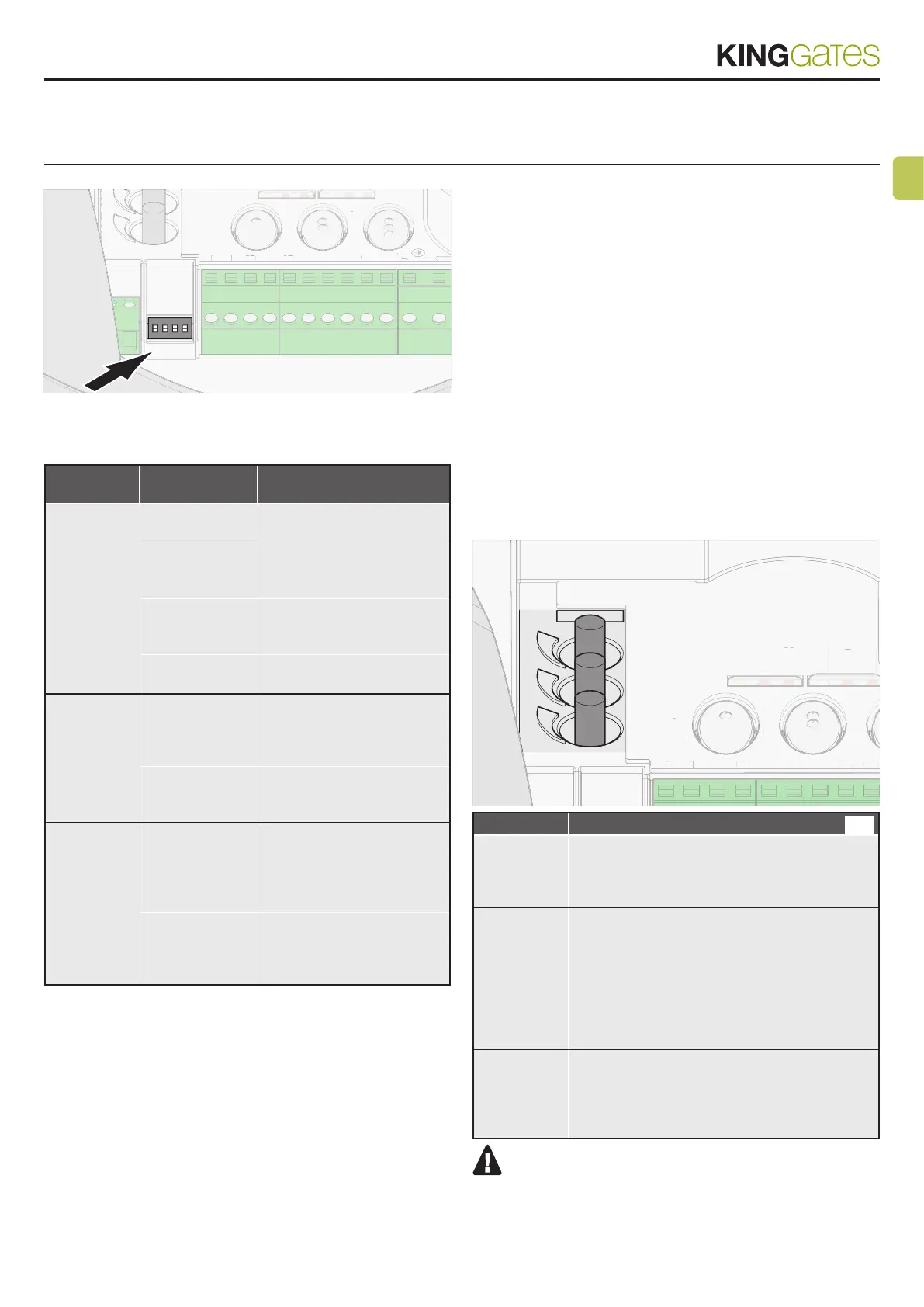
4.1 - Dip-switch adjustment
SET
3
HAZ
4
5
6
7
8
9
10
L
N
ON
1234
FORCE OB
RADIO
START
ET
A
0
R
E
B
ADI
TAR
DIP
SWITCHES
DIP DIP-SWITCH
status
Description of operation
DIP 1 STEP
DIP 2 AUTO
1-ON 2-OFF
Step-by-step command mode:
Open / Stop / Close / Stop
1-ON 2-ON Step-by-step with automatic
closing (time set with the
“Pause” knob)
1-OFF 2-ON Opening only command
mode with automatic closing
(condominium function)
1-OFF 2-OFF Open / Close / Open com-
mand mode (no Stop)
DIP 3
CHECK
ON Test of the safety devices
connected to terminal [4]
“Phototest” enabled after
learning the new stroke
OFF Test of the safety devices
connected to terminal [4]
“Phototest” disabled
DIP 4
FUNCTION
ON Devices connected to “S2
Photo” terminal [3] intervene
by stopping the movement
both in opening and closing
phases
OFF Devices connected to “S2
Photo” terminal [3] intervene
just during closing phase with
immediate inversion
DIP1 “STEP”:
If the dip-switch is put to ON, the step-by-step operating mode is
activated. At every start pulse (wired or via transmitter), the control
unit performs an action. Starts the motor if the automation system is
stopped, and stops it if it is moving.
If the STEPdip-switch is put to OFF, the OPEN FULLY/PAUSE/
CLOSE FULLY/STOP operating mode is activated (apartment block).
The control unit only accepts commands (either wired or via trans-
mitter) for the opening phase. With the automation in the opening
phase, it continues to open, and with the system in the closing phase
it reopens fully.
The automation can re-close with the time set through
the “PAUSE” potentiometer, if the “AUTO” dip-switch is set to ON.
If not, it is necessary to give a START command (either wired or via
transmitter) with the automation fully open.
DIP2 “AUTO”:
31



 To Next Page