Document No. Android-MLWG3-011816.A00
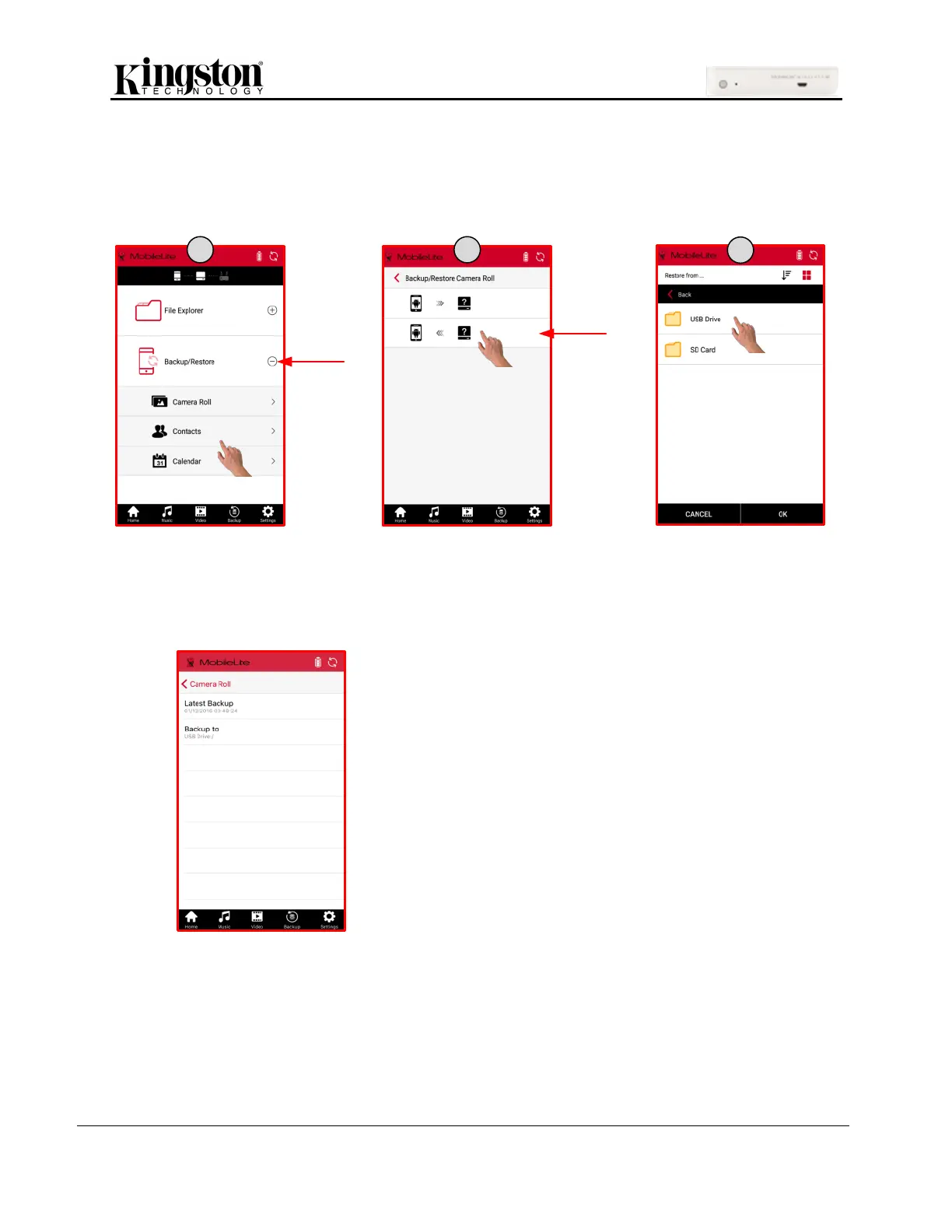
Restore Contacts, Calendar, and Camera Roll
1. Click one of the options, Camera Roll, Contacts, or Calendar, under ‘Backup/Restore’.
2. Select the restore option, select the location of the files to restore and click ‘OK’.
Backup/Restore Setup
The MLW app will keep track of the date and time of the latest backup and the ‘Backup to’ storage
location.
To get to the Backup/Restore Setup:
1. Click ‘Settings’
2. Click ‘Backup/Restore Setup’
3. Click ‘Camera Roll’, ‘Contacts’, or ‘Calendar’
The next screen will show the date and time of the latest
backup and the storage location of the latest backup.



 To Next Page
 Loading...
