File Management
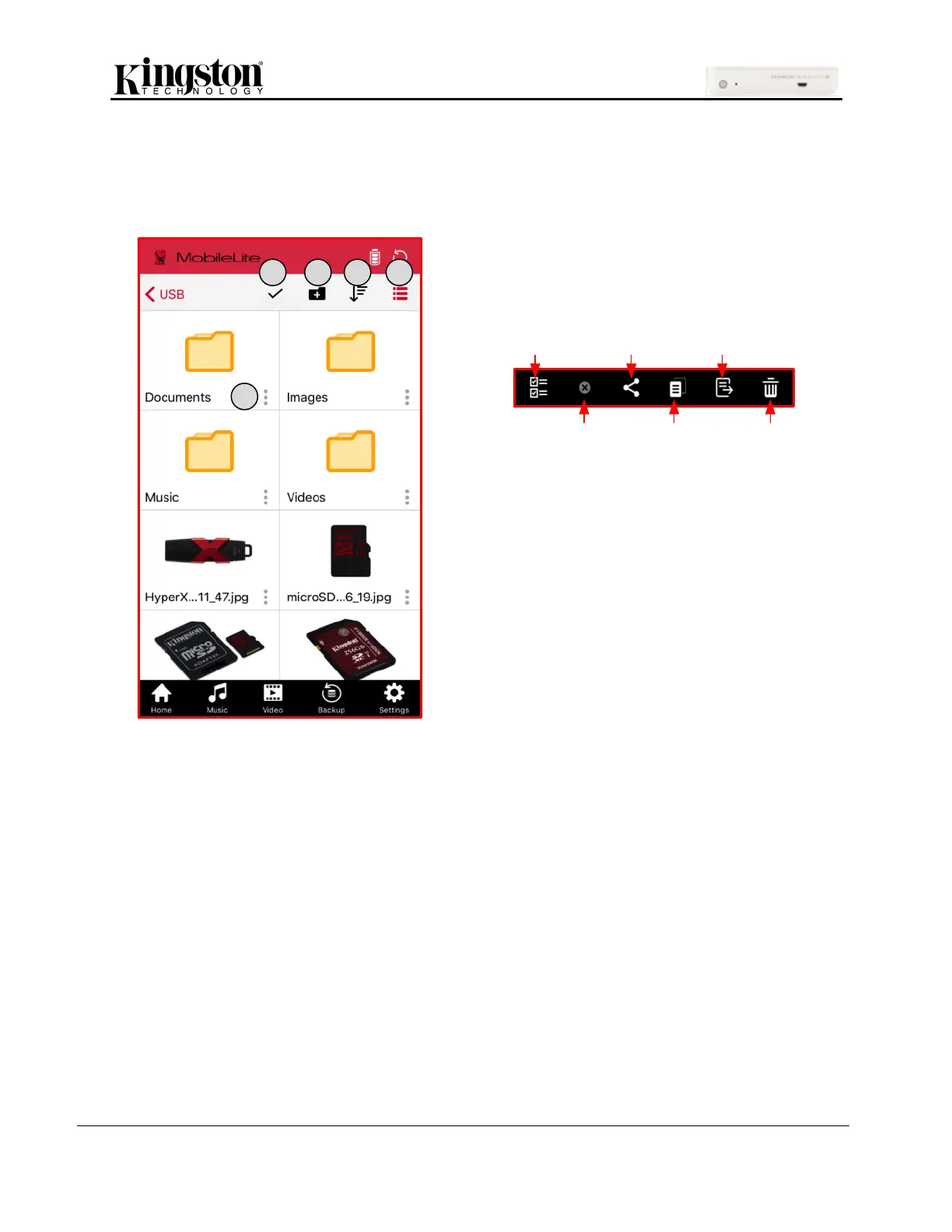
One of the features of the MobileLite Wireless app is that it allows you to manage the files/folders stored
on your storage devices in a seamless manner. This includes creating a new folder, deleting items, or
renaming content. To get started, simply tap on USB or SD; doing so will enable various options.
B. New Folder: Allows you to create new folders
to organize files.
C. Sort: Will allow you to sort the files/folders
based on Name, Size, Date or Type.
D. View: Will switch from list view to thumbnail
view (thumbnail view in the image on the
right).
E. Menu: Opens options menu for the single
file/folder. Options include Share (single files
only), Copy, Move, Delete and Info.



 To Next Page
 Loading...
