文档编号 Android-MLWG3-011816.A00
安装 MobileLite Wireless 应用程序
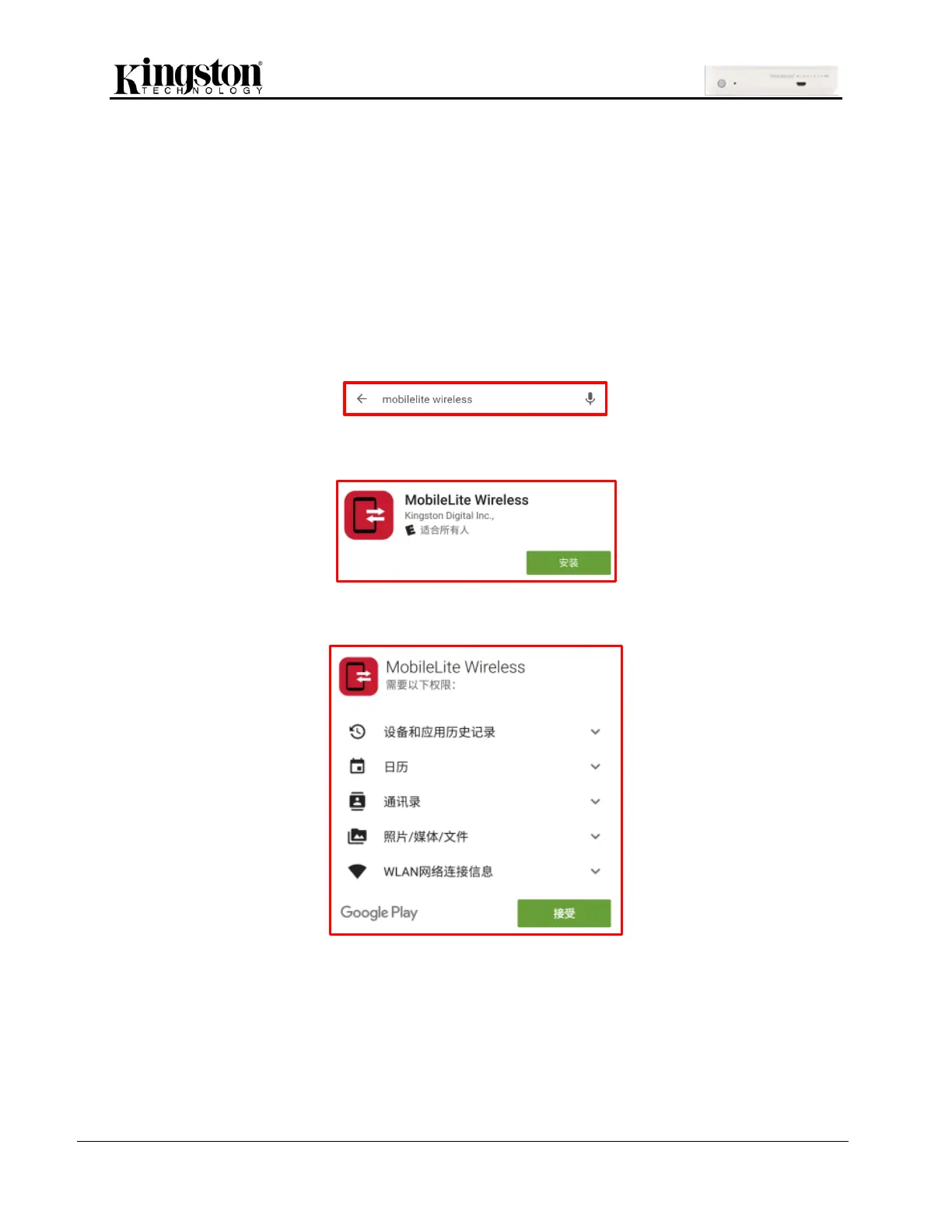
要配置 MLWG3,首先必须通过在线 Play Store(需要互联网访问)将 MobileLite Wireless 应用程序安装
到您的移动设备。MobileLite Wireless 应用程序是免费的,您可以通过它定制无线网络设置,并通过无线
方式访问上传到 MLWG3 所连接 USB 或 SD 卡设备中的内容。
要安装该应用程序,请按照以下步骤操作:
1. 从兼容的移动设备上打开 Play Store,并搜索“MobileLite Wireless”。Play Store 可能会返回多
个搜索结果,务必要选择“MobileLite Wireless”。
2. 找到由 Kingston Digital, Inc. 开发的“MobileLite Wireless”应用程序后,轻触“安装”按钮链接。
3. 选择“安装”后,单击“接受”。选择该按钮将把“MobileLite Wireless”应用程序安装到设备上。
安装完该应用程序后,可以退出 Play Store 并继续浏览本手册的下一部分。


 To Next Page
 Loading...

