Network Share
Once internet access on the MLWG3 is enabled (bridged), you can enable ‘Network Share’ and have
access to your media without changing the mobile device’s Wi-Fi settings as long as the mobile device is
connected to the same network you used to bridge the MLWG3 (how to enable bridge mode).
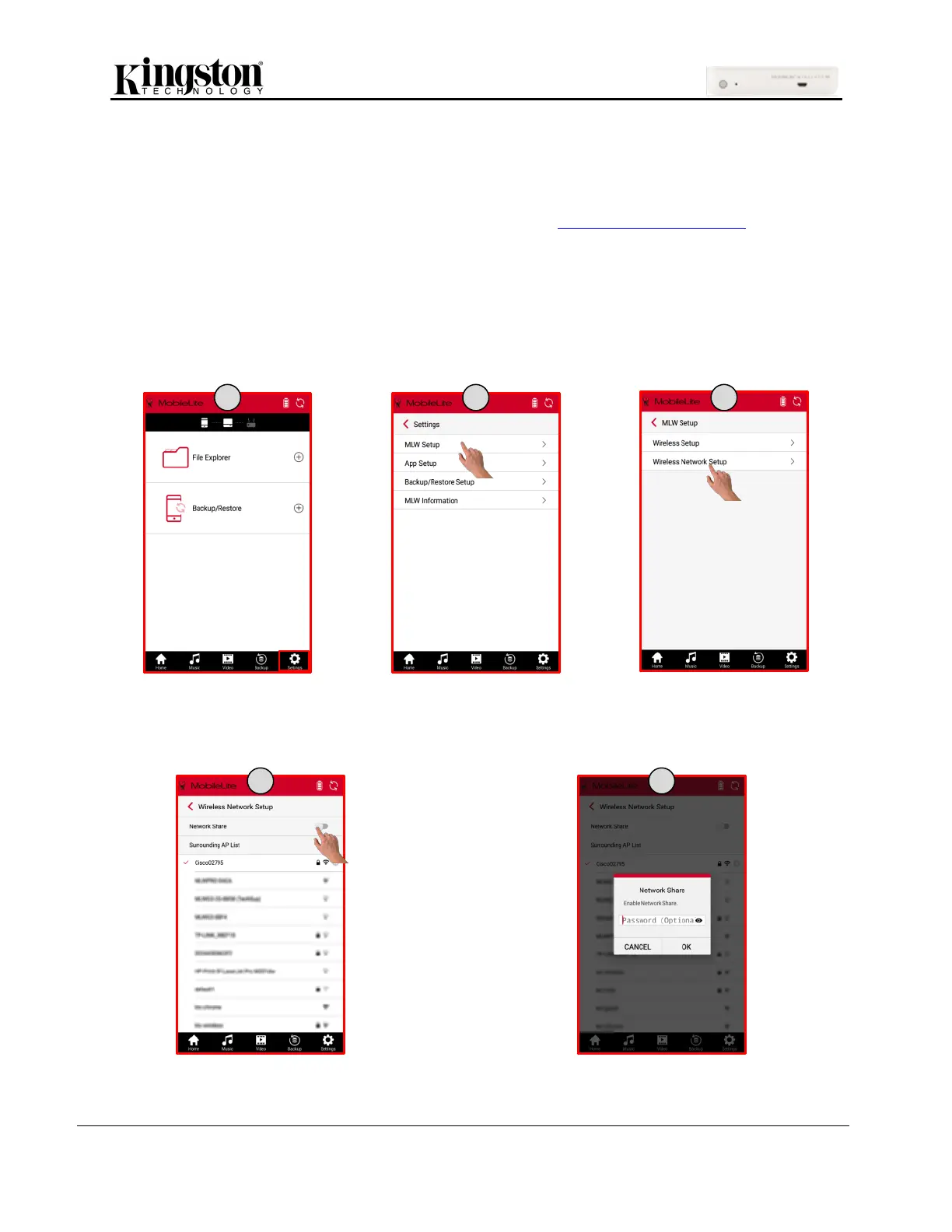
How to Enable Network Share
1. Click ‘Settings’ at the bottom of the MLW app screen.
2. Click ‘MLW Setup’.
3. Click ‘Wireless Setup’.
4. Swipe the ‘Network Share’ button to the right to enable.
5. Enter a password for access to the storage devices (recommended). Click OK to finish.



 To Next Page
 Loading...
