A75UM3EA (Ver. E.2)
3-62
3.5.5 Sharpness
[Function]
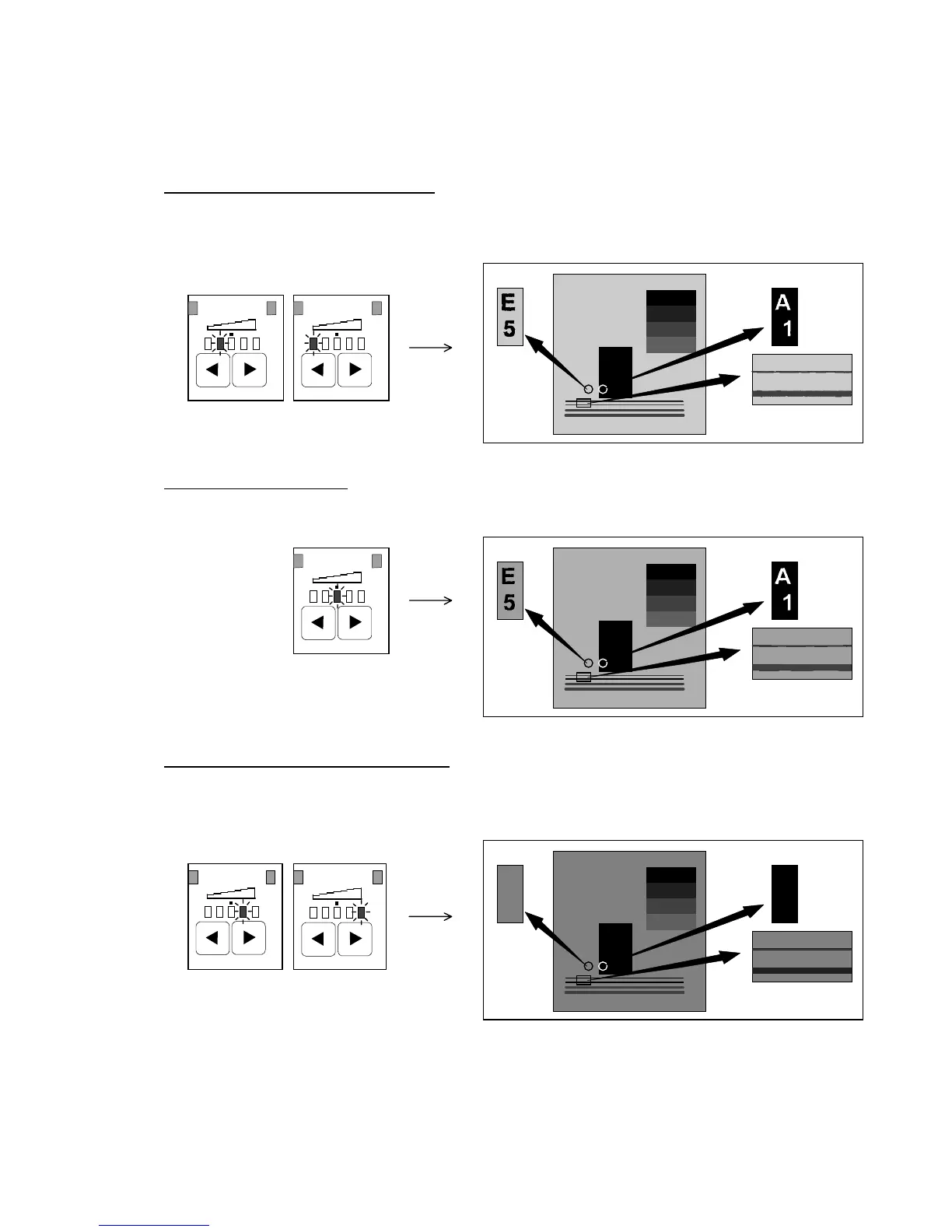
Weak copy image such as thin line or small letter is copied clearly and sharply.
This scanner has 5 Sharpness Levels such as “weaker” “weak”, “normal” “strong” and “stronger”.
Sharpness Level “weak” and “weaker”
Weak (light) images as thin line or small letters are not so sharpened, but the background image
becomes not so evident.
(Weak) (Weaker)
Sharpness Level “normal”
This is the standard Sharpness Level.
Sharpness Level “strong” and “stronger”
Weak images as thin line or small letters are sharpened, but the background image becomes
evident.
(Strong) (Stronger)
(Reference)
When you select stronger Sharpness Level to make weak lines or small letters sharp, sometimes the
background image of the copy may become more evident than before.
In this case, select the Back Ground Mode and select smaller Threshold Level so as not to copy the
background image.
ABCDE
ABCDE
12345
ABCDE
12345
12345
ABCDE
12345
ABC DE
123 45
ABCDE
12345
12345
ABCDE
12345
ABCDE
ABCDE
ABCDE
12345
ABCDE
12345
12345
ABCDE
12345
ABC DE
123 45
ABCDE
12345
12345
ABCDE
12345
ABCDE
ABCDE
ABCDE
12345
ABCDE
12345
12345
ABCDE
12345
ABC DE
123 45
ABCDE
12345
12345
ABCDE
12345
ABCDE
1
A
5
E
SharpnessSharpness
Sharpness
Sharpness Sharpness



 To Next Page