A75UM3E7 (Ver. E.2)
3-38
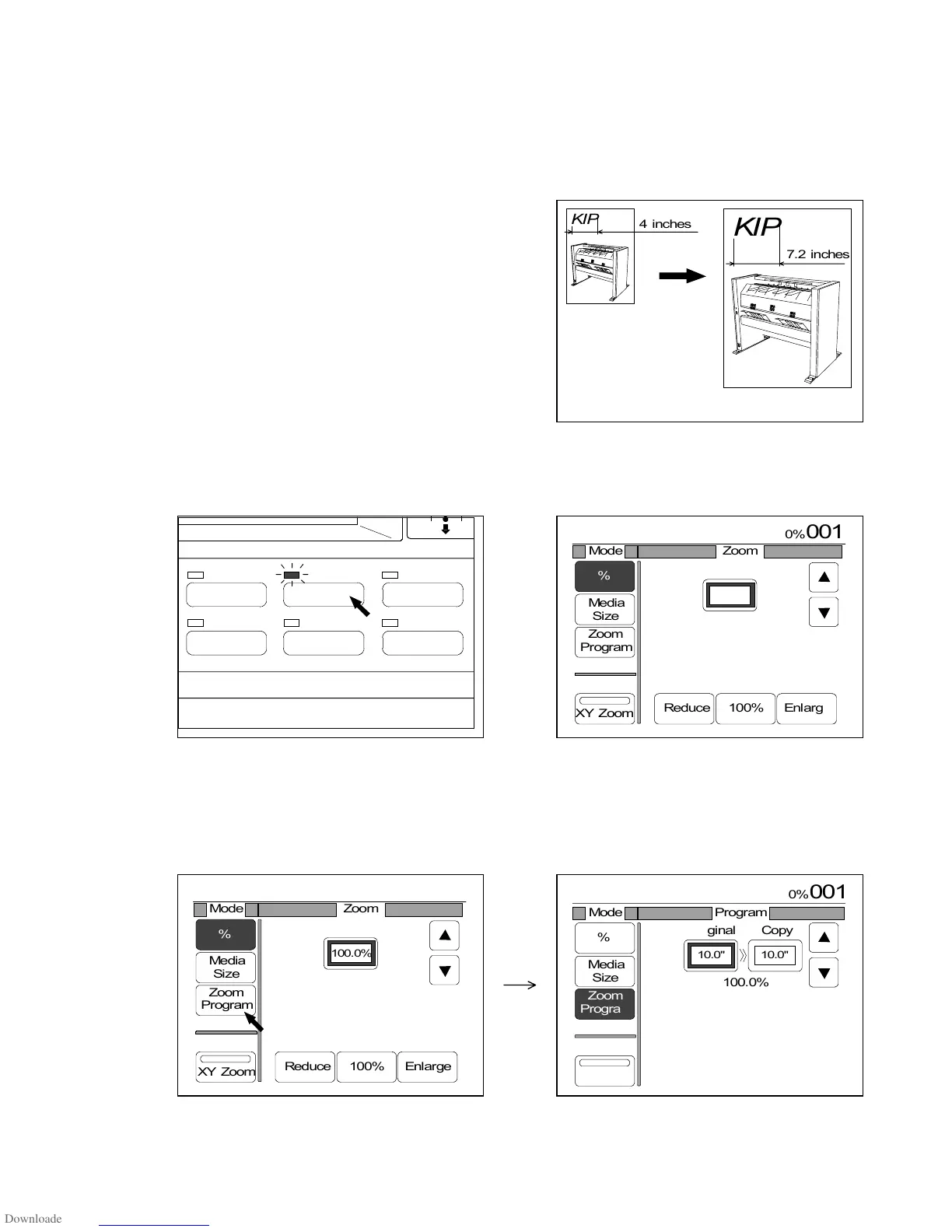
3.4.6 Zoom Program Mode
[Function]
If you decide the ratio between original and copy, the Zoom Program Mode selects the necessary
zoom ratio automatically.
Measure the actual image size of the original to utilize it as an outline to decide the ratio.
(Example)
If the image size on the original is 4 inches, and if you
wish to copy it expanding to 7.2 inches, input”5 : 9”,
“10 : 18”, “20 : 36” or “40 : 72” for example.
[Operation]
1) Push the Zoom Key to indicate the Zoom Setting Screen on the LCD.
(Zoom Key) (Zoom Setting Screen)
2) Select the Zoom Program Mode pressing “Zoom Program”.
“Zoom Program” is colored, and the indication to input original size and copy size appears on the
LCD.
IMAGE QUALITY
LAYOUT/SORT
ZOOM
DATE STAMPFUNCTION
PAPER
Original
Copy



 To Next Page