A75UM3E7 (Ver. E.2)
3-39
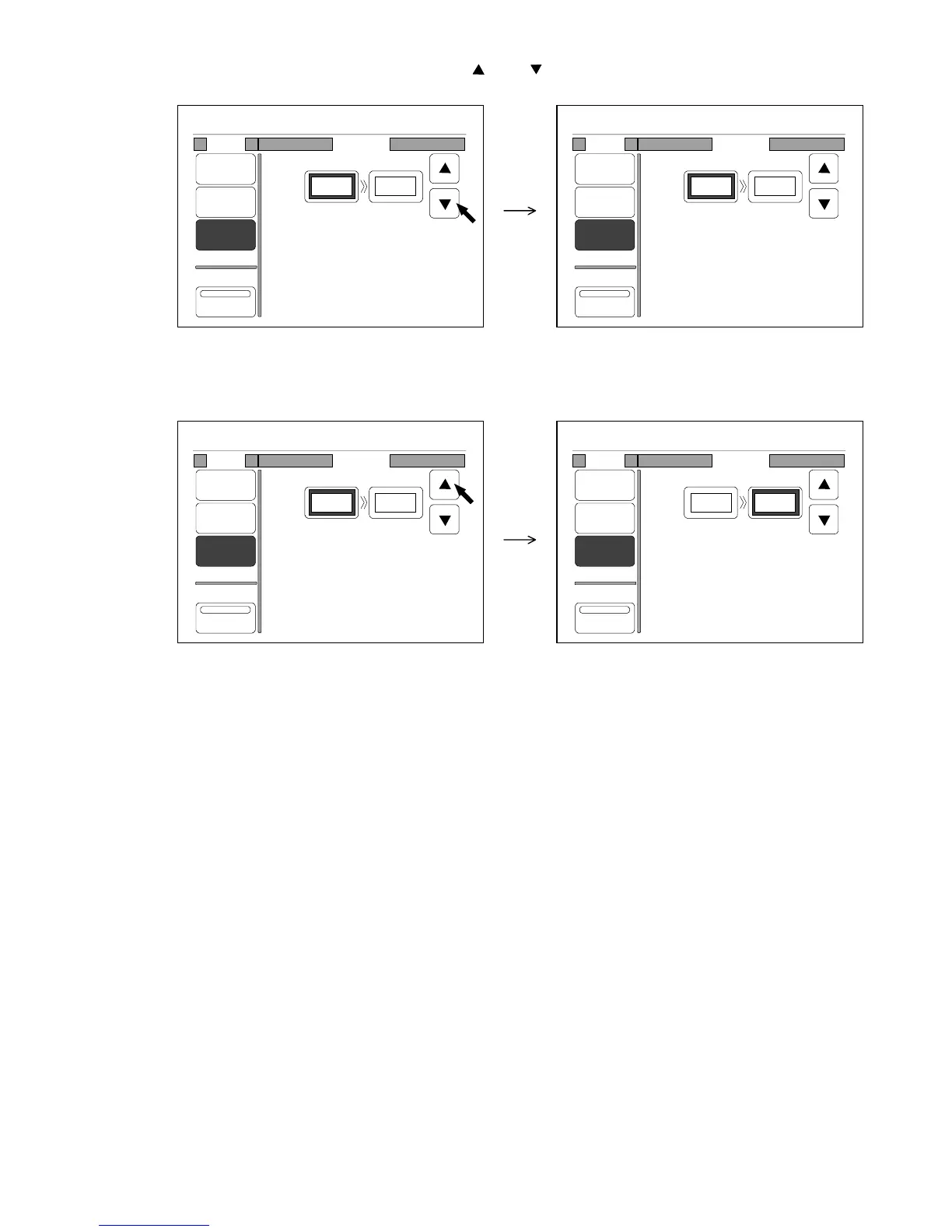
3) When the frame of setting value is thick, it is possible to change the value.
Change the value of original size pressing and .
It is also possible to change the value inputting directly with Ten Keys.
4) Press the setting value of copy size to make its frame thick, then change the value similarly.
The LCD indicates the zoom ratio that satisfies your size setting.
0%
001
Mode Program
%
Media
Size
Zoom
Program
XY Zoom
Original Copy
100.0%
10.0" 10.0"
0%
001
Mode Program
%
Media
Size
Zoom
Program
XY Zoom
Original Copy
102.0%
9.8" 10.0"
0%
001
Mode Program
%
Media
Size
Zoom
Program
XY Zoom
Original Copy
102.0%
9.8" 10.0"
0%
001
Mode Program
%
Media
Size
Zoom
Program
XY Zoom
Original Copy
106.1%
9.8" 10.4"



 To Next Page