A75UM5E1 (Ver. E.2)
5-6
5.2.2 Touch panel positioning
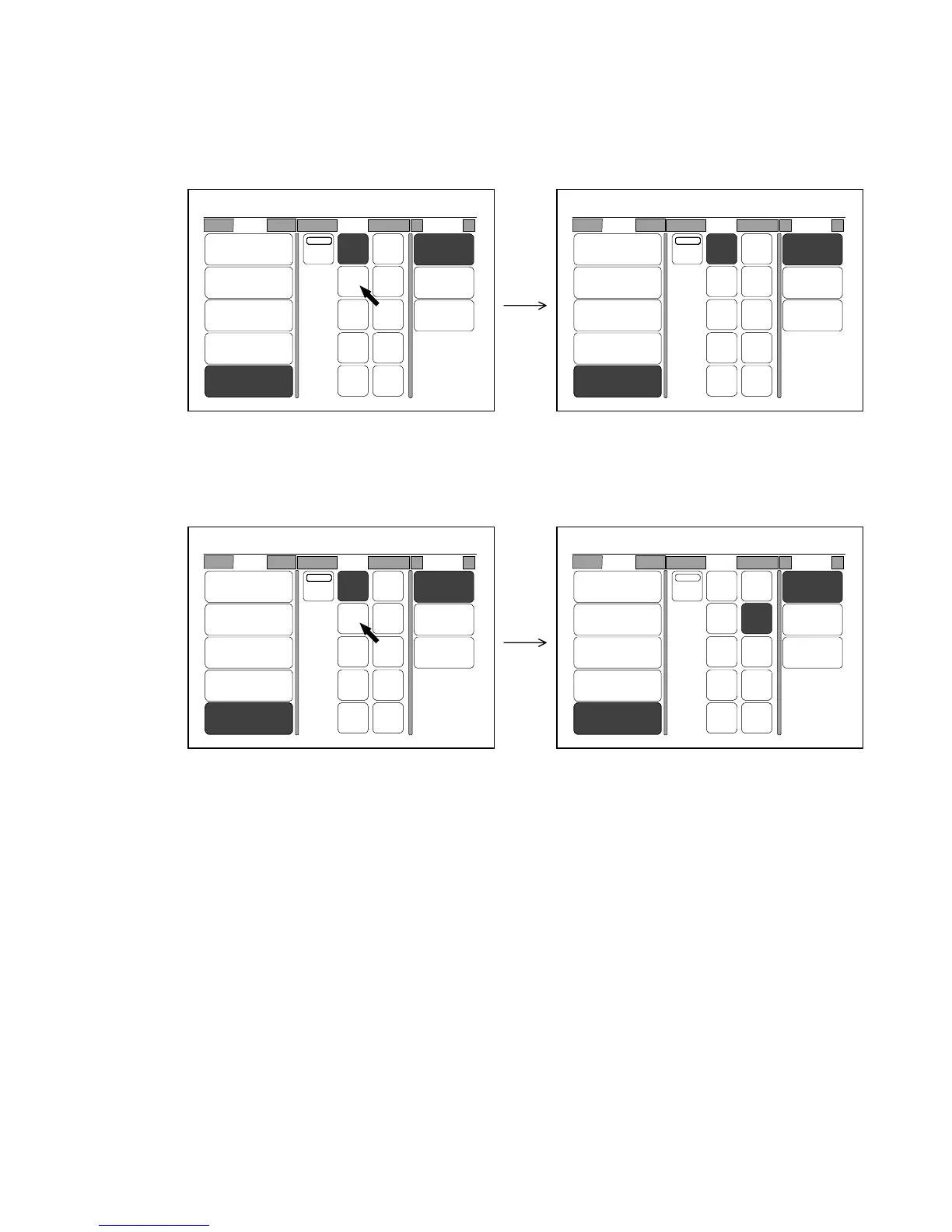
When you select some setting item on the LCD, that item may not be selected sometimes.
Or another item may be selected although you selected the different one.
(Example 1)
34” is not selected and is not colored although you pressed it.
34” is not selected.
(Example 2)
17” is selected although you pressed 34”.
17” is selected.
When you have the above kinds of LCD problem, adjust the position of touch panel in the way written
on the next page.
0%
001
Roll Size Media
2:30"
Vellum
1:36"
Plain Paper
3:24"
Film
4:18"
Plain Paper
Bypass
Auto
36" 18"
17"
12"
11"
8.5"
34"
30"
24"
22"
Vellum
Film
Plain
Paper
0%
001
Roll Size Media
2:30"
Vellum
1:36"
Plain Paper
3:24"
Film
4:18"
Plain Paper
Bypass
Auto
36" 18"
17"
12"
11"
8.5"
34"
30"
24"
22"
Vellum
Film
Plain
Paper
0%
001
Roll Size Media
2:30"
Vellum
1:36"
Plain Paper
3:24"
Film
4:18"
Plain Paper
Bypass
Auto
36" 18"
17"
12"
11"
8.5"
34"
30"
24"
22"
Vellum
Film
Plain
Paper
0%
001
Roll Size Media
2:30"
Vellum
1:36"
Plain Paper
3:24"
Film
4:18"
Plain Paper
Bypass
Auto
36" 18"
17"
12"
11"
8.5"
34"
30"
24"
22"
Vellum
Film
Plain
Paper



 To Next Page