A75UM5E1 (Ver. E.2)
5-7
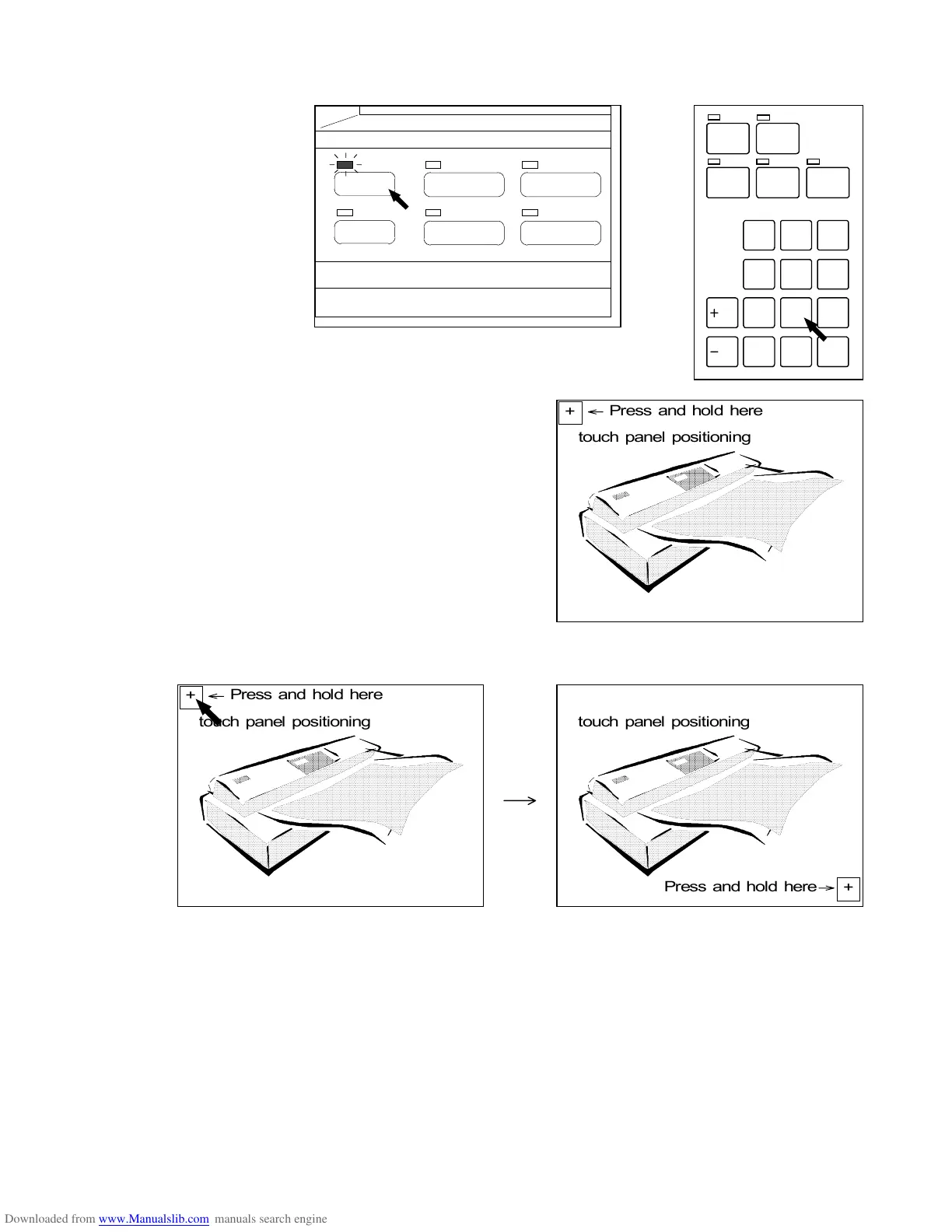
1) Press and hold the Menu Key, and then push “2” of Ten Keys to enter the Touch Panel Position
Adjustment Mode.
The LCD indicates “touch panel positioning”.
(Menu Key)
2) Press and hold the “+” mark on the LCD until the indication is changed.
/L
/R
SET COPY
ROTATE
AUTO PAPERAUTO ZOOM
PRINT
CONCURRENT
0
1
4
7
.
2
5
8
C
3
6
9
PAPER
FUNCTION
BASIC SCREEN
MODE MEMORY
MENU
REFERENCE
touch panel positioning
Press and hold here
+
touch panel positioning
Press and hold here
+
touch panel positioning
Press and hold here
+



 To Next Page