A75UM3E9 (Ver. E.2)
3-54
3.5.4 Threshold
By changing the Threshold Level, it is possible to change the result of copy.
The function of Threshold Level is different among image type modes such as Line Mode, Line/Photo
Mode and Photo Mode although the way to change the Threshold Level is same in all of these modes.
It is mentioned on and after the page 3-56 how the result of copy varies in each image type mode if you
change the Threshold Level.
Since the way to change the Threshold Level is mentioned on this page and next page, please fix it
your mind firstly.
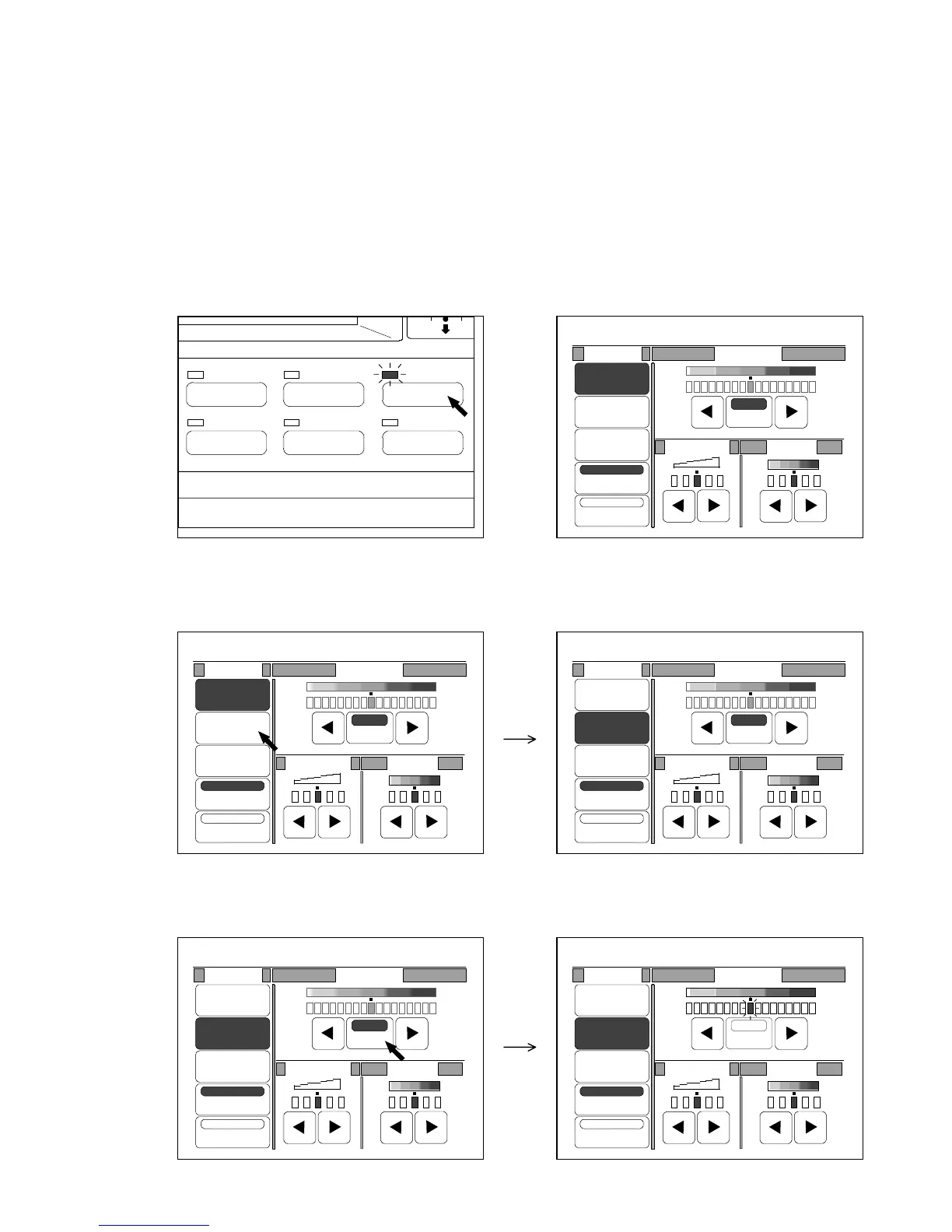
[How to change the Threshold Level]
1) Push the Image Quality Key to indicate the Image Quality Setting Screen on the LCD.
(Image Quality Key) (Image Quality Setting Screen)
2) Select any of Line Mode, Line/Photo Mode and Photo Mode.
3) If “Auto” (Auto Threshold) is selected, press “Auto” to cancel.
It becomes possible to change the Threshold Level manually because the indicator is validated.
IMAGE QUALITY
LAYOUT/SORT
ZOOM
DATE STAMPFUNCTION
PAPER
0%
001
Original Threshold
Line
Line/Photo
Photo
Background
Despeckle
Sharpness
Density
Auto
0%
001
Original Threshold
Line
Line/Photo
Photo
Background
Despeckle
Sharpness
Density
Auto
0%
001
Original Threshold
Line
Line/Photo
Photo
Background
Despeckle
Sharpness
Density
Auto
0%
001
Original Threshold
Line
Line/Photo
Photo
Background
Despeckle
Sharpness
Density
Auto
0%
001
Original Threshold
Line
Line/Photo
Photo
Background
Despeckle
Sharpness
Density
Auto



 To Next Page