A75UM3ED (Ver. E.2)
3-79
3.6.3 Folder Setting
[Function]
If the Folder is used to fold the printout, it is possible to select your preferable folding method.
This scanner has 4 kinds of folding method.
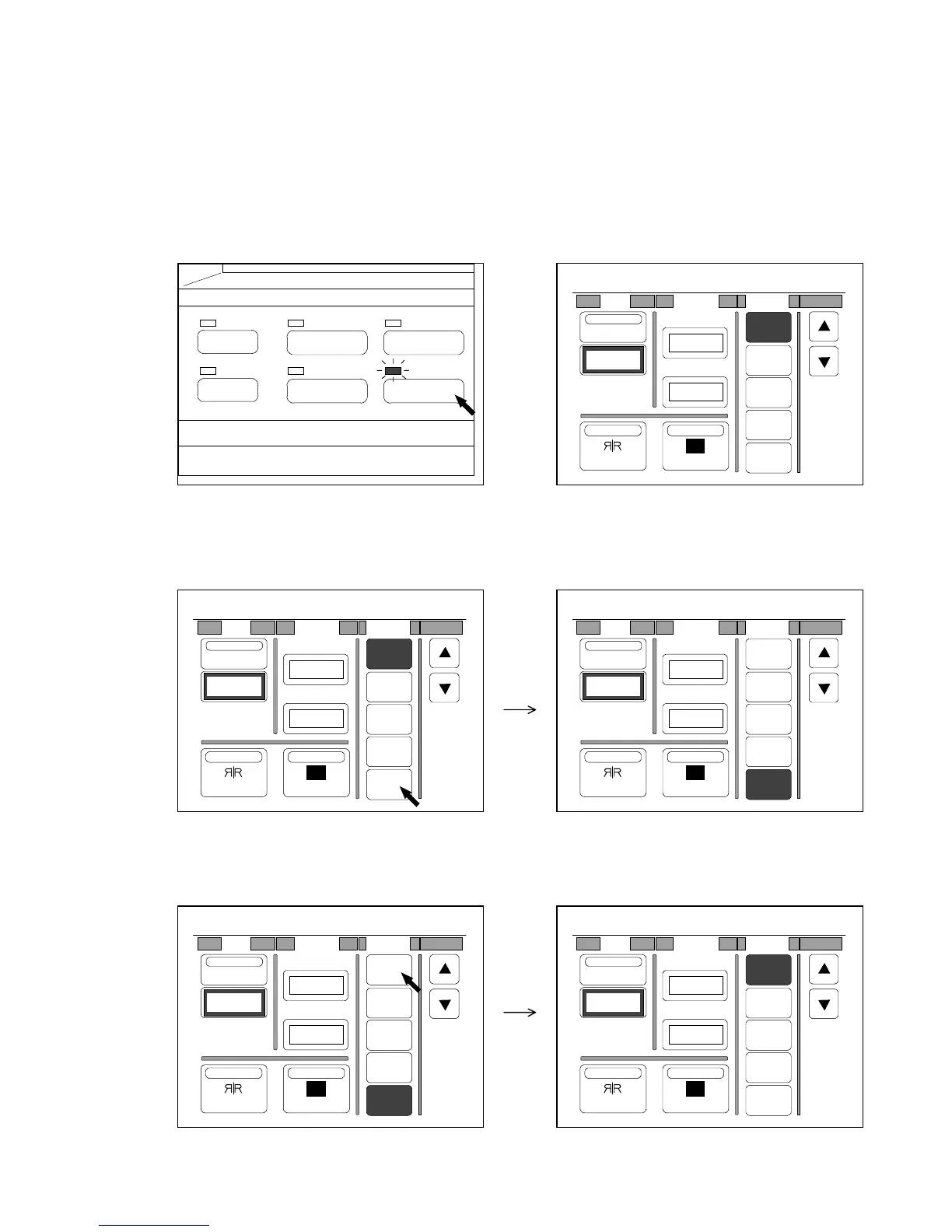
[How to change the folding method]
1) Push the Function Key to indicate the Function Setting Screen on the LCD.
(Function Key) (Function Setting Screen)
2) If you wish to use the Folder and you have your preferable folding method, press your required
number.
3) If you do not wish to use the Folder, press “OFF”.
“OFF” is colored.
PAPER
FUNCTION
BASIC SCREEN
MODE MEMORY
MENU
REFERENCE
0%
001
R
Shift Margin Folder
OFF
1
2
3
4
Centering
0.00"
NegativeMirror
T. Edge
L. Edge
0.00"
0.00"
0%
001
R
Shift Margin Folder
OFF
1
2
3
4
Centering
0.00"
NegativeMirror
T. Edge
L. Edge
0.00"
0.00"
0%
001
R
Shift Margin Folder
OFF
1
2
3
4
Centering
0.00"
NegativeMirror
T. Edge
L. Edge
0.00"
0.00"
0%
001
R
Shift Margin Folder
OFF
1
2
3
4
Centering
0.00"
NegativeMirror
T. Edge
L. Edge
0.00"
0.00"
0%
001
R
Shift Margin Folder
OFF
1
2
3
4
Centering
0.00"
NegativeMirror
T. Edge
L. Edge
0.00"
0.00"



 To Next Page