A75UM3EE (Ver. E.2)
3-90
3.7.2 Main position of Date Stamp
[Function]
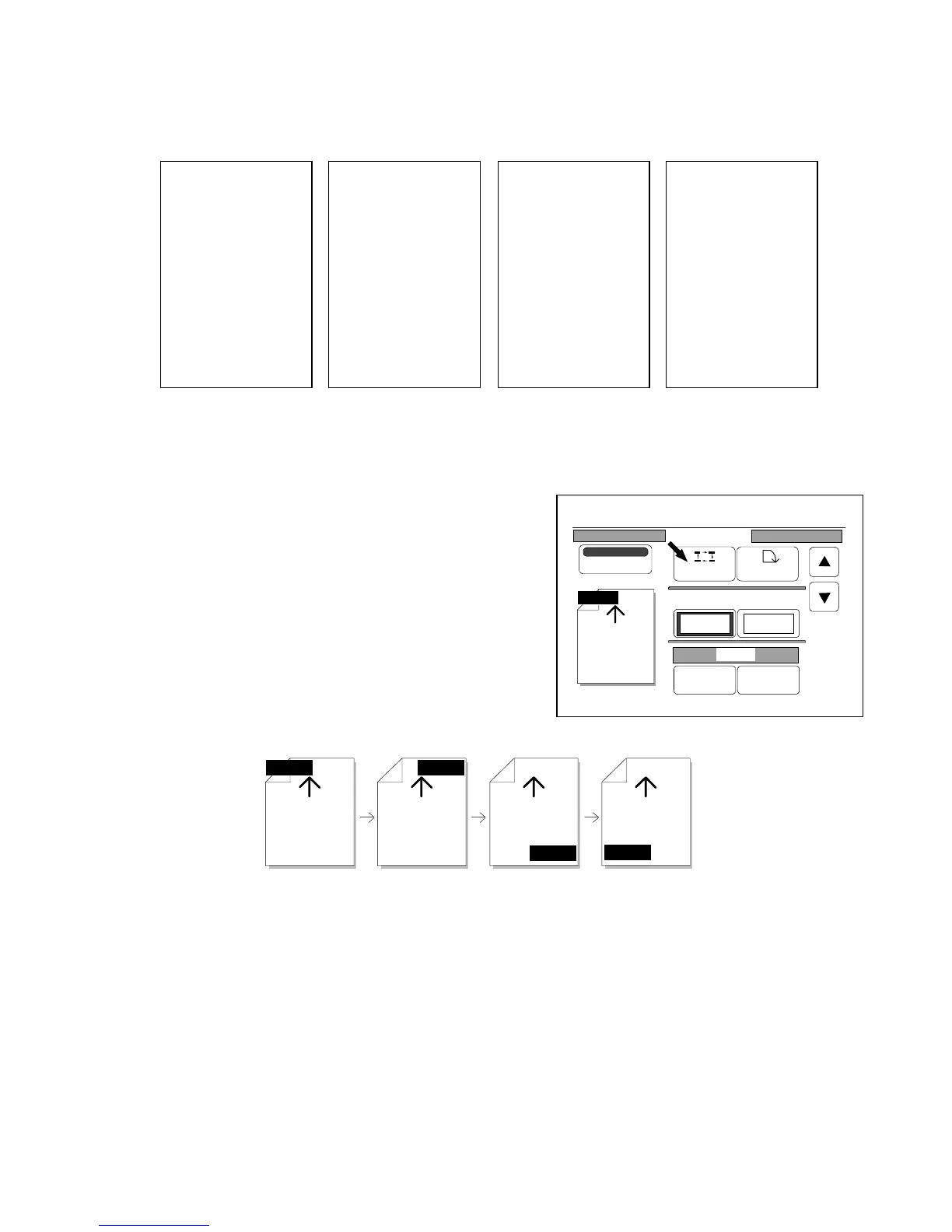
It is possible to print the Date Stamp on any of 4 main positions.
[How to select the main position]
Whenever you press “Position”, you can select the main
position of Date Stamp in the following order.
The arrow mark in the indication shows the feeding
direction of original.
So, select your preferable main position.
Left front Right front Right rear Left rear
Y/M/D Y/M/D
Y/M/D
Y/M/D
SCANNER
KIP
1999/01/31
KIP
SCANNER
1999/01/31
SCANNER
KIP
1999/01/31
KIP
SCANNER
1999/01/31
Left front Right front Left rear Right rear
0%
001
Date Stamp
Print
Y/M/D
Position Rotate
X Shift Y Shift
0.00" 0.00"
Y/M/D
Change Detail



 To Next Page