A75UM1E1 (Ver. E.2)
1-8
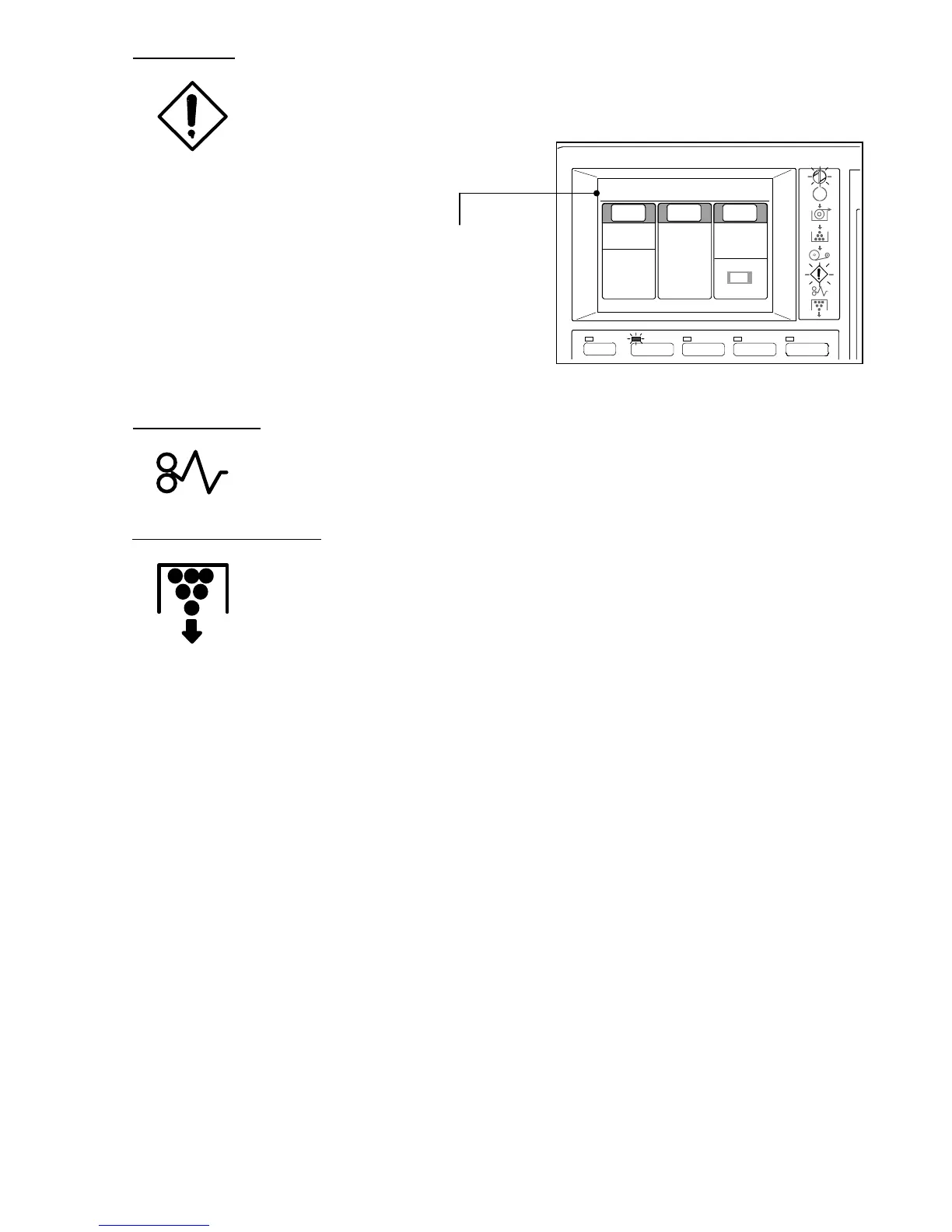
Error Indicator
The Error Indicator lights up with red when the printer has some error.
Some Error Message is indicated on the LCD at this time as the following figure.
Refer to "Error Message and Treatments" on page 4-1.
Error Message
Mis-feed Indicator
The Mis-feed Indicator lights up with red at the time of media mis-feed in the printer.
Remove the copying media making reference to printer’s manual.
Waste Toner Full Indicator
The Waste Toner Full Indicator lights up with red when the Waste Toner Bottle of the
printer is filled with the toner.
Making reference to printer’s manual, replace the bottle with the new one.
If the printer is not equipped with the sensor to detect the quantity of toner in the
bottle, the Waste Toner Full Indicator does not work.
MENU
BASIC SCREEN PAPER ZOOM
IMAGE QUALITY
0%
001
Paper Zoom
Image
Quality
1:36"
100.0%
Synchro
Line
Background
[Threshold]
Auto
Plain Paper
Upper unit is open



 To Next Page