A75UM3EN (Ver. E.2)
3-164
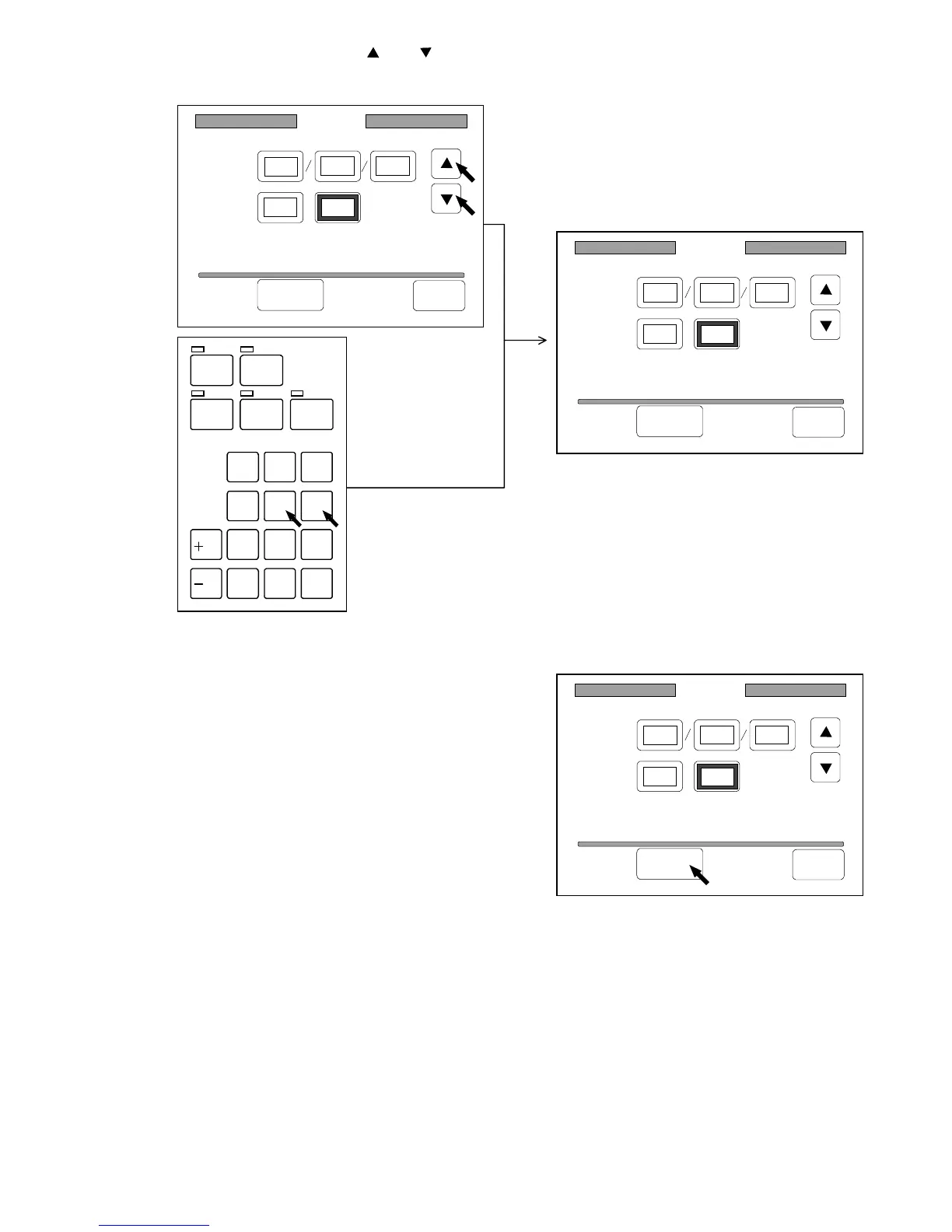
3) Change the value pressing and .
Or input the value directly with Ten Keys.
If you inputted a wrong number, clear it pushing the Clear Key.
4) When you have finished to change date and time,
press “Set” to decide the setting.
5) If you wish to let the date and time setting be valid later on even if you turn off the machine,
register it making reference to “How to register the setting” on the page 3-143.
/
L
/
R
SET COPY
ROTATE
AUTO ZOOM AUTO PAPER
CON CURRENT
PRINT
0
1
4
7
.
2
5
8
C
3
6
9
Date/Time
Date:
Time:
1999 10 28
09 54:
Set Back
Date/Time
Date:
Time:
1999 10 28
09 56:
Set Back
Date/Time
Date:
Time:
1999 10 28
09 56:
Set Back



 To Next Page