A75UM4E1 (Ver. E.2)
4-3
Error message Treatments
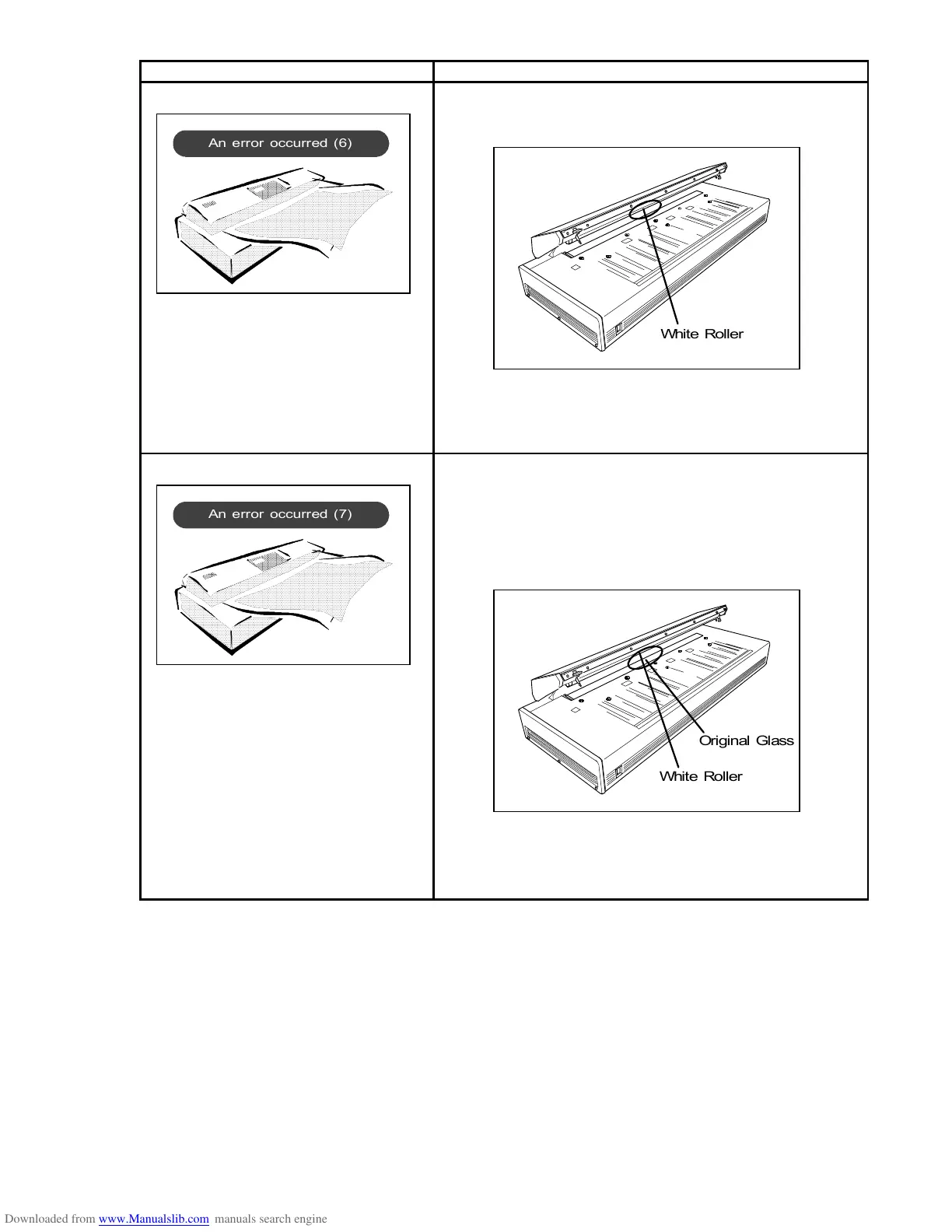
An error occurred (6) Something is sticking on the central part of the White
Roller where the Pointer LED throws light.
Clean it off.
If this error code is indicated again even after the cleaning,
the scanner has an abnormal error.
Since the operator can not fix it, call your service
personnel.
An error occurred (7) 1. Something is sticking on the central part of the Original
Glass where the Pointer LED throws light.
Clean it off.
2. Something is sticking on the central part of the White
Roller where the Pointer LED throws light.
Clean it off.
If this error code is indicated again even after the cleaning,
the scanner has an abnormal error.
Since the operator can not fix it, call your service
personnel.
An error occurred (7)
White Roller
Original Glass
White Roller



 To Next Page