A75UM3E4 (Ver. E.2)
3-23
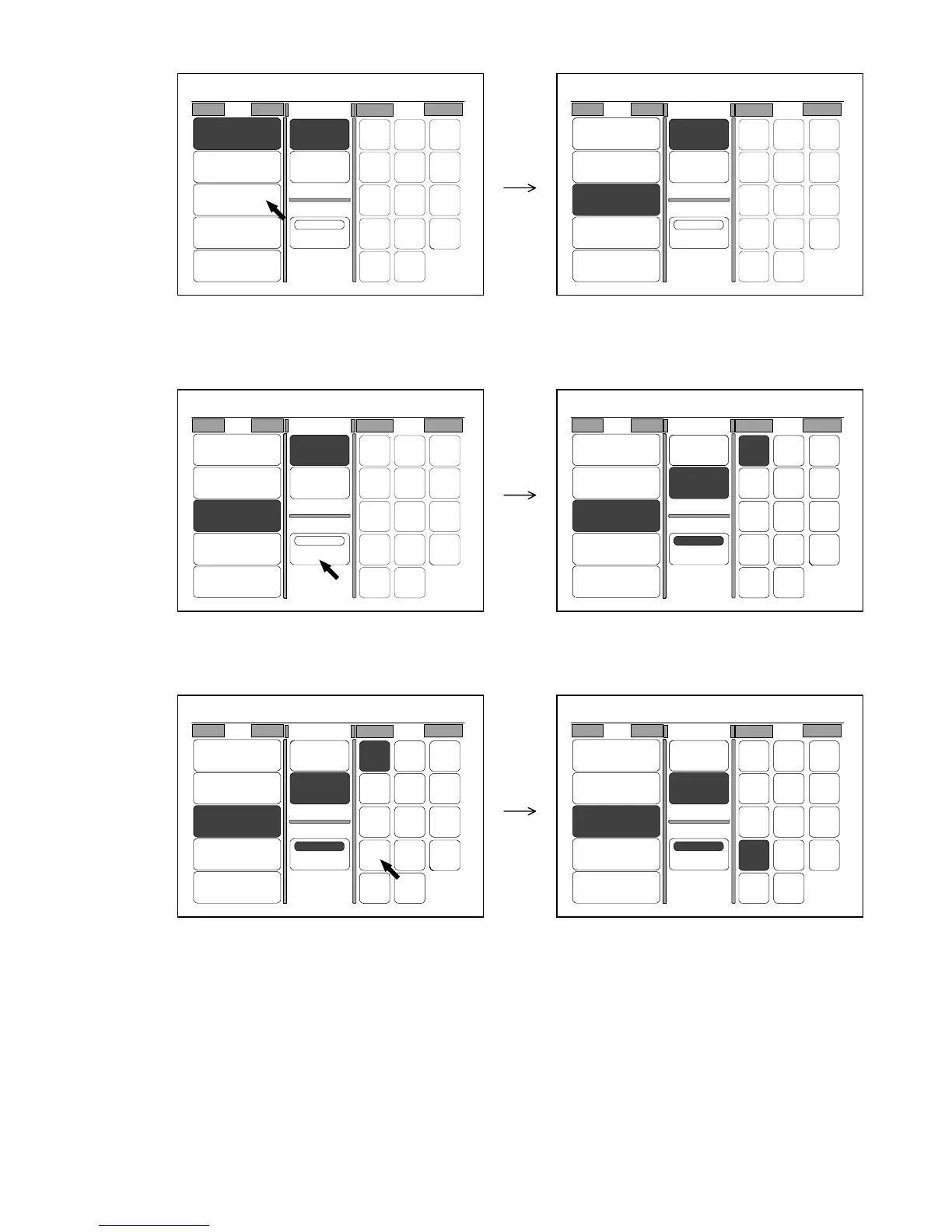
2) Press your required Roll Number.
3) Press “Divide” to enter the Divide Mode.
Both “Standard” and “Divide” are colored.
4) Select any of standard cut sizes from 8.5 inches to 48 inches.
The selected cut size is colored.
5) Set the original to the scanner, and then start copying pushing the Start Key.
The copy image is printed on some sheets of copying media.
0%
001
Roll Cut Mode Size
2:30"
Vellum
1:36"
Plain Paper
3:24"
Film
4:18"
Plain Paper
Bypass
Synchro
Standard
Divide
48"
44"
42"
36"
34"
30"
24"
22"
18"
17"
12"
11"
9"
8.5"
0%
001
Roll Cut Mode Size
2:30"
Vellum
1:36"
Plain Paper
3:24"
Film
4:18"
Plain Paper
Bypass
Synchro
Standard
Divide
48"
44"
42"
36"
34"
30"
24"
22"
18"
17"
12"
11"
9"
8.5"
0%
001
Roll Cut Mode Size
2:30"
Vellum
1:36"
Plain Paper
3:24"
Film
4:18"
Plain Paper
Bypass
Synchro
Standard
Divide
48"
44"
42"
36"
34"
30"
24"
22"
18"
17"
12"
11"
9"
8.5"
0%
001
Roll Cut Mode Size
2:30"
Vellum
1:36"
Plain Paper
3:24"
Film
4:18"
Plain Paper
Bypass
Synchro
Standard
Divide
48"
44"
42"
36"
34"
30"
24"
22"
18"
17"
12"
11"
9"
8.5"
0%
001
Roll Cut Mode Size
2:30"
Vellum
1:36"
Plain Paper
3:24"
Film
4:18"
Plain Paper
Bypass
Synchro
Standard
Divide
48"
44"
42"
36"
34"
30"
24"
22"
18"
17"
12"
11"
9"
8.5"
0%
001
Roll Cut Mode Size
2:30"
Vellum
1:36"
Plain Paper
3:24"
Film
4:18"
Plain Paper
Bypass
Synchro
Standard
Divide
48"
44"
42"
36"
34"
30"
24"
22"
18"
17"
12"
11"
9"
8.5"



 To Next Page