EasyManua.ls Logo

KIP 2050 - Page 74

KIP 2050
252 pages
Print Icon
To Next Page IconTo Next Page
To Previous Page IconTo Previous Page
Loading...
A75UM3E5 (Ver. E.2)
3-29
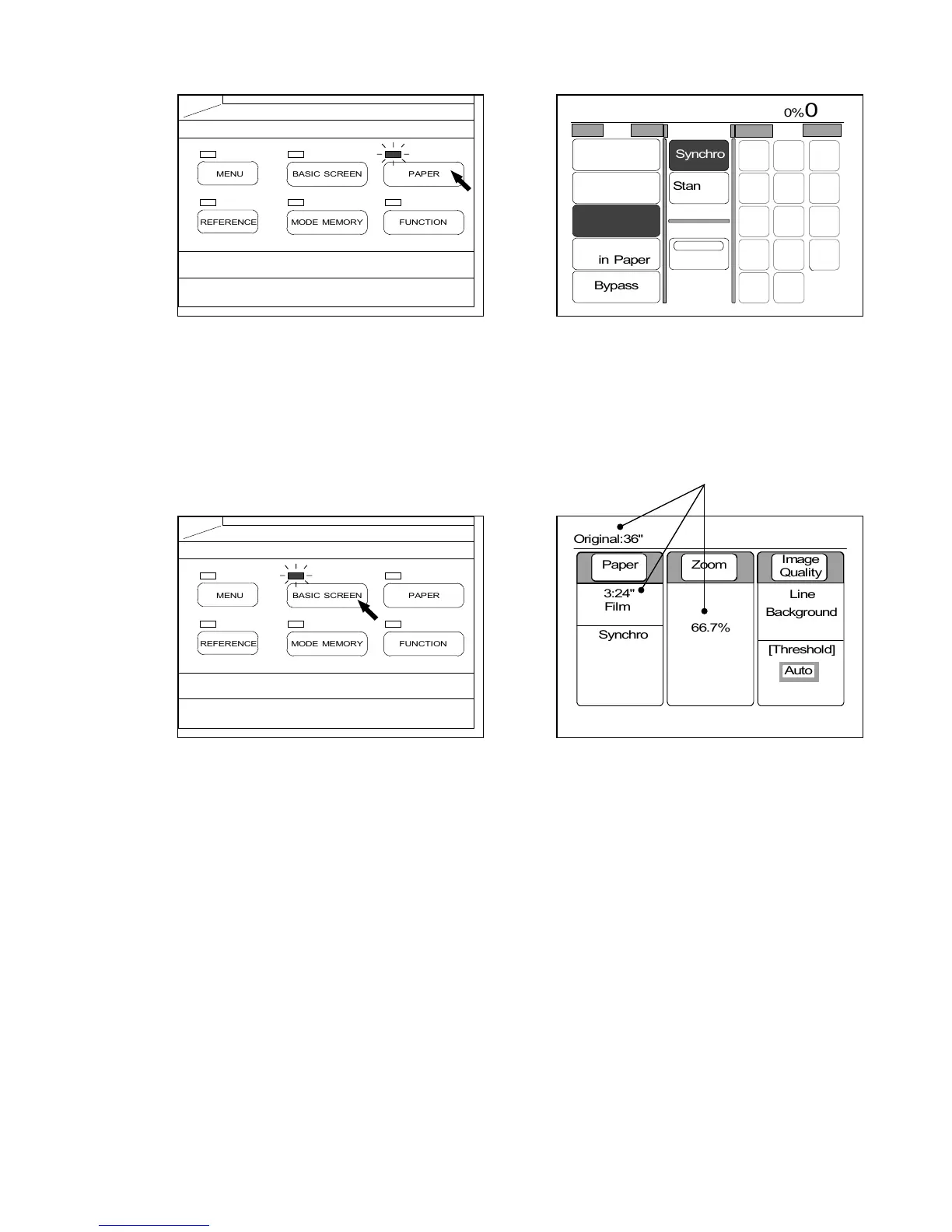
3) Push the Paper Key to indicate the Paper Setting Screen on the LCD, and then select your
required roll media.
(Paper Key) (Paper Setting Screen)
4) Push the Basic Screen Key to indicate the Basic Screen on the LCD.
The Basic Screen indicates the zoom ratio that the Auto Zoom Mode selected.
Example : Original size is 36 inches.
24 inches roll media is used for copying.
Therefore, 66.7% is selected.
(Basic Screen Key) (Basic Screen)
0%
001










Paper Zoom
Image
Quality
3:24"
Film
66.7%
Line
Background
[Threshold]


Auto
Synchro
Original:36"
PAPER
FUNCTION
BASIC SCREEN
MODE MEMORY
MENU
REFERENCE
PAPER
FUNCTION
BASIC SCREEN
MODE MEMORY
MENU
REFERENCE
0%
001
Roll Cut Mode Size
2:30"
Vellum
1:36"
Plain Paper
3:24"
Film
4:18"
Plain Paper
Bypass
Synchro
Standard
Divide
48"
44"
42"
36"
34"
30"
24"
22"
18"
17"
12"
11"
9"
8.5"
Original:36"

Table of Contents

Related product manuals