A75UM3E6 (Ver. E.2)
3-34
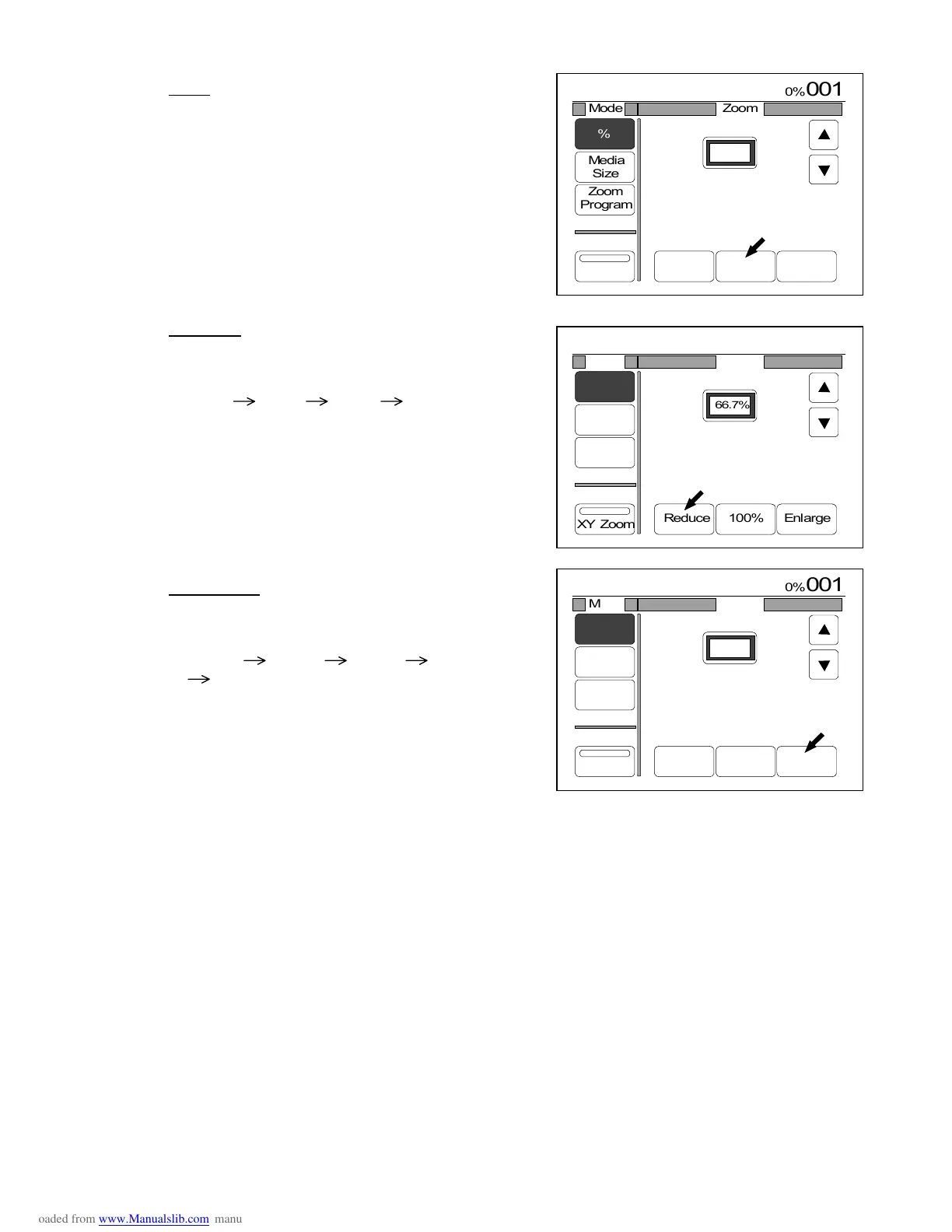
3) Press any of “Reduce”, “100%” and “Enlarge” according to your requirement.
100%
The zoom ratio becomes 100.0% when you
press “100%”.
Reduction
Whenever you press “Reduce”, you can choose the
following reduction standard zoom ratios orderly.
66.7% 50.0% 45.0% 25.0%
Enlargement
Whenever you press “Enlarge”, you can choose the
following enlargement standard zoom ratios orderly.
133.3% 150.0% 200.0% 300.0%
400.0%
(Reference)
It is possible to add your preferable zoom ratio to the above standard zoom ratios as “Register
Zoom Ratio”.
If you do so, it becomes possible to choose the Register Zoom Ratio easily pressing “Reduce” and
“Enlarge” as you choose the above standard zoom ratios.
(If you add 30.0% and 250.0%, for example, you can select 30.0% pressing “Reduce” and 250.0%
pressing “Enlarge”.)
As for “Register Zoom Ratio”, refer to the page 3-145.



 To Next Page