A75UM3E7 (Ver. E.2)
3-43
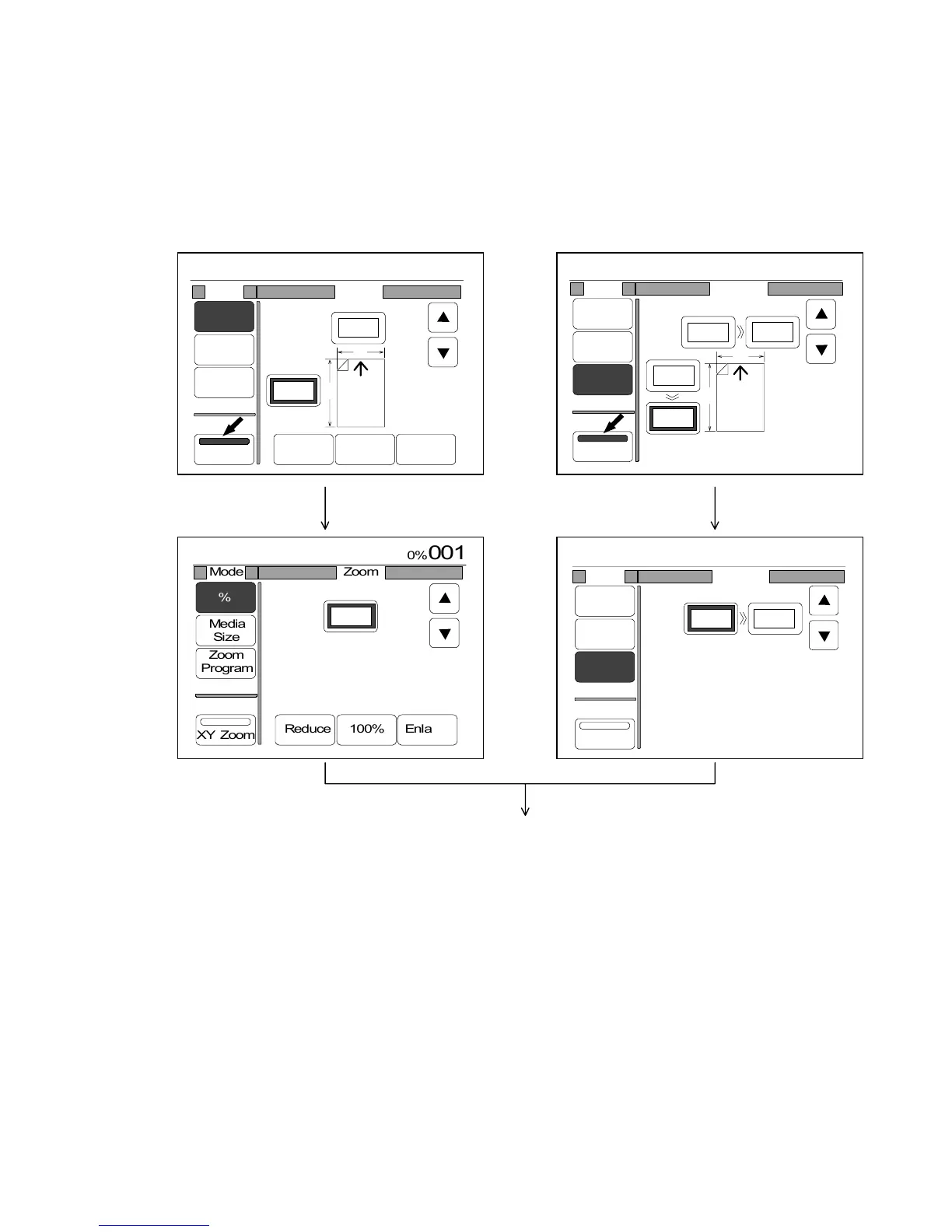
[How to cancel the XY Zoom Mode and to clear decided zoom ratios (X) and (Y)]
There are 2 ways to cancel the XY Zoom Mode and to cancel the decided zoom ratios (X) and (Y).
1. Cancel the XY Zoom Mode pressing “XY Zoom” when it is colored.
Since the decided zoom ratios (X) and (Y) are still valid (In case of the % Mode, only the zoom
ratio X is valid) even after canceling the XY Zoom Mode, select some zoom ratio in any of zoom
setting modes in order to cancel zoom ratios (X) and (Y).
(For example, select the standard zoom ratio “100.0%” after canceling the XY Zoom Mode.)
(% Mode) (Zoom Program Mode : Inch)
Then, select another zoom ratio in any of zoom setting modes.
2. If you push the Reset Key, it is possible to clear decided horizontal zoom ratio (X) and vertical
one (Y) while canceling the XY Zoom Mode.
However, note that not only XY Zoom Mode but also all other user settings are initialized
according to the Standard Mode if you push the Reset Key.
(In order to cancel the XY Zoom Mode pushing the Reset Key, “XY Zoom : OFF” should be
registered to the Standard Mode as the default condition. As for the Standard Mode, refer to
“Standard Mode” on the page 3-151.)
0%
001
Mode Zoom
%
Media
Size
Zoom
Program
XY Zoom
Reduce 100% Enlarge
X
Y
98.0%
102.0%
0%
001
:
:
Mode Program
%
Media
Size
Zoom
Program
XY Zoom
X
Y
Original Copy
10.0"
X : 106.0%
Y : 95.0%
10.6"
10.0"
9.5"



 To Next Page