16
STEP-BY-STEP COOKING MODESSTEP-BY-STEP COOKING MODES
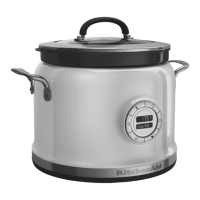
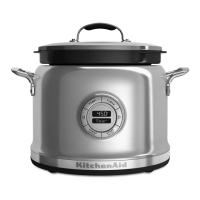
Pilaf mode uses multiple preprogrammed
steps for creating succulent pilafs without
all the mess of traditional cooking methods.
From initial preparation of meats and
vegetables to the final baking steps, the
Multi-Cooker keeps it simple.
1. Press
to scroll to Pilaf mode.
Press
to select.
2. The Multi-Cooker will preheat to Sauté.
If setting a cooking time, set the timer,
then press
to start timer countdown.
3. Add the starting ingredients.
4. Once sautéing is complete, press
to
continue to Boil.
5. The Multi-Cooker will cool down to
Boil mode. If setting a boiling time, set
the timer, then press
to start timer
countdown.
6. Add remaining ingredients.
7. Once boiling is complete, press
to
continue to Simmer.
8. If setting a simmer time, set the timer,
then press
to start timer countdown.
9. Once simmering is complete, press
for
Keep Warm mode. When in Keep
Warm mode without setting timer, the
Multi-Cooker will automatically turn off
after 24 hours.
Sauté > Boil > Simmer > Keep Warm
Pilaf
Use this mode to create delicious porridges
quickly and easily, any time of day.
1. Press
to scroll to Porridge mode.
Press
to select.
2. The Multi-Cooker will preheat to Boil. If
setting a cooking time, set the timer, then
press
to start timer countdown.
3. Add the starting ingredients.
4. Once boiling is done, press
to continue
to Simmer.
5. The Multi-Cooker will cool down to
Simmer mode. If setting a simmer time,
set the timer, then press to start timer
countdown.
6. Add remaining ingredients.
7. Once simmering is complete, press the
button for Keep Warm mode. When in
keep warm mode without setting timer,
the Multi-Cooker will automatically turn
off after 24 hours.
Boil > Simmer > Keep Warm
Porridge
W10663380C_01_EN_v02.indd 16 2/17/15 2:37 PM



 To Next Page