27
English
CARE AND CLEANINGTIPS FOR GREAT RESULTS
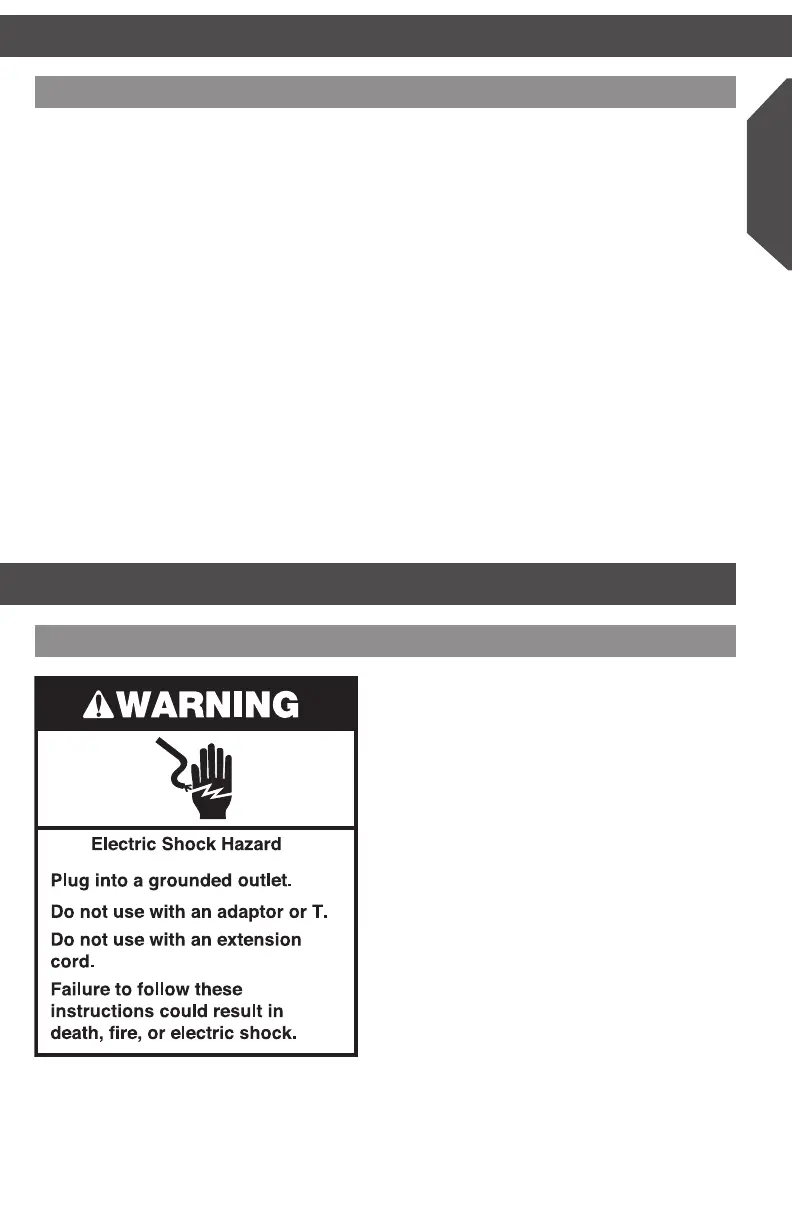
• Is the Multi-Cooker plugged into
a grounded (earthed) outlet?
Plug the Multi-Cooker into a grounded
(earthed) outlet.
• Is the fuse in the circuit to the
Multi-Cooker in working order?
If you have a circuit breaker box, make
sure the circuit is closed. Try unplugging the
Multi-Cooker, then plug it back in.
• Multi-Cooker turned off on its own.
The Multi-Cooker has an auto shutoff
feature. Depending on the cooking method,
the Multi-Cooker will automatically shut
off after up to 12 hours (24 hours when in
Keep Warm mode).
• If the problem cannot be corrected:
See the “KitchenAid Warranty and Service”
sections. Do not return the Multi-Cooker
to the retailer – retailers do not provide
service.
If your Multi-Cooker malfunctions or fails to operate
TROUBLESHOOTING
Cleaning your Multi-Cooker
Unplug your Multi-Cooker from the wall
socket before cleaning.
• Allow Multi-Cooker and accessories
to cool completely before cleaning.
• Do not use abrasive cleaners or metal
scouring pads. They could scratch
the surface.
• Wipe the outside of the Multi-Cooker with
a clean, damp cloth and dry thoroughly. A
nonabrasive liquid cleaner may be used for
stubborn stains.
• The ceramic nonstick coating of the
Multi-Cooker pot is scratch-resistant.
However, dropping or hard impacts can
chip or crack the ceramic coating.
• The pot of the Multi-Cooker has a nonstick
coating for easy cleaning. Repeated
washing in the dishwasher can reduce the
effectiveness of the nonstick coating.
NOTE: The lid and pot are dishwasher
durable, but handwashing in hot, soapy
water is recommended to maximize the life
of the nonstick coating.
W10663380C_01_EN_v02.indd 27 2/17/15 2:37 PM



 To Next Page