84
AUTOMATION AND CONTROLLER FOR UNITS EVO-T; EVO-T COMPACT
OPERATION AND MAINTENANCE MANUAL
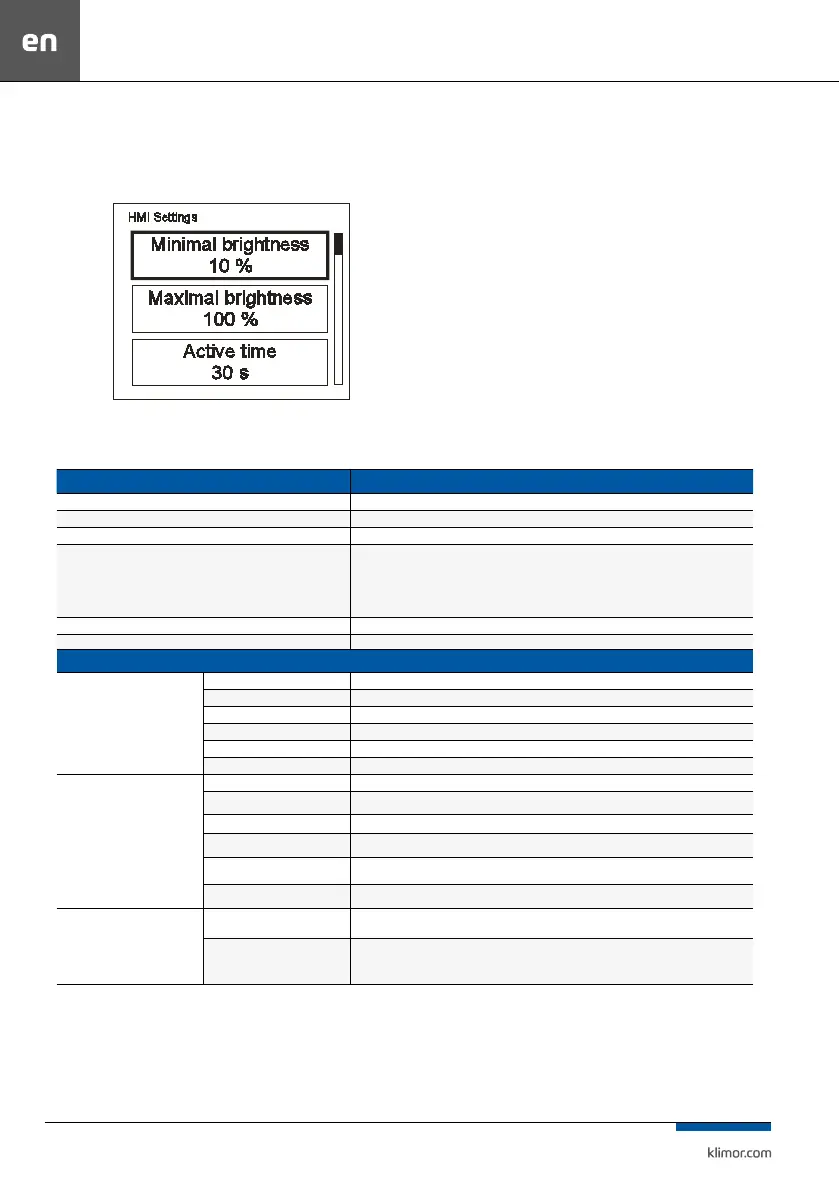
6.1.10 Settings menu
Press and hold for 3 seconds and key simultaneously to
enter the Settings menu.
Fig. 26
Table no. 21 Settings list:
FUNCTION EXPLANATION
Minimal brightness (min. brightness) Highlight level when the HMI enters the standby mode.
Maximal brightness (max. brightness) Highlight level when the HMI enters the operation mode.
Active time (activity time) Time period after which the HMI enters the standby mode if no key is pressed.
After active time (after activity time)
ZThe HMI behaviour in the standby mode:
Nothing – no reaction (the LCD is dimmed only)
Alarms menu – if an alarm occurs, the HMI automatically enters the Alarms menu
Alarms/1st page – if an alarm occurs, the HMI automatically enters the Alarms menu, if there is no alarm,
the HMI enters the rst page (the main page or the rst page of the main menu).
T sensor oset (temperature sensor oset) Oset of the temperature measurement carried out by the embedded sensor.
Menu skin (menu skin) Possibility to select one of few menu appearances.
COMMUNICATION SETTINGS
HMI COM SETTINGS
MAC address HMI address
Instance The unique number of the devices on the network
Bus mode The ability to choose how to communicate with the PLC
Com speed Set of serial transmission speed for HMI
Com.parity Setting parity communication with PLC
Com.stop bits Set stop bits communication with PLC
RS485 MASTER COM. SETTINGS
MAC address The PLC address
Instance The unique number of the devices on the network
Bus mode Possibility to choose the way of communication
Com speed Set of serial transmission speed
Com.parity Setting parity communication
Com.stop bits Set stop bits communication
MULTI-DEVICE SETTINGS
Multi-device display Select the display format of the description in control panel
Find device
Set-address range to search on the network.
Search the Web to search for devices.



 To Next Page