88
AUTOMATION AND CONTROLLER FOR UNITS EVO-T; EVO-T COMPACT
OPERATION AND MAINTENANCE MANUAL
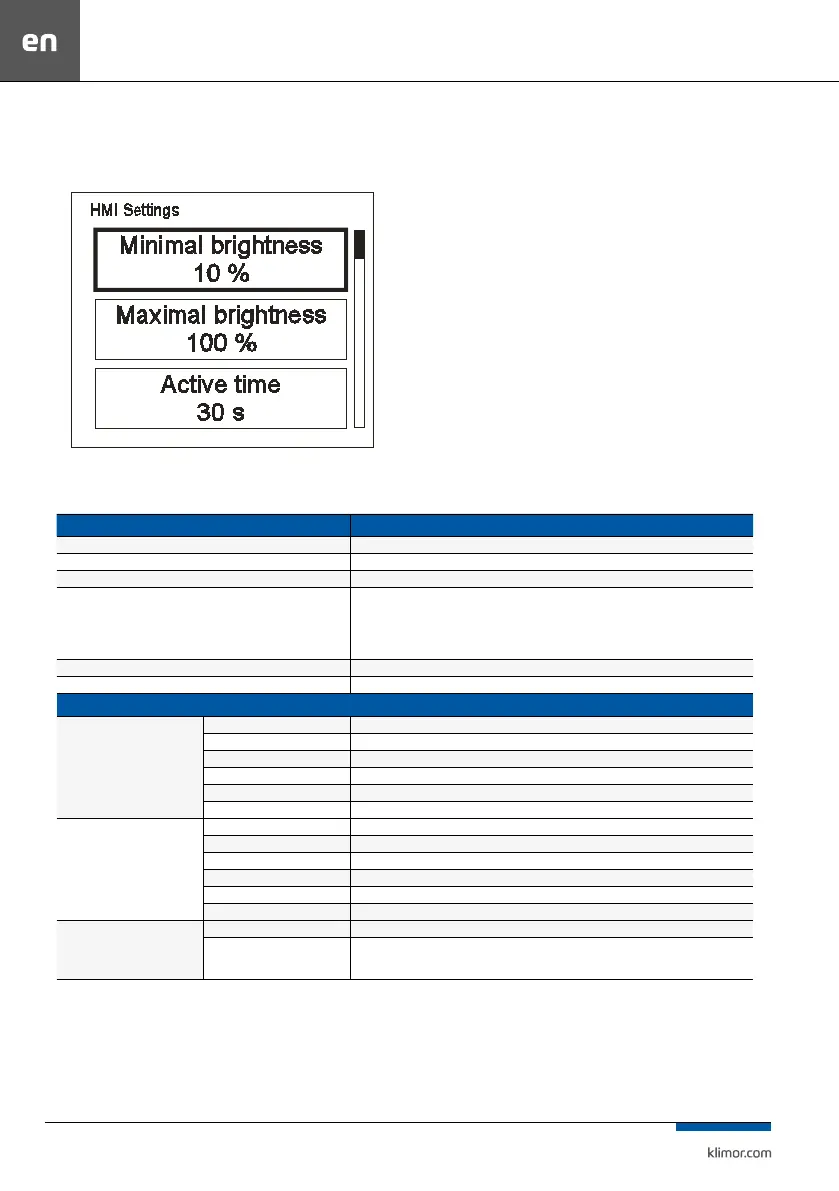
6.2.8 Settings menu
The setting menu is displayed by pressing the screen with three
ngers and holding down for 3 seconds.
Fig. 35
Table No 22 List of settings:
Function Explanation
Minimal brightness (Minimal brightness) Brightness level when the HMI goes into operation mode
Maximal brightness (Maximal brightness) Brightness level when the HMI goes into active mode
Active time (Active time) Time after which the HMI goes into standby mode when no key has been pressed
After activ.time (After active time)
HMI activity when going into standby mode:
Nothing – no response (only LCD dimming)
Alarms menu – when an HMI alarm occurs, it automatically goes to the alarm menu
Alarms/1st page – when there is an HMI alarm it automatically goes to the alarm menu, when there is no HMI
alarm it goes to the rst page (main page or rst page of the main menu)
T sensor oset (Temperature sensor oset) Shifting the temperature measurement made by the built-in sensor.
Menu skin (Menu skin) Possibility to select one of several menu designs
Communication Settings
HMI COM SETTINGS (HMI settings)
MAC address HMI address.
Instance Unique device number in the network.
Bus mode (Bus operation modei) Way of communicating with the PLC controller.
Com speed (HMI transmission speed) Serial transmission speed setting for HMI.
Com.parity Parity setting for communication with the PLC controller.
Com.stop bits Stop bits setting for communication with the PLC.
RS485 MASTER COM. SETTINGS
(communication settings via RS-485
MASTER)
MAC address PLC controller address.
Instance Unique device number in the network.
Bus mode (Bus operation modei) Possibility to choose the way of communication.
Com speed (HMI transmission speed) Serial transmission speed setting.
Com.parity Communication parity setting.
Com.stop bits Communication stop bits setting.
MULTI-DEVICE SETTINGS (communi-
cation settings for HMI operating in
MULTI mode)
Multi-device display Choice of format for displaying controller description.
Find device
Sets the address area to search the network.
Network search to nd devices.



 To Next Page