21
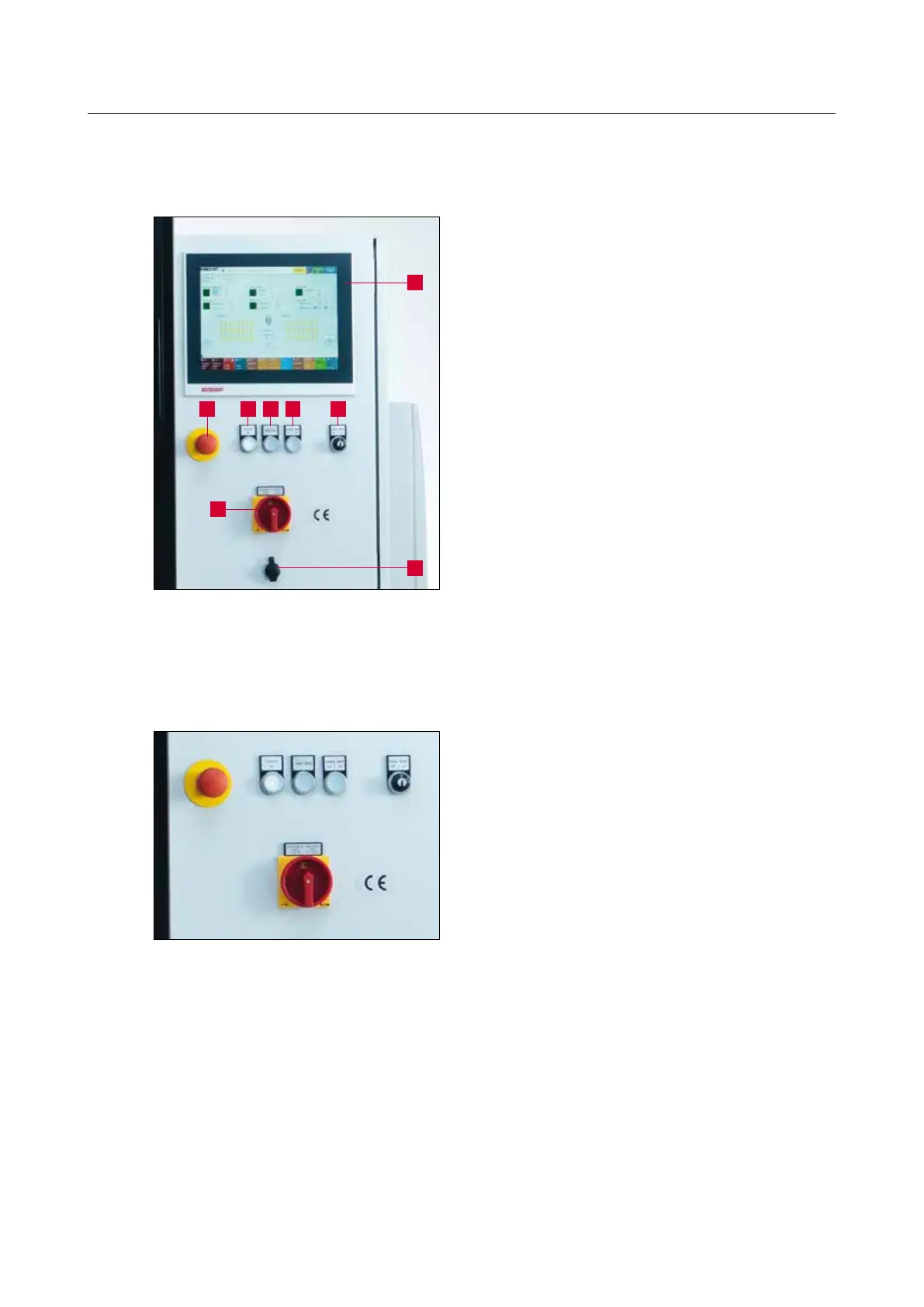
3.4.1 Control panel
1 Touch panel
2 “Emergency Stop” button
3 “Control On” button: Activates the con-
trols (button starts flashing)
4 “Start / Stop” button: Starts / stops the
grinding program
5 “Coolant On / Off” button: Switches the
coolant pump on or off (for cleaning)
6 “Setting mode” key switch: Position “1”
for setting mode, Position “0” for auto-
matic mode
7 Main switch ON / OFF
8 USB port
3.4.2 Switching the sharpening machine on / off
Turning the main switch from “0” to “I” switches
on the sharpening machine.
Turning the main switch from “I” to “0” switches
off the sharpening machine.
3. Description
Figure 3-4 Control panel
Figure 3-5 Main switch
1
2
7
8
3 4 5 6



 To Next Page