32
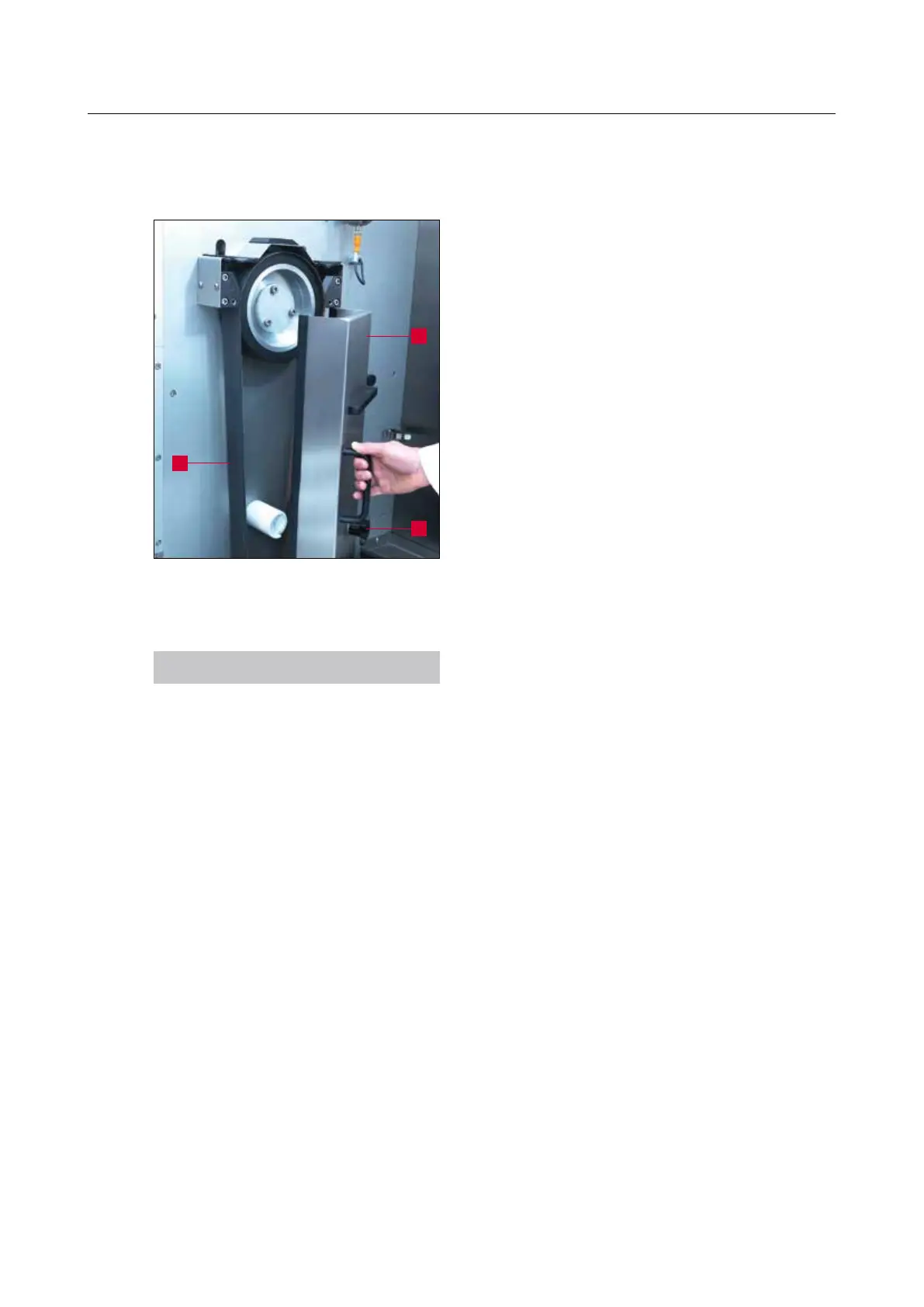
7.2 Changing the wet-grinding belt
After a preset time, the message “Change wet-
grinding belt” (3-6/1) appears on the touch panel.
To change the grinding belt (7-3/3), the belt
protecting hood (7-3/1) must first be opened. For
this purpose, turn the star knob (7-3/2) in anti-
clockwise direction until the lock disengages. Now
swivel out to the right.
A mechanism unloads the belt.
Remove the old wet-grinding belt and then load
the new belt. Swivel back the cover. The wet-
grinding belt is tightened automatically. Now turn
the star knob in clockwise direction until the lock
engages.
NOTICE
After changing the wet-grinding belt, press
and hold “F7 Band Reset” (3-6/20) for two
seconds on the touch panel to delete the
message.
Figure 7-3 Changing the wet-grinding belt
1
2
3
7. Operation



 To Next Page