EasyManua.ls Logo

Kodak EasyShare DX4530 - User Manual

Kodak EasyShare DX4530
117 pages
Print Icon
To Next Page IconTo Next Page
Loading...
Kodak EasyShare
DX4530 zoom digital camera
User’s Guide
www.kodak.com
For interactive tutorials, www.kodak.com/go/howto

Table of Contents

Questions and Answers

  • B
    Brandon RaymondSep 1, 2025
    Why stored pictures are damaged on Kodak EasyShare DX4530 Digital Camera?
    • J
      Joel JacksonSep 1, 2025
      If stored pictures on your Kodak Digital Camera are damaged, it could be because the card was removed when the ready light was blinking. Ensure the ready light is not blinking before removing the card.
  • M
    misty36Sep 12, 2025
    What to do if Kodak EasyShare DX4530 Digital Camera displays 'Card is protected (Reset switch on card)'?
    • J
      Juan HernandezSep 12, 2025
      If your Kodak Digital Camera displays 'Card is protected (Reset switch on card)', it means that the switch on the SD card is in the write-protect position. Reset the switch as shown on the camera screen.
  • D
    Daniel ZimmermanAug 30, 2025
    Why does rechargeable Ni-MH battery pack has a short life on Kodak EasyShare DX4530 Digital Camera?
    • H
      holderjesseAug 31, 2025
      If the rechargeable Ni-MH battery pack in your Kodak Digital Camera has a short life, it could be due to dirt on the battery contacts. Wipe the battery contacts with a clean, dry cloth before loading batteries in the camera. Additionally, the battery may need to be conditioned. Place the camera on the camera dock. If you have EasyShare camera dock— When the charge light turns green, remove the camera from the dock. After a minimum of 5 minutes, place the camera back on the dock. If you have EasyShare camera dock II— When all 3 lights turn green, remove the camera from the dock. After a minimum of 5 minutes, place the camera back on the dock Repeat steps 1 and 2 until the combined charge time equals a minimum of 2 hours.
  • T
    Troy SuttonSep 14, 2025
    How to resolve 'Internal memory is full (Cannot save Share tagging)' on Kodak Digital Camera?
    • T
      tblackwellSep 14, 2025
      To address the issue of 'Internal memory is full (Cannot save Share tagging)' on your Kodak Digital Camera, insert a card, transfer pictures, or delete pictures.
  • J
    Julie ColeSep 13, 2025
    Why Kodak EasyShare DX4530 Digital Camera displays 'Memory card is full (Cannot save Share tagging)'?
    • R
      Rebecca GarzaSep 14, 2025
      If your Kodak Digital Camera displays 'Memory card is full (Cannot save Share tagging)', it indicates that there is no space remaining. Insert a new card, transfer pictures, or delete pictures.
  • J
    Jacob NealSep 18, 2025
    What to do if Kodak Digital Camera displays 'Other error code'?
    • D
      Dr. Ryan LeeSep 18, 2025
      If your Kodak Digital Camera displays 'Other error code', it means that an error is detected. Turn the Mode dial off, then back on. If the error appears again, call for service.
  • M
    michaelspencerSep 23, 2025
    Why pictures are not transferred to the computer from Kodak Digital Camera?
    • B
      Brian RaySep 23, 2025
      If pictures are not transferred to the computer from your Kodak Digital Camera, ensure that the AC adapter or USB cable is securely connected. Also, verify that the necessary software is installed. If the issue persists, restart the computer and try again. If using a camera dock, ensure the camera was not removed during picture transfer; replace the camera on the camera dock and press the Connect button. Finally, ensure that the Connect button was pressed.
  • M
    Matthew AndersonAug 27, 2025
    What to do if shutter button does not work on Kodak Digital Camera?
    • D
      David KennedyAug 27, 2025
      If the shutter button on your Kodak Digital Camera does not work, it could be due to several reasons. First, ensure that the camera is turned on. Second, the camera might be processing a picture; wait until the ready light stops blinking. Third, the memory card or internal memory might be full. If this is the case, transfer pictures to your computer, delete pictures from the camera, switch storage locations, or insert a card with available memory.
  • T
    Traci DaughertyAug 26, 2025
    Why picture is too light on Kodak EasyShare DX4530?
    • F
      Felicia BallAug 26, 2025
      If the picture taken with your Kodak Digital Camera is too light, it could be due to several reasons. The flash may not be needed, so change to Auto flash. The subject may have been too close when the flash was used, so move further away. The light sensor may be covered, so hold the camera so your hands or other objects do not cover the light sensor. Finally, the lighting condition may be too bright, so decrease exposure compensation.
  • M
    Margaret LopezAug 25, 2025
    Why picture is not clear on Kodak EasyShare DX4530?
    • L
      Linda SmithAug 26, 2025
      If the pictures taken with your Kodak Digital Camera are not clear, it could be due to several reasons. The lens might be dirty, so clean the lens. The subject might be too close, so move further away. The subject or the camera might have moved during the shot, so hold the camera steady. The subject might be too far for the flash, so move closer.

Summary

Product Overview

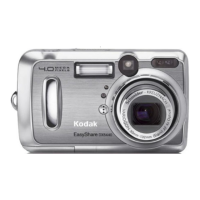
Front View

Detailed view of the camera's front panel components and their labels.

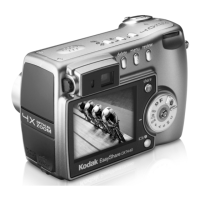
Back View

Detailed view of the camera's back panel components and their labels.

Side View

Detailed view of the camera's side panel ports and features.

Top, Bottom View

Detailed view of the camera's top and bottom panels, including buttons and sockets.

Getting Started

Install Software First

Instructions for installing the Kodak EasyShare software before connecting the camera.

Loading the Battery

Step-by-step guide on how to properly insert batteries into the camera.

Mode Dial Settings

Explanation of the functions of each mode on the camera's mode dial.

Setting the Date and Time

Procedures for setting the camera's date and time for accurate photo metadata.

Important Battery Information

Crucial details on battery types, life, safety, and handling for optimal camera performance.

Taking Pictures

Taking Pictures in Auto Mode

Guide for using the camera's automatic mode for simple, point-and-shoot photography.

Using the Optical Zoom

Instructions on how to use the camera's optical zoom feature to get closer to subjects.

Using the Flash

Explains how to use the camera's flash settings for different lighting conditions.

Setting Picture Quality

How to select the desired resolution and quality for captured images.

Taking Videos

Taking a Video

Step-by-step instructions for recording video clips with the camera.

Reviewing Pictures and Videos

Viewing Pictures and Videos

How to navigate and view captured photos and videos on the camera's screen.

Deleting Pictures and Videos

Instructions for removing unwanted photos and video clips from the camera.

Protecting Pictures and Videos From Deletion

Method to safeguard specific photos and videos from accidental deletion.

Tagging Pictures and Videos

Tagging Pictures for Printing

Steps to tag photos for printing, including setting the number of copies.

Tagging Pictures and Videos for Emailing

How to tag photos and videos for easy sharing via email.

Customizing Your Camera Settings

Accessing Setup Mode;Menus

Guide to entering the camera's setup menu for customization options.

Formatting Internal Memory or SD;MMC Card

Process for erasing and preparing storage media for camera use.

Installing the Software

Windows System Requirements

Specifies the necessary hardware and software for installing the camera software on Windows.

Install the Software

Detailed instructions for installing the Kodak EasyShare software on a computer.

Connecting to the Computer

Transferring Pictures With the USB Cable

Steps to connect the camera via USB and transfer photos and videos.

Using the Optional Camera Dock II

Camera Dock Package Contents

Lists all items included in the Kodak EasyShare camera dock II package.

Charging the Battery

Instructions on how to charge the camera's rechargeable battery using the dock.

Troubleshooting

Troubleshooting-Camera

Common problems encountered with the camera and their solutions.

Camera Screen Messages

Explains various messages displayed on the camera screen and how to resolve them.

Troubleshooting-Camera Dock II

Solutions for issues related to the camera dock II and its connectivity.

Getting Help

Telephone Customer Support

Information and steps for contacting Kodak customer support for assistance.

Appendix

Camera Specifications

Technical details and specifications of the Kodak EasyShare DX4530 digital camera.

Tips, Safety, Maintenance

Important advice on camera care, safety precautions, and general maintenance.

Storage Capacities

Information on how many pictures and videos can be stored on different memory card sizes.

Kodak EasyShare DX4530 Specifications

General IconGeneral
Megapixel5 MP
Sensor typeCCD
Digital zoom3.3 x
Optical zoom3 x
Combined zoom10 x
Focal length range8 - 24 mm
Meteringautomatic: multi-pattern TTL-AE
InterfaceDock Compatibility - KODAK EASYSHARE Camera Dock I, II and KODAK EASYSHARE Printer Dock 4000
Cable type1 x A/V cable, 1 x USB cable
Minimum RAM64 MB
Minimum processor233 MHz
Dimensions (WxDxH)111 x 66 x 39 mm
Camera shutter speed1/2-1/1700 s
Minimum storage drive space200 MB
Minimum system requirementsCD-ROM USB
Focal length (35mm film equivalent)38 - 114 mm
Viewfinder typeOptical
Internal memory32 MB
Compatible memory cardsmmc, sd
Display diagonal1.8 \
I/O ports1 x USB 1 x composite video/audio output 1 x docking station 1 x DC power input
Bundled softwareKODAK EASYSHARE Software
Self-timer delay10 s
Tripod mounting supportedYes
Product colorSilver
Flash modesRed-eye reduction
Weight and Dimensions IconWeight and Dimensions
Weight210 g

Related product manuals