MDC-1840BB/1841BB/1860BB/1810BB/1820BB Series Chapter 7
Operation Manual Graphic Displays
93142122-07 7-1
Chapter 7 Graphic Displays
The MDC-1800BB series has a graphic mode in addition to the normal radar display
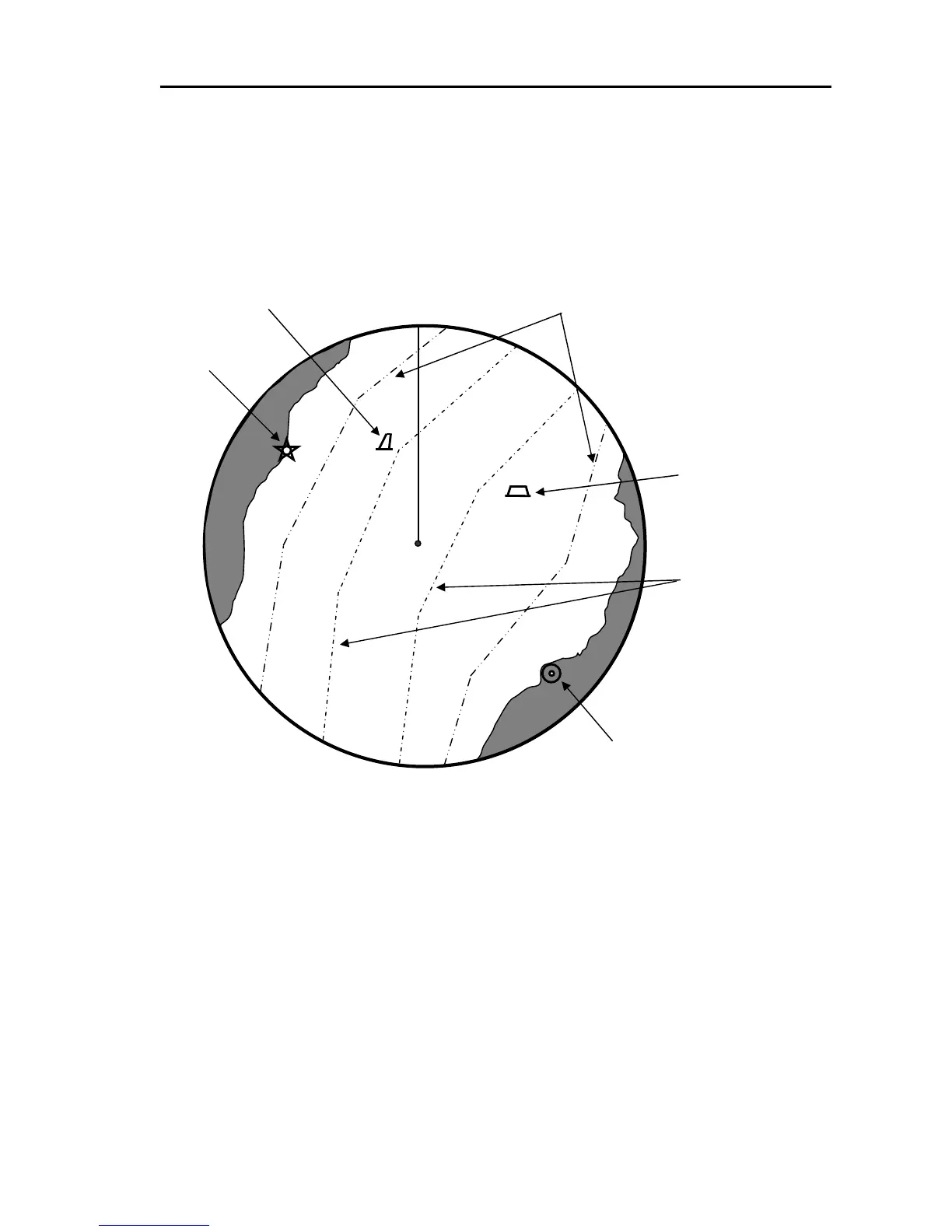
to assist in navigation. The available graphics are NAVLINE (Navigation Line), MAP
(Map) and 10 kinds of marks. The map is constituted by a set of Coastlines.
Figure 7.1 An example of the graphic display
Specifying nodes on each graphic in the latitude and longitude creates both
navigations lines and coastlines.
7.1 Entering the Graphic Mode
Put the radar to standby mode and press the MENU key. Pressing the MENU key
toggles the graphic mode of display in the following order.
First press: DISPLAY ITEM SELECT MENU
Second press: NAVLINE DATA INPUT MENU
Third press: COASTLINE DATA INPUT MENU
Fourth press: MARK INPUT MENU
Coast lines (Dash double-dotted line)
Navigation lines
(Dash dotted line)
Lighthouse
Buoy
Mooring buoy
Land-based radar station



 To Next Page