Chapter 4 MDC-1840BB/1841BB/1860BB/1810BB/1820BB Series
Installation Operation Manual
4-10 0093142122-11
4.6.4 Installing the Processor Unit
The Processor Unit can be installed on tabletop or bulkhead. Use the following
procedure for installation.
(1) Determine the location observing the precaution given in Para 4.4.2.
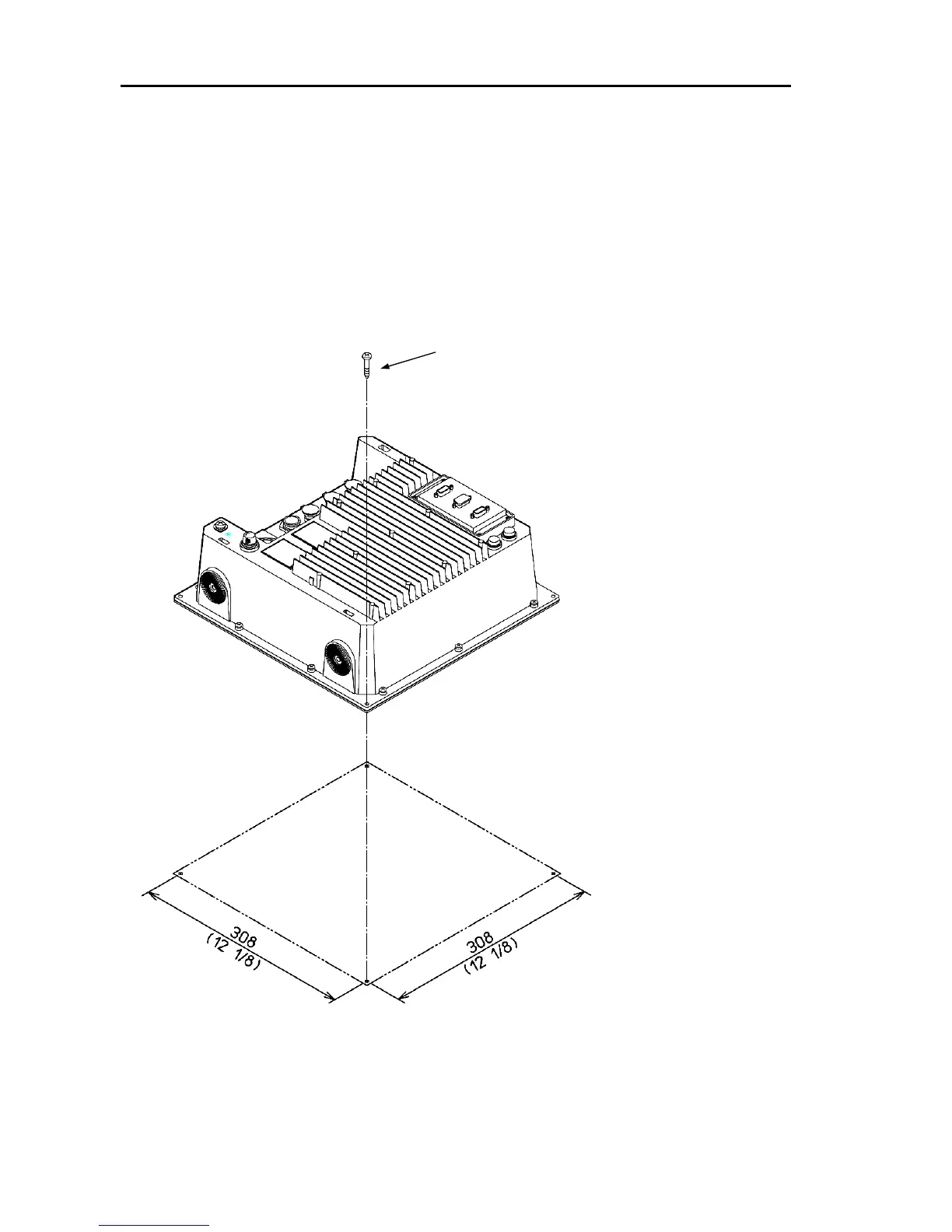
(2) Place the Processor Unit onto the position where the unit is installed and fix it
using the truss tapping screws prepared in the installation material kit. (4 positions)
Figure 4.8 Installing the Processor Unit
Use M4 (4 mm) tapping screw with 25
mm length or more for good security.
(4 positions)



 To Next Page