MDC-1840BB/1841BB/1860BB/1810BB/1820BB Series Chapter 5
Operation Manual Basic Operation
0093142122-10 5-1
Chapter 5 Basic Operation
5.1 Introduction
In this chapter, all necessary operating instructions are given from getting started to
turning off the system. The following panel layout illustration will give you an idea what
sort of key switches and controls are available as well as their brief functional
descriptions.
5.2 Control Panel Layout
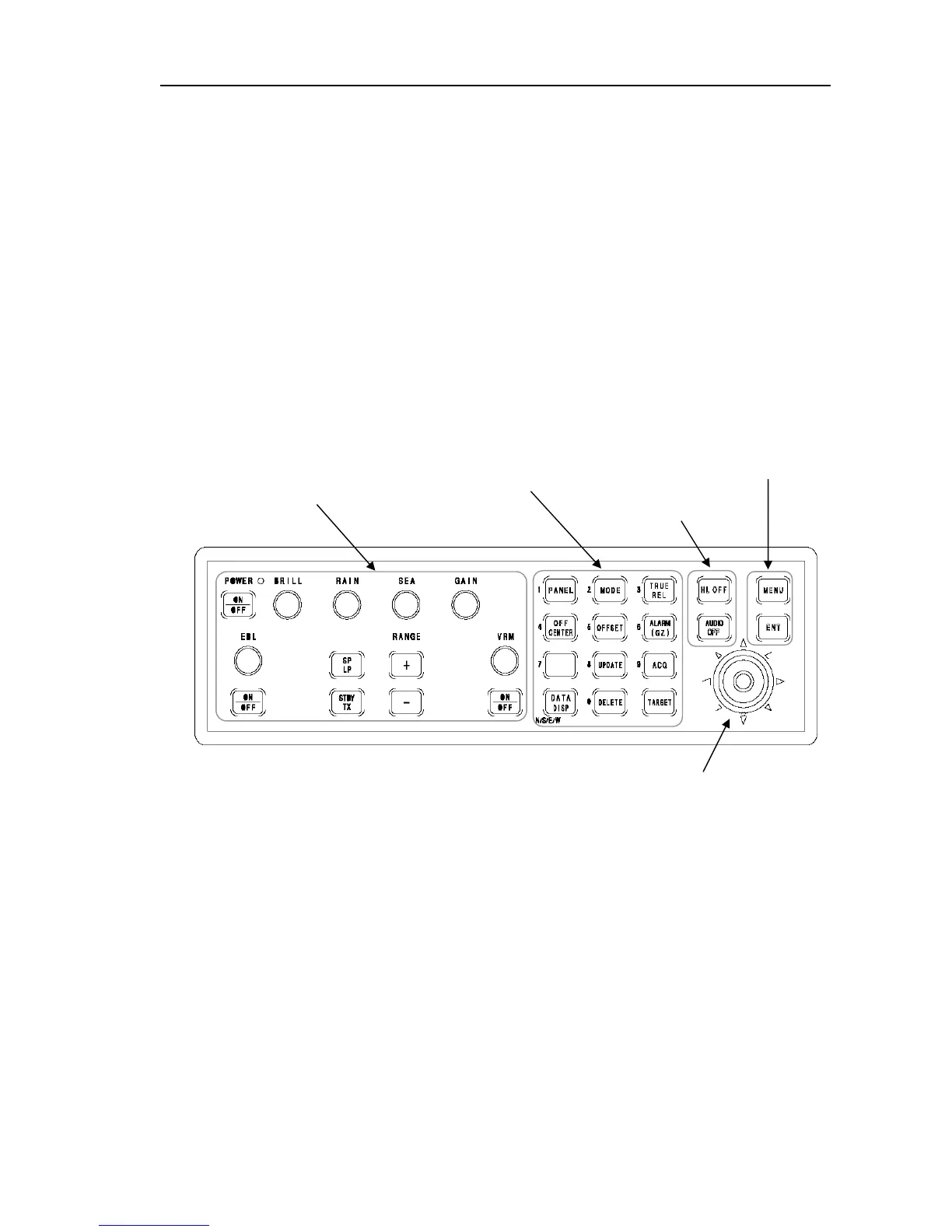
The following illustration shows the layout of the control panel. All controls and key
switches are grouped for respective functions.
Figure 5.1 Control panel layout
5.3 Operating Controls
All necessary radar controls and functional settings can be made on the display
control panel. For fundamental radar operations, such as turning on and off the radar,
transmit, range change, gain control, anti-clutter rain and sea controls, the respective
dedicated controls and key switches are provided, which are grouped on the left side
of the control panel. For setting up various functions and ATA operations, relevant key
switches and the Joystick are provided on the right side of the control panel.
Basic Radar Controls
RADAR and CAL MENU keys
Radar Control Keys
Menu Selection Keys
Joystick



 To Next Page