MDC-1840BB/1841BB/1860BB/1810BB/1820BB Series Chapter 4
Operation Manual Installation
0093142122-11 4-13
4.6.5.2 Flush mounting
Preparation:
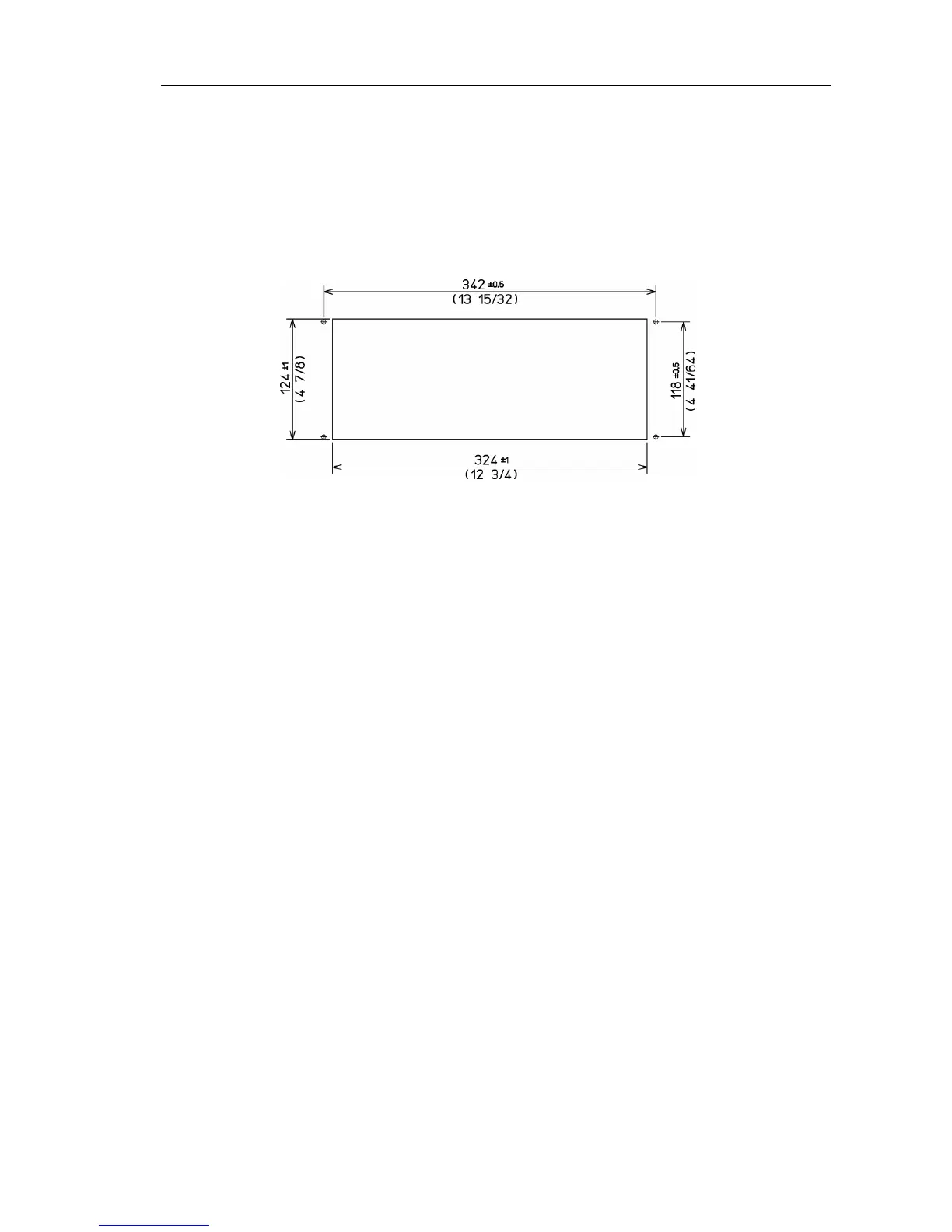
(1) Cut aperture in surface to the dimensions shown below
(2) Mark the fixing points with a sharp-edged tool.
Installation:
(1) Remove the mounting bracket from the Control Box.
(2) Remove a screw cover, which is fitted on each corner of the Control Box front
face.
(3) Put the Control Box and connecting cable into the aperture and connect the cable
to the Processor unit at the specified receptacle. (Refer to Figure 4.15)
(4) Fasten the Control Box to the panel using a 4 mm tapping-screw. (4 positions)
(5) Refit the screw covers removed in step (2).
Figure 4.12 Dimensions of the Operation unit mounting aperture



 To Next Page